
Configure only what engineering has approved
A configurator that offers every capacity and speed it can imagine is a way to quote something you cannot build. OopsWeSold offers only the values your engineers approved for each product variant, and checks the choice against the shaft that was measured.
Engineering and quotations · Product tour
Elevator configurator, step by step in the real app
Screenshots from the working product, using a fictional demo company. Select any screen to open it full size.
 1
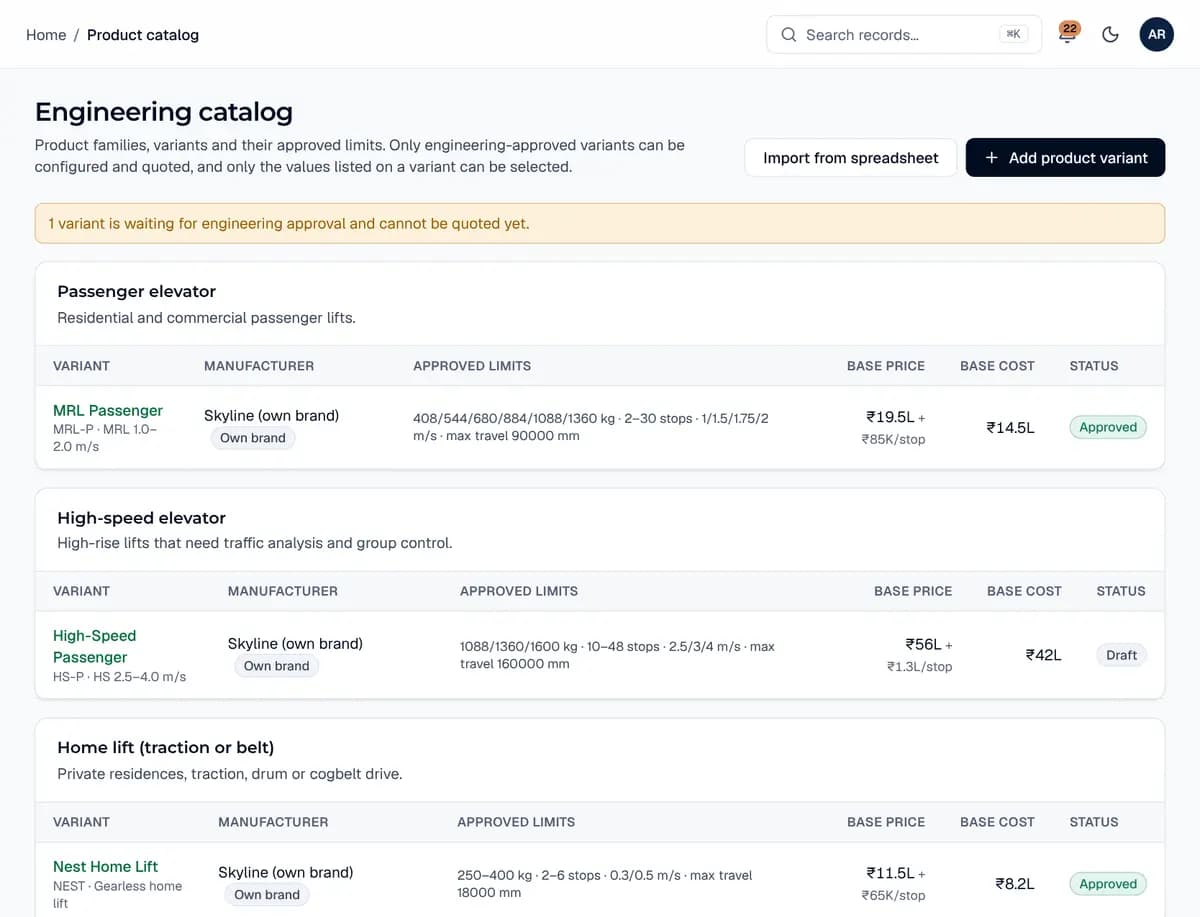
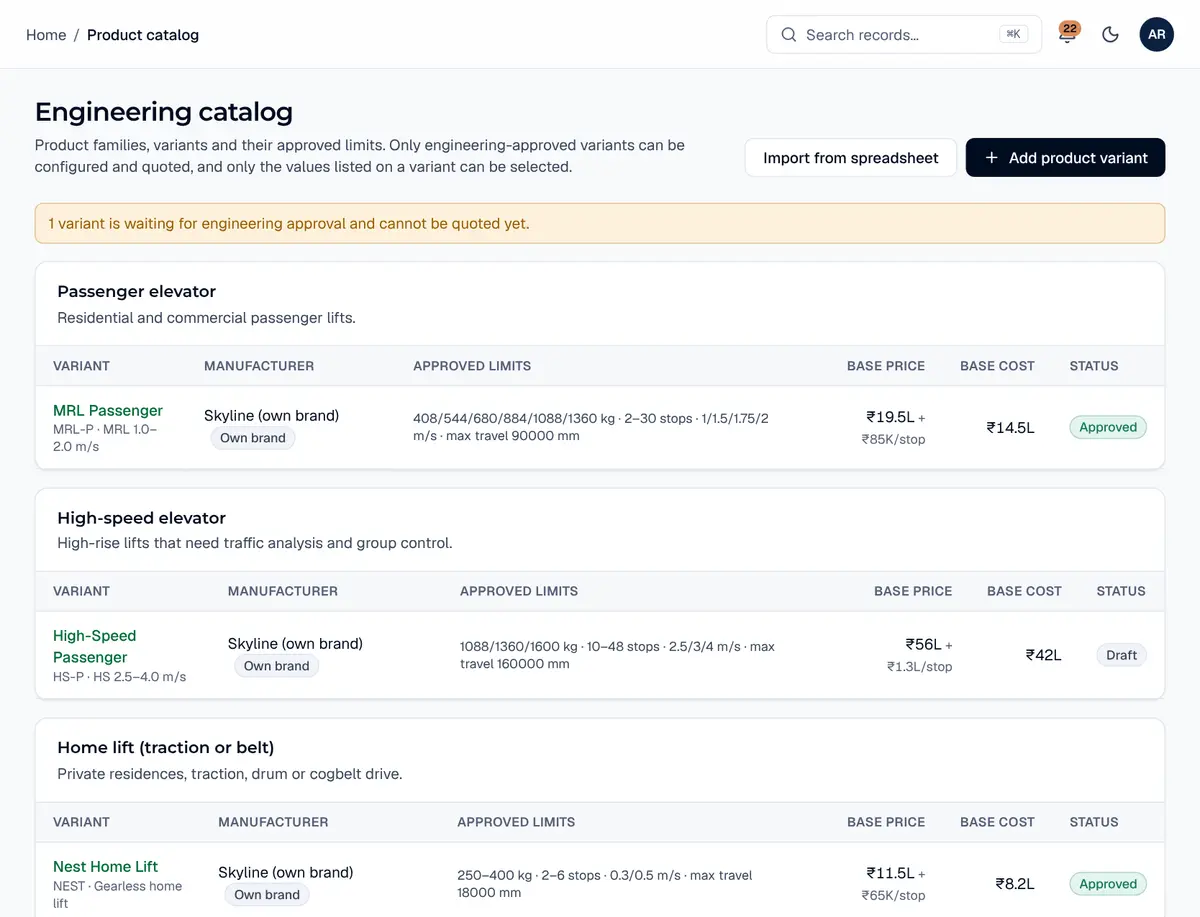
Approved product catalog
Product families and variants with approved loads, speeds, stops and dimensions, maintained by engineering.
 2
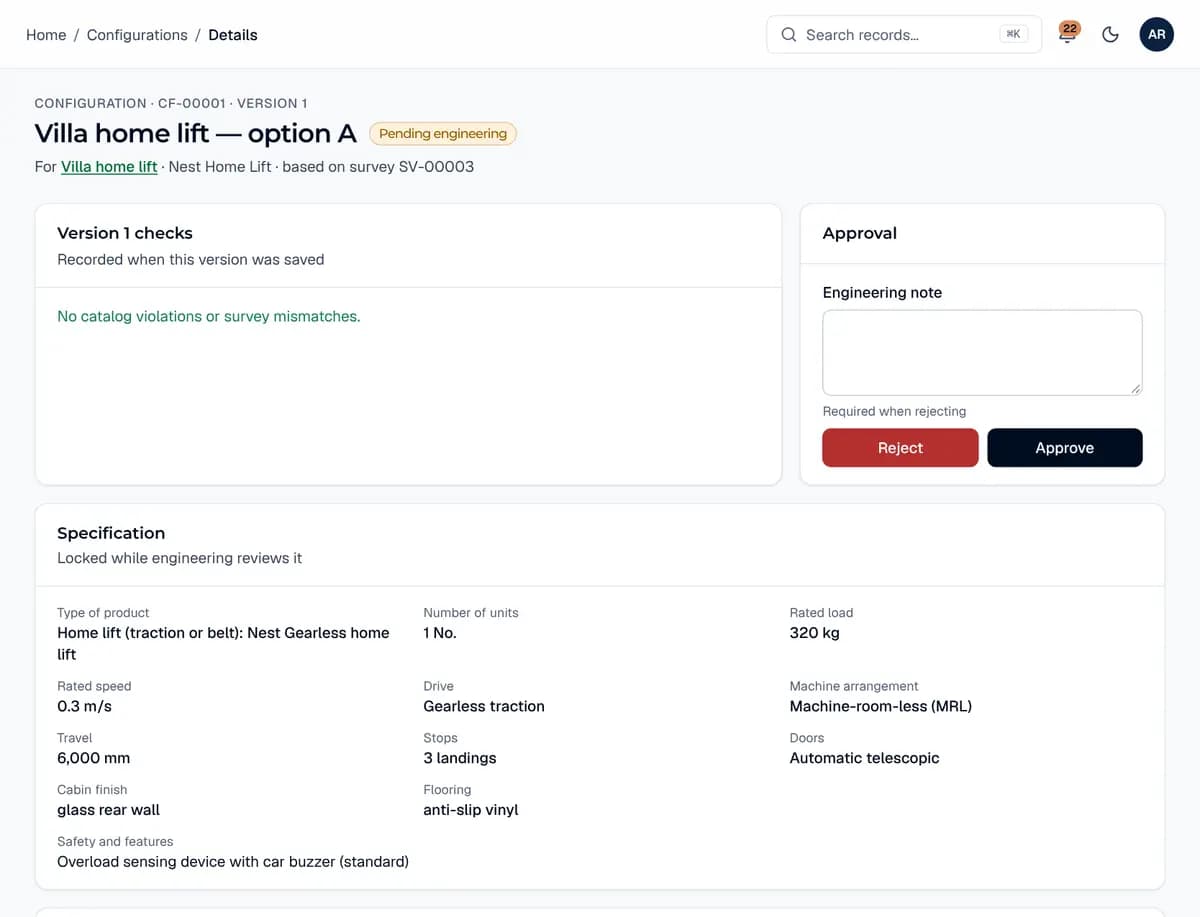
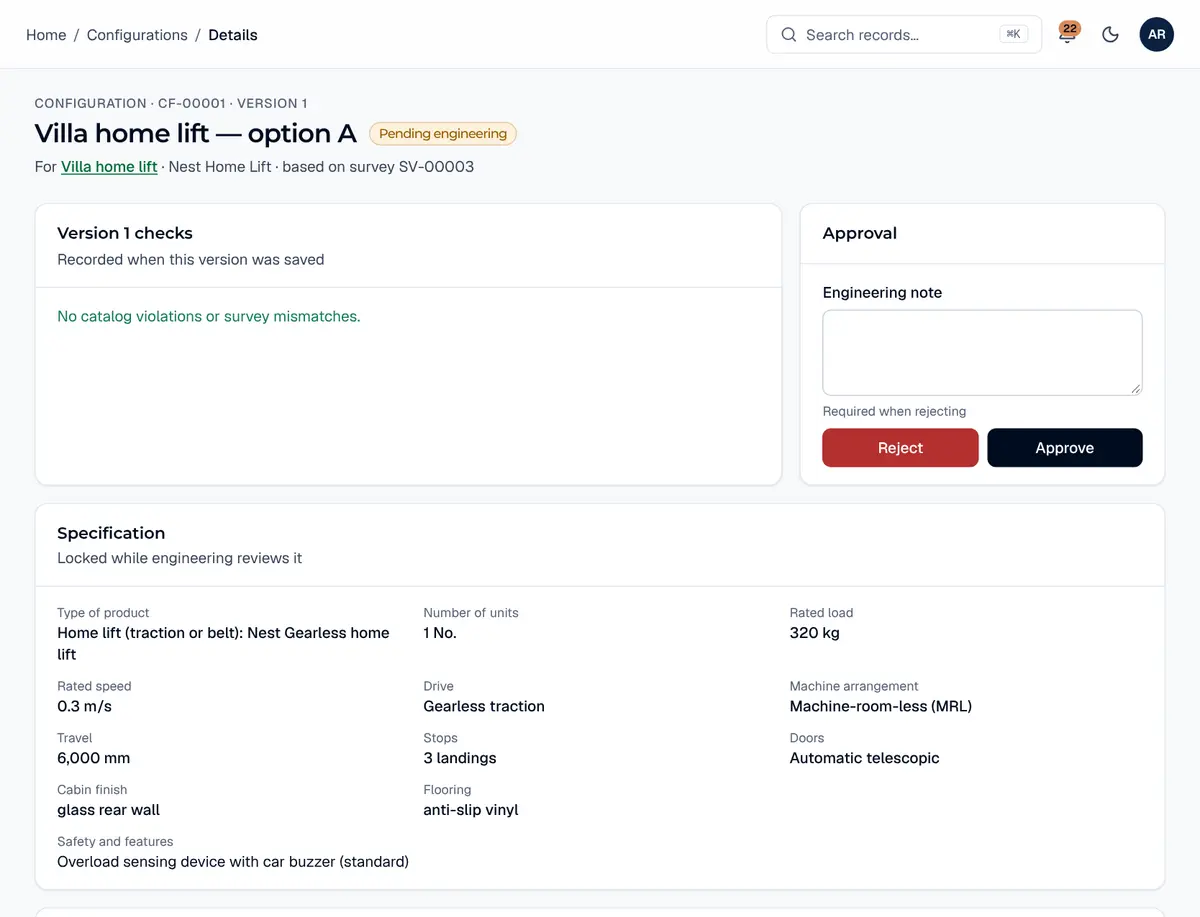
Checks on every version
Each saved version records its catalog and survey checks. Engineering approves or rejects with a note.
 3
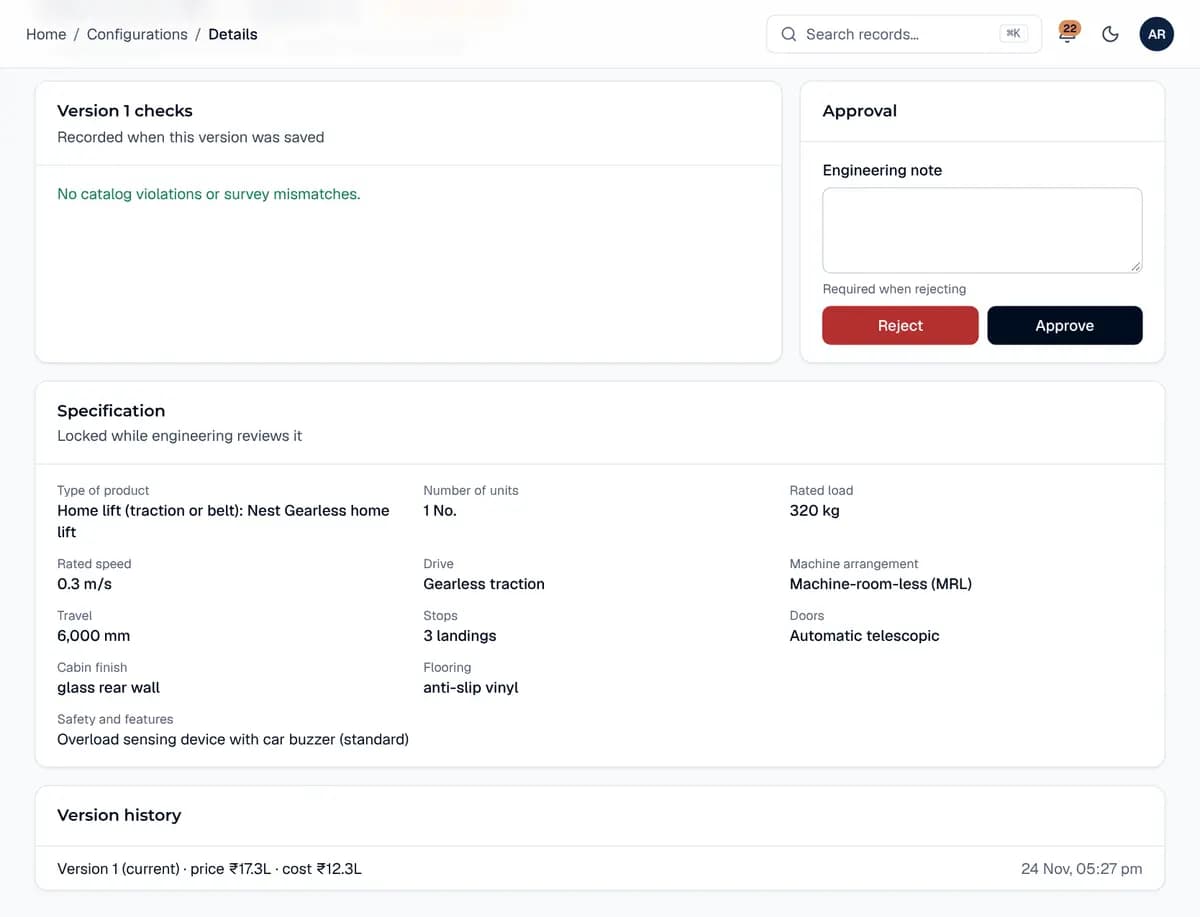
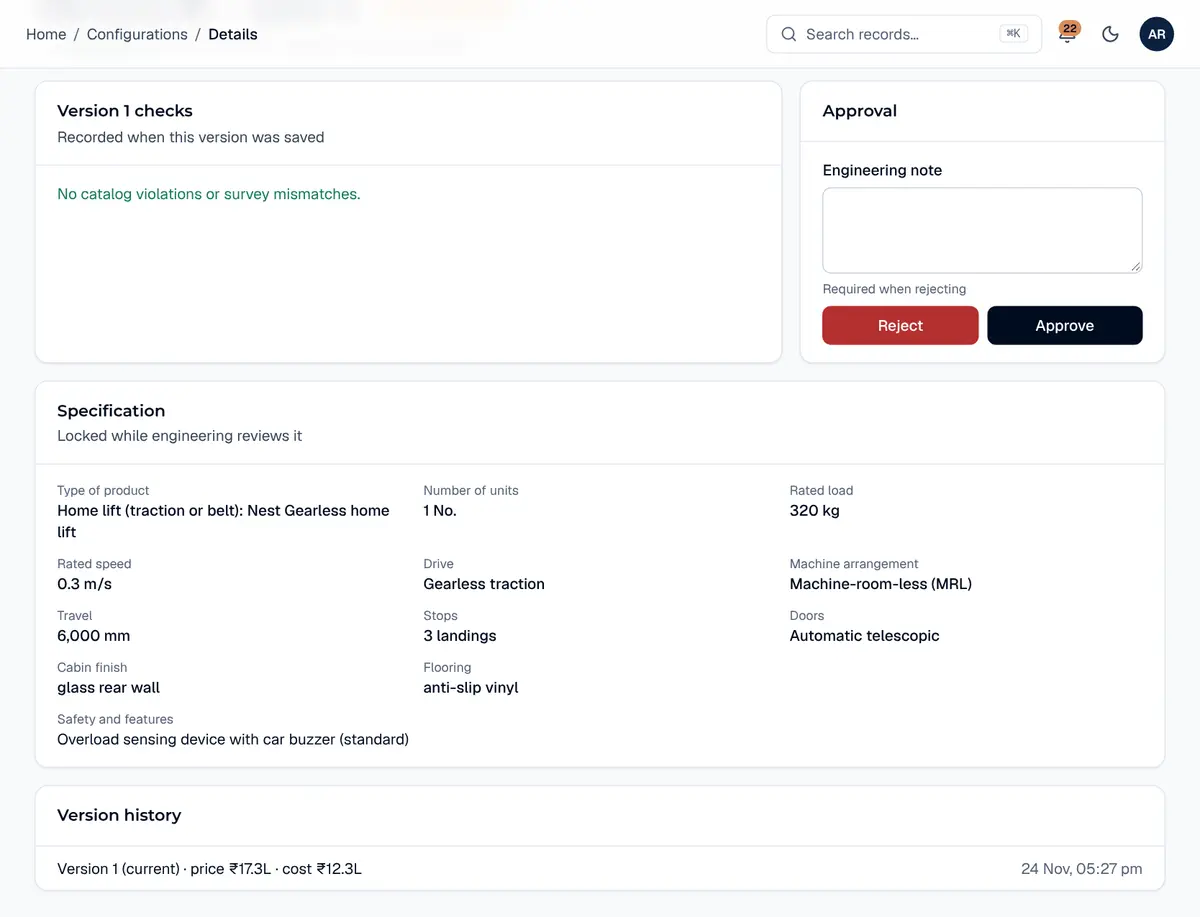
Locked specification
Type, load, speed, drive, machine arrangement, travel, stops, doors and finishes, locked while under review.
 4
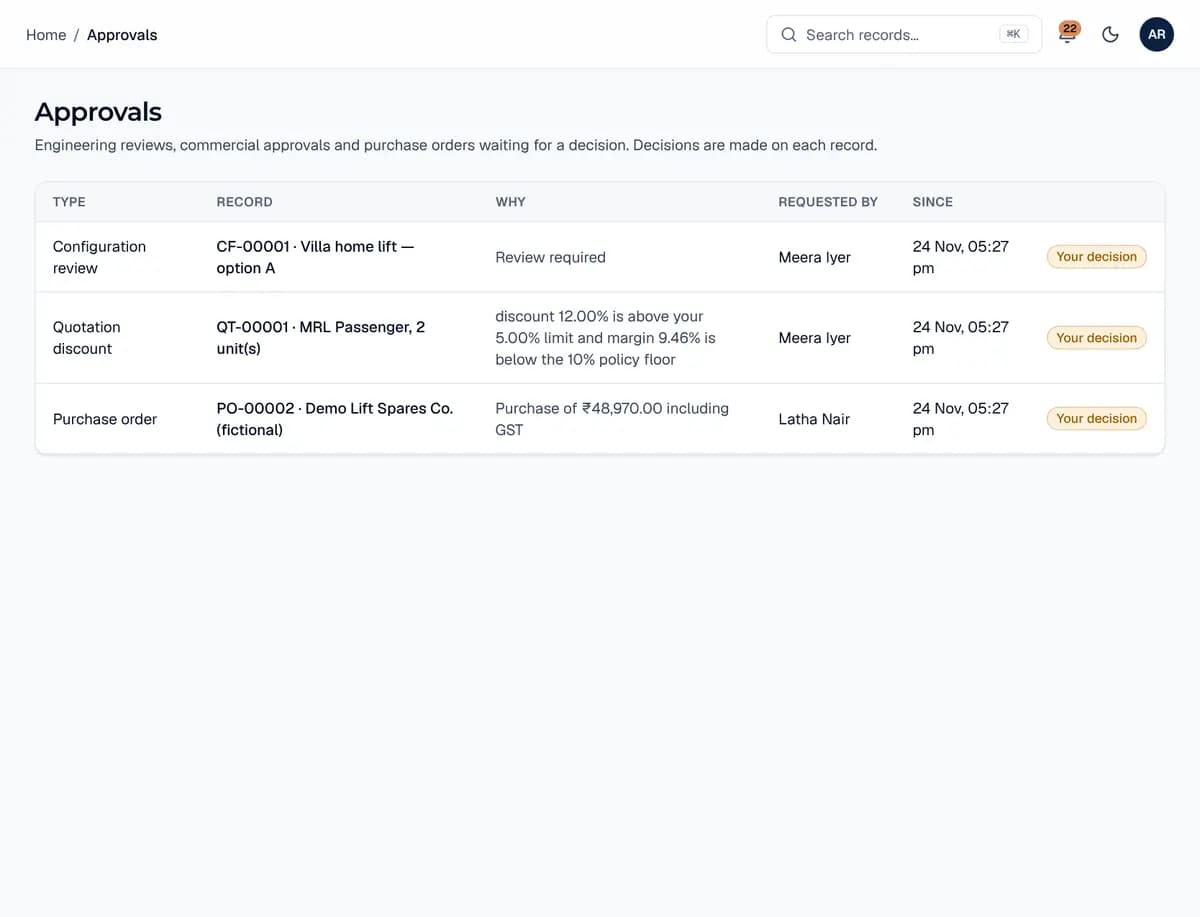
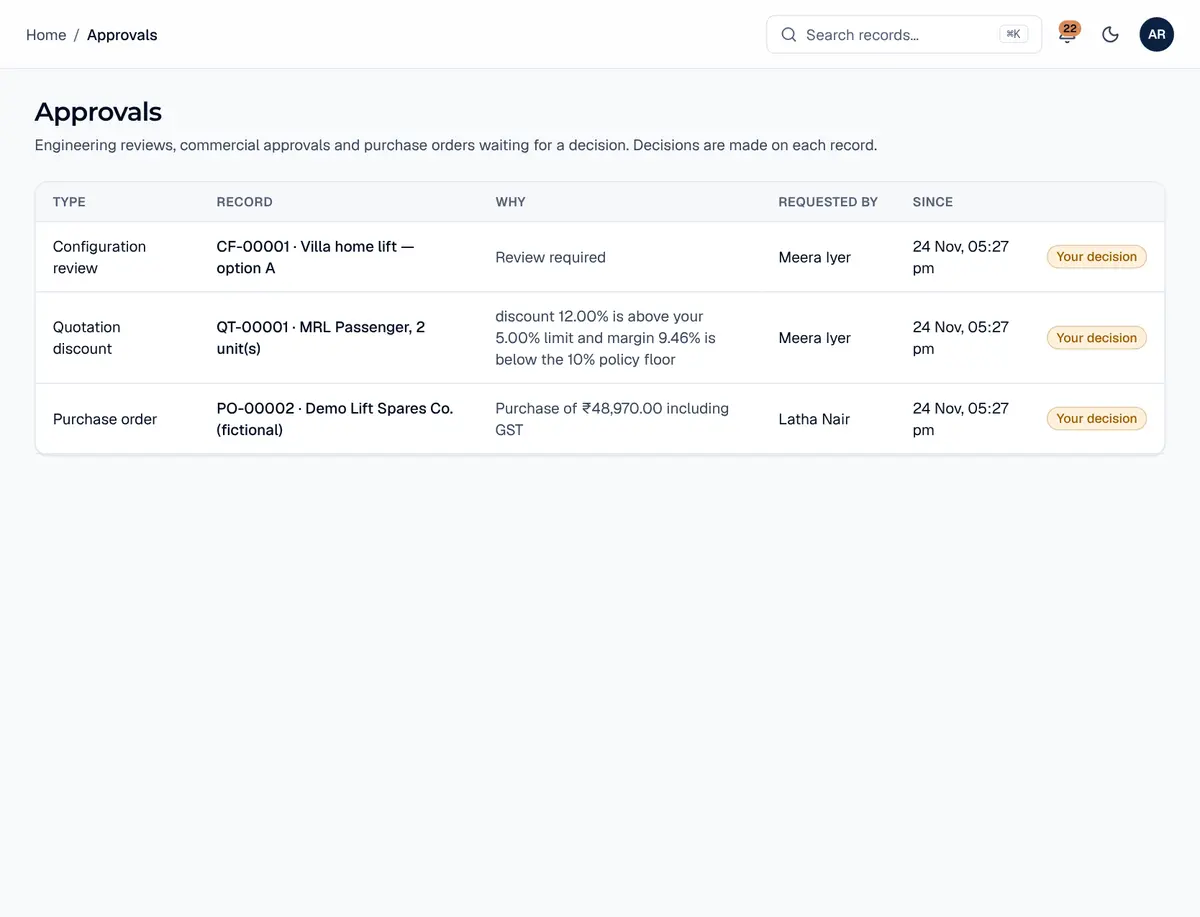
One approvals queue
Configurations, quotation discounts and purchase orders waiting for a decision, in one list.
How it helps
Sales cannot quote what engineering has not approved
Only approved variants and option combinations can be configured.
Options that clash are caught
Requires and excludes rules stop impossible combinations before they reach a quotation.
The quotation carries the spec
The approved configuration becomes the technical schedule printed with the quotation.
Compared with how it is usually done
Spreadsheets, Tally and general ERPs are good tools for what they were built for. This is where each one fits for this part of a lift business.
| Task | Excel, paper and WhatsApp | Tally or a general ERP | OopsWeSold |
|---|---|---|---|
| Pick a valid lift model | Price list PDF and experience | Item masters without engineering rules | Catalog with approved limits and option rules |
| Engineering sign-off | Email or verbal | Not part of the product | Recorded approve or reject on each version |
| Keep earlier versions | File names like final-v3 | Not tracked | Every version kept with its checks |
Other elevator software
- Survey checked against the lift model's limits before quoting: claimed by 0 of the 7 elevator software websites we read.
Checked on 24 November 2026, from each vendor's own website. See the full comparison.
Who it is for
- Engineering managers who own the catalog
- Sales engineers preparing a technical offer
The problem
Quotations promise a speed the shaft cannot take, or leave out a safety item. The error is found in the factory or on site.
How it works
- 1
Maintain the catalog
Add product variants by hand or import a spreadsheet. A new or edited variant is a draft; a different engineer must approve it before it can be quoted.
- 2
Configure
Pick a variant and the fields for its family appear, with only its approved values. Pit, headroom, travel and stops are checked against the approved survey as you go.
- 3
Safety items
Mandatory safety items for the family are added automatically.
- 4
Approve
Engineering reviews the configuration. Only approved configurations can become quotations.
Try it: check a surveyed shaft
Enter clear finished RCC/masonry shaft readings (after plastering) and compare them against approved Indian lift series limits. Sales cannot push an incompatible configuration past engineering.
Below bottom FFL · Model minimum: 1200 mm
Top FFL to hoistway slab soffit · Minimum: 3800 mm
Clear plumb width · Catalog GAD target: 1850 mm
Clear plumb depth · Catalog GAD target: 1650 mm
What you can do today
- 15 product families, from passenger and hospital lifts to escalators and moving walks
- Per-variant approved loads, speeds, drives, doors and dimensions
- Options with requires and excludes rules
- Spreadsheet import of variants, as drafts
- Versioned configurations and a technical schedule for the quotation
Controls and records
- The person who last edited a variant cannot approve it
- Editing an approved variant withdraws its approval
- The configurator never certifies feasibility. It applies your own limits, and qualified engineers stay responsible
Not available yet
So there are no surprises:
- Manufacturer-supplied catalogs
- Drawings generated from a configuration
Connected to
Questions
Does it replace an engineer's judgement?
No. It enforces the limits your engineers approved and makes them review each configuration. It does not certify that a lift can be built.
Can I bring my own product list?
Yes, from a CSV file. Each imported product starts as a draft until engineering approves it.