
A CRM that knows what a lift enquiry actually is
Generic CRMs stop at a name, a phone number and a deal value. An elevator enquiry also carries a building, a shaft, a stop count and a decision that engineering has to sign off. OopsWeSold keeps all of that on one record, from the first call to the lift's service history.
Sales and CRM · Product tour
Elevator CRM, step by step in the real app
Screenshots from the working product, using a fictional demo company. Select any screen to open it full size.
 Step 1
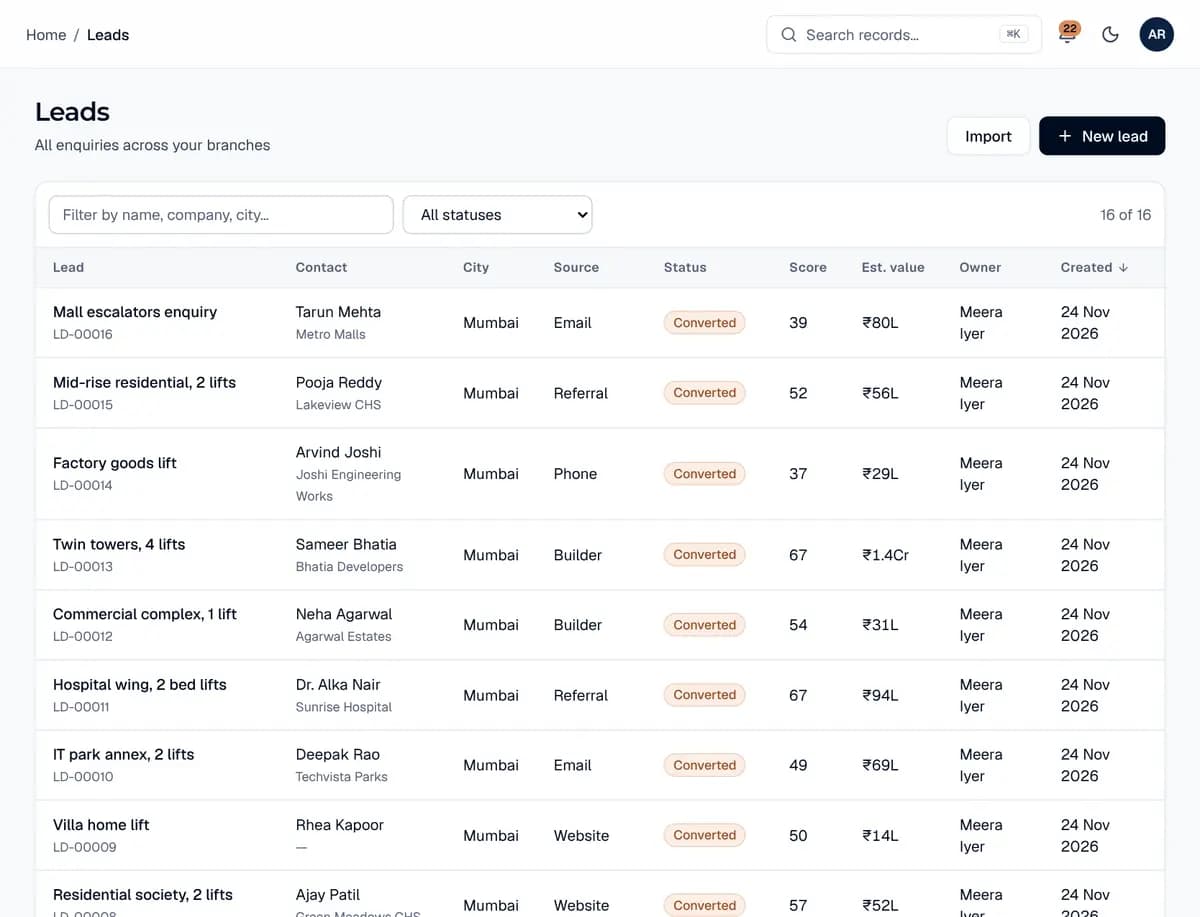
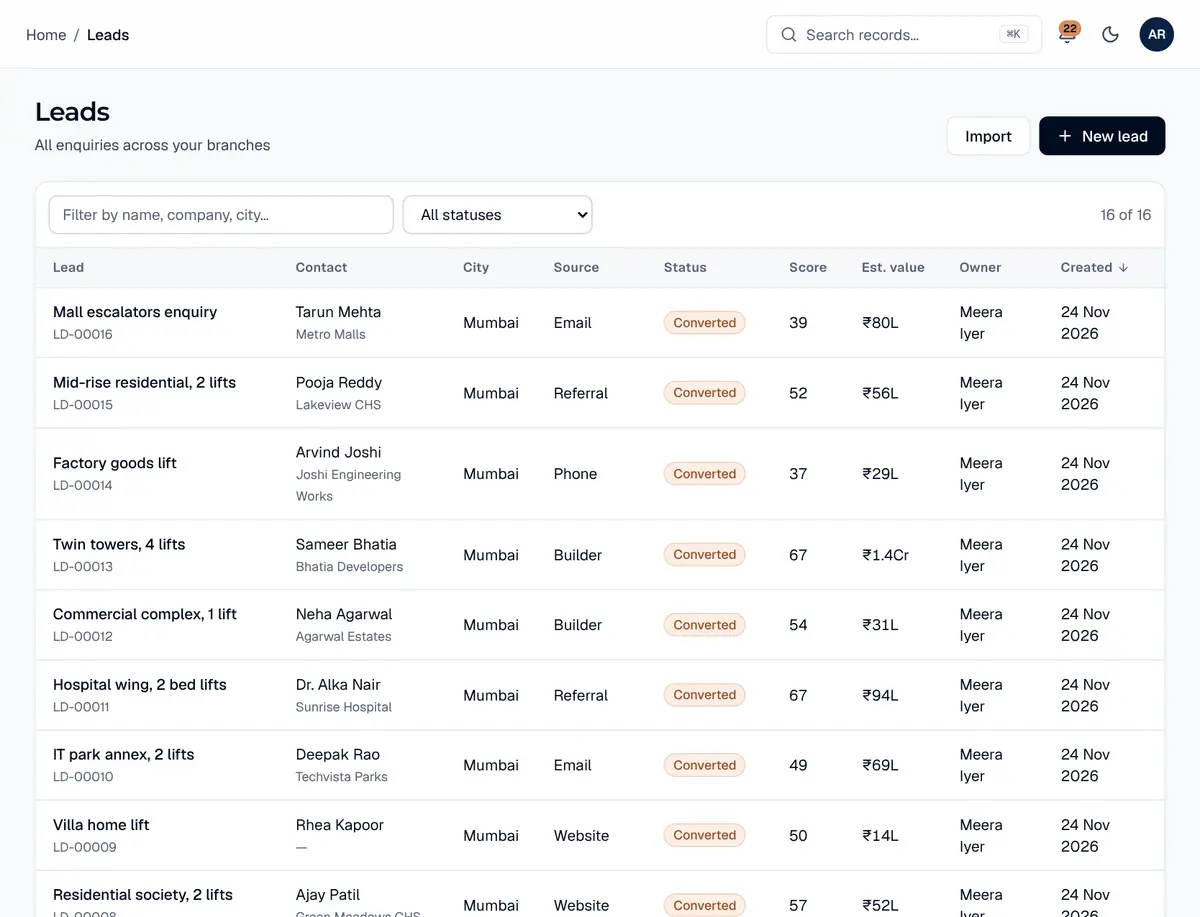
Every enquiry in one list
Source, city, lift count, score, estimated value and owner for each enquiry, filtered by branch and status.
 Step 2
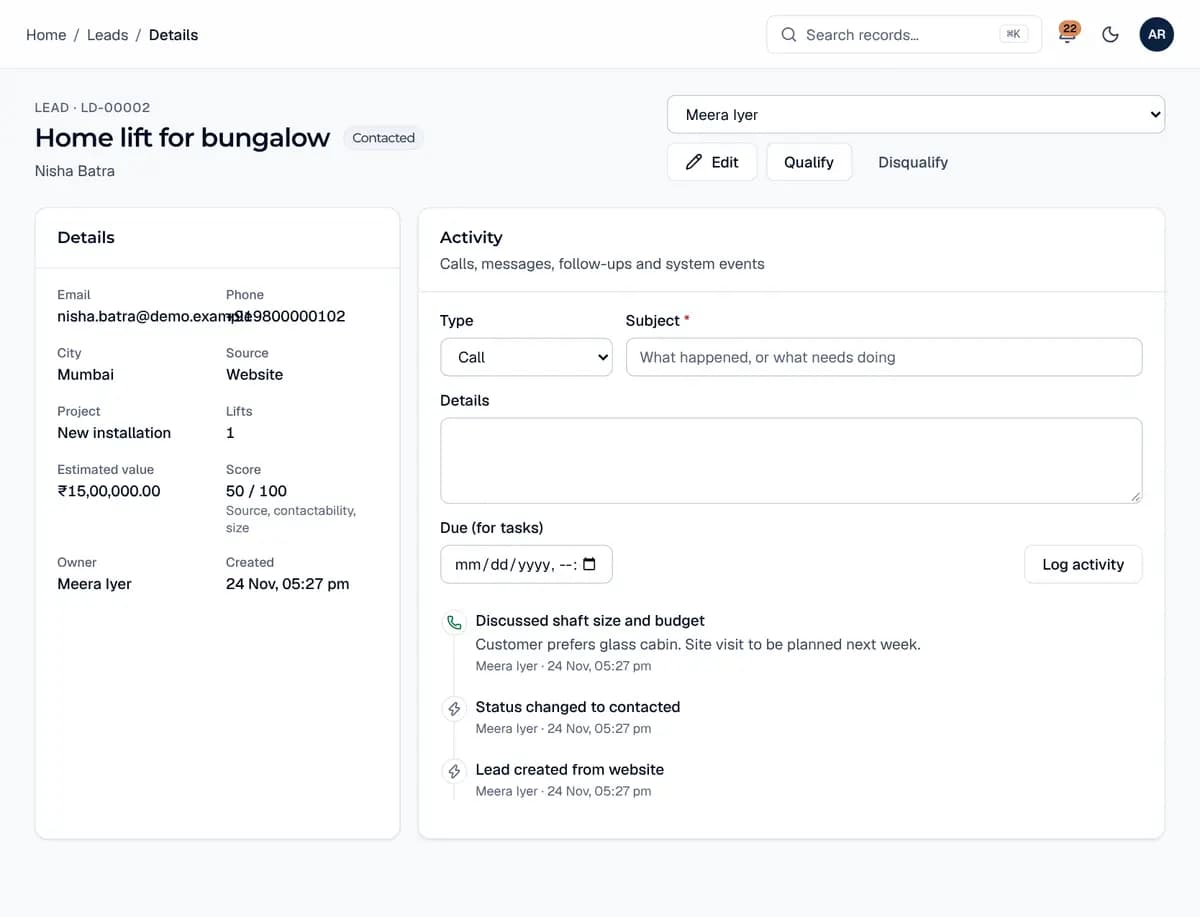
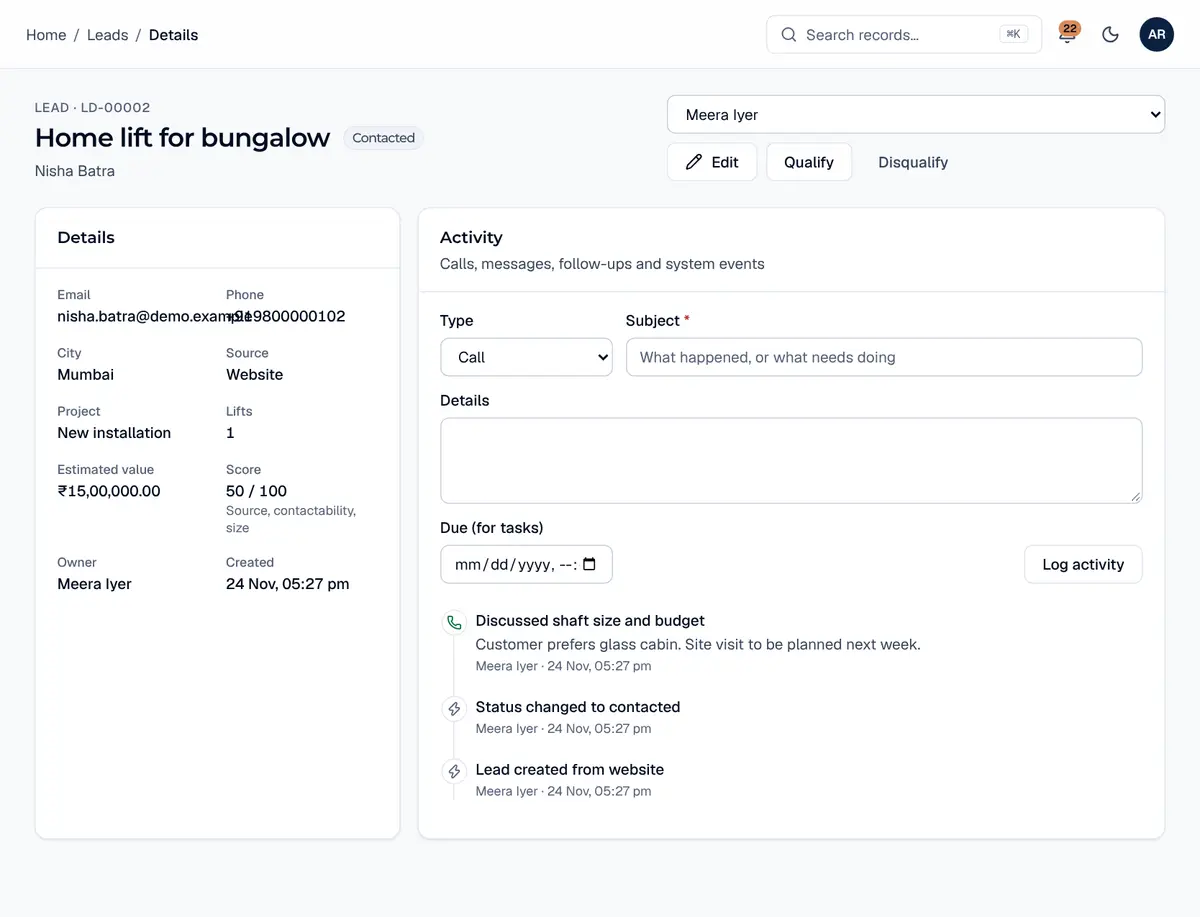
One record per enquiry
Details, score and the full activity log of calls, notes and status changes, with the next follow-up date.
 Step 3
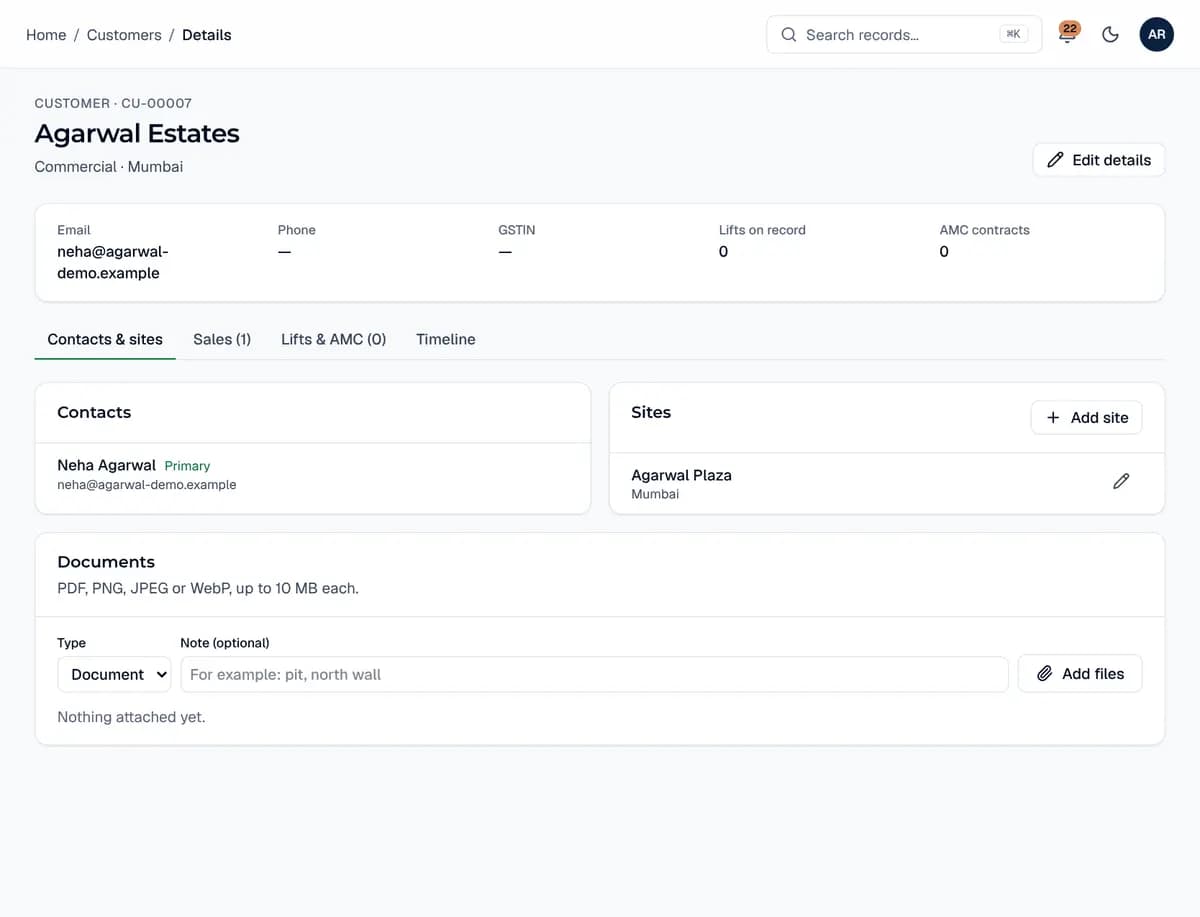
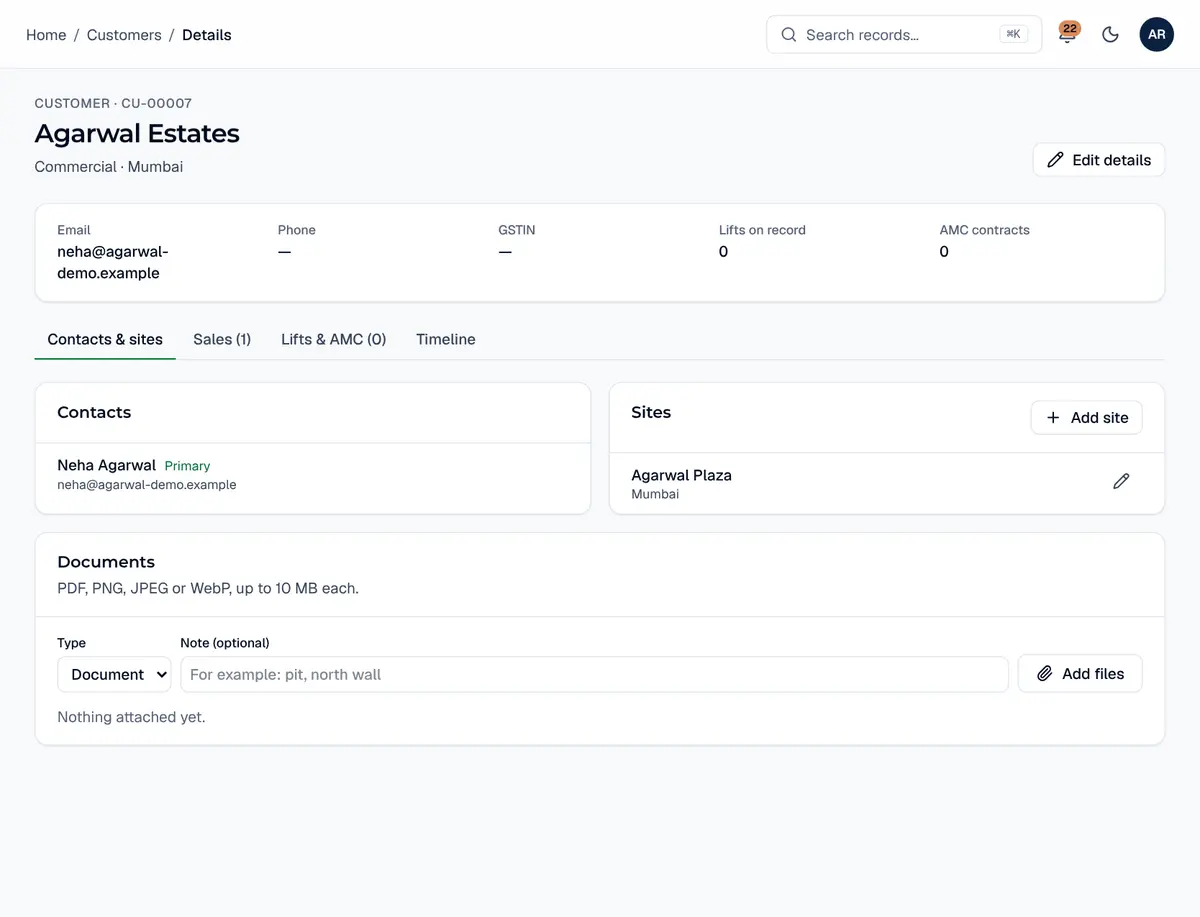
The customer, its sites and lifts
Contacts, sites, sales, lifts and AMC contracts for a customer on one page, with documents attached.
 Step 4
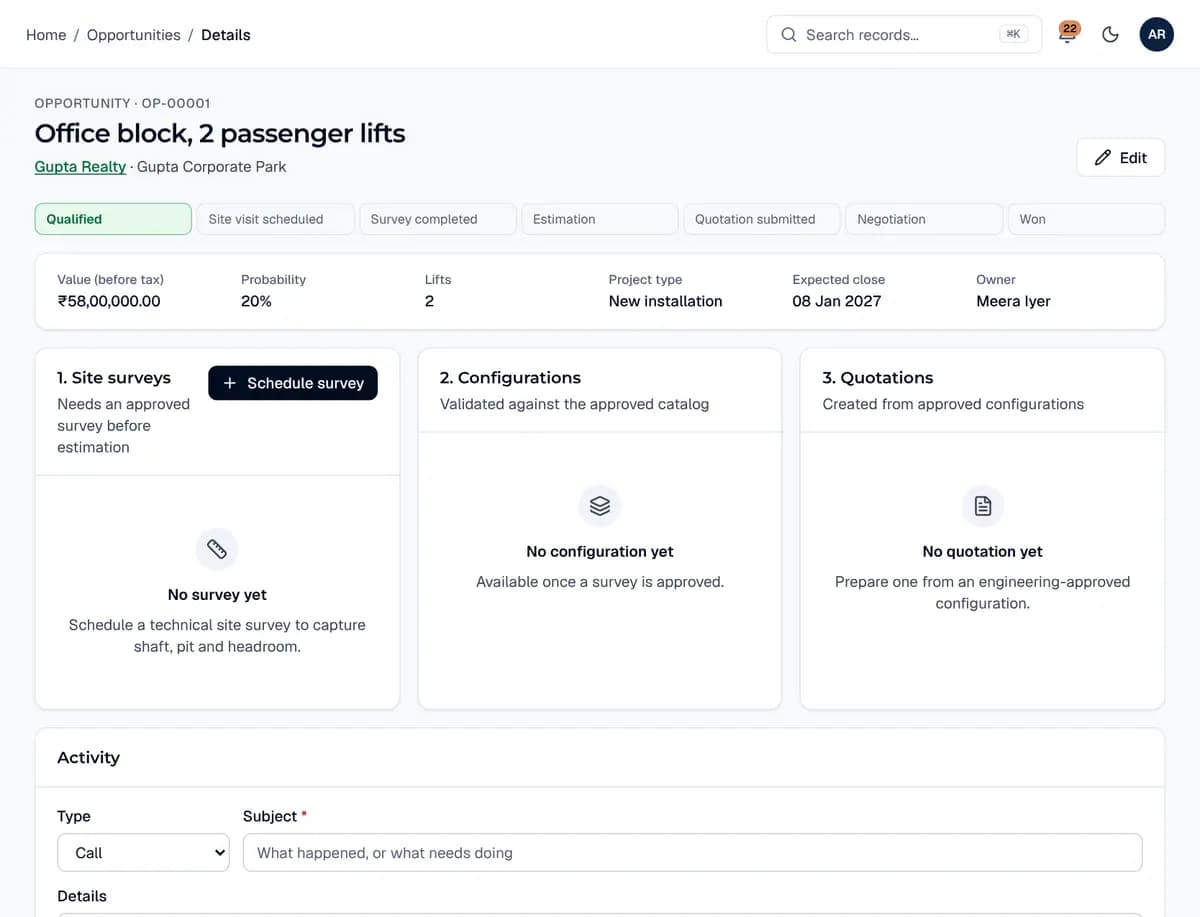
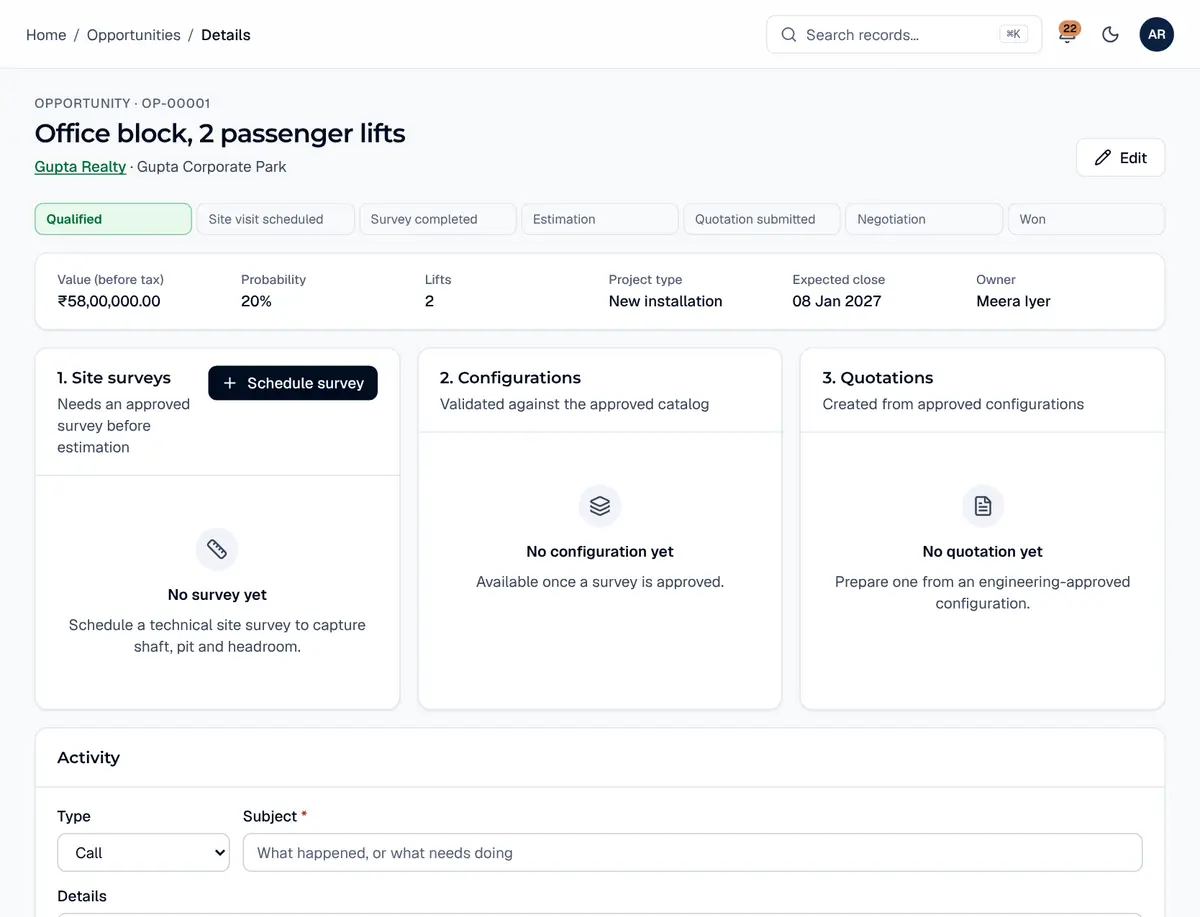
From enquiry to survey and quotation
The opportunity shows its stage and the next steps in order: site survey, configuration, quotation.
How it helps
Nobody asks “who has this customer?”
Every enquiry has an owner, a source and a history that anyone with access can read.
One customer, not three copies
Duplicate warnings on email and phone stop the same builder being entered twice by two branches.
The lift stays linked to the sale
When the lift is installed, its service history hangs off the same customer and site.
Compared with how it is usually done
Spreadsheets, Tally and general ERPs are good tools for what they were built for. This is where each one fits for this part of a lift business.
| Task | Excel, paper and WhatsApp | Tally or a general ERP | OopsWeSold |
|---|---|---|---|
| Find every open enquiry | Spread across sheets, phones and WhatsApp chats | Not designed for enquiries; tracks invoiced customers | One list with owner, status, score and follow-up date |
| Avoid duplicate customers | Depends on someone noticing | Ledger names can be checked, but leads are not kept | Warning on matching email or phone before saving |
| Keep branches apart | Separate files, hard to combine | Possible with company or cost-centre setup | Branch limits enforced on the server for each user |
| See a customer's lifts and contracts | Separate service register | Not part of an accounting ledger | Lifts and AMC contracts on the customer page |
Other elevator software
- Enquiries, leads and pipeline: claimed by 7 of the 7 elevator software websites we read.
Checked on 24 November 2026, from each vendor's own website. See the full comparison.
Who it is for
- Owners and sales managers who want one place for every enquiry
- Sales executives who need to know what to do next
- Companies with several branches that must not see each other's customers
The problem
Enquiries arrive from your website, referrals, builders, architects and walk-ins. They live in phones, spreadsheets and WhatsApp. Nobody can say how many are open, who owns them, or which customers already have a lift with you.
How it works
- 1
Capture
Every enquiry is recorded with its source, project type and number of lifts. Duplicates are flagged by email and phone before they split a customer in two.
- 2
Qualify and own
A lead is scored from the facts you enter, assigned to an owner, and moved to qualified only by a person.
- 3
Convert
Converting creates the customer, the site and the opportunity together, so the survey, the quotation and later the lift all hang from the same records.
- 4
Stay connected
The customer page shows its sites, lifts, quotations and, in time, its service history. Search finds a customer, lift or breakdown from one box.
What you can do today
- Leads with source, owner, score and activity log
- Duplicate warning on email and phone
- Customers with GSTIN format and state-code checks, sites and contacts
- Branch-aware visibility: branch staff see their branch and company-wide records
- Global search across leads, customers, quotations, lifts and breakdowns
- Files and documents attached to a customer
- CSV import of customers and leads with a checked preview
Controls and records
- Branch and role limits are enforced on the server, not just hidden in the screen
- Every change to a customer or lead is written to the audit trail
Not available yet
So there are no surprises:
- Email and WhatsApp conversation sync
- Lead capture forms you can embed on your own website
Connected to
Questions
Can I import my existing customers?
Yes. Customers and leads can be imported from a CSV file. The import shows a preview with every problem row first, checks GSTIN and duplicates, and saves nothing until you confirm.
Do my branches see each other's customers?
Not unless you want them to. A person tied to a branch sees that branch's customers and customers with no branch. Owners and people with no branch see everything.