
Make sure no elevator enquiry goes cold
Lead management is the part of sales that fails quietly. A lead is not lost on the day it is ignored; it is lost three weeks later when nobody remembers who promised to call. OopsWeSold gives every lead one owner and reminds that owner when a follow-up is due.
Sales and CRM · Product tour
Lead management, step by step in the real app
Screenshots from the working product, using a fictional demo company. Select any screen to open it full size.
 Step 1
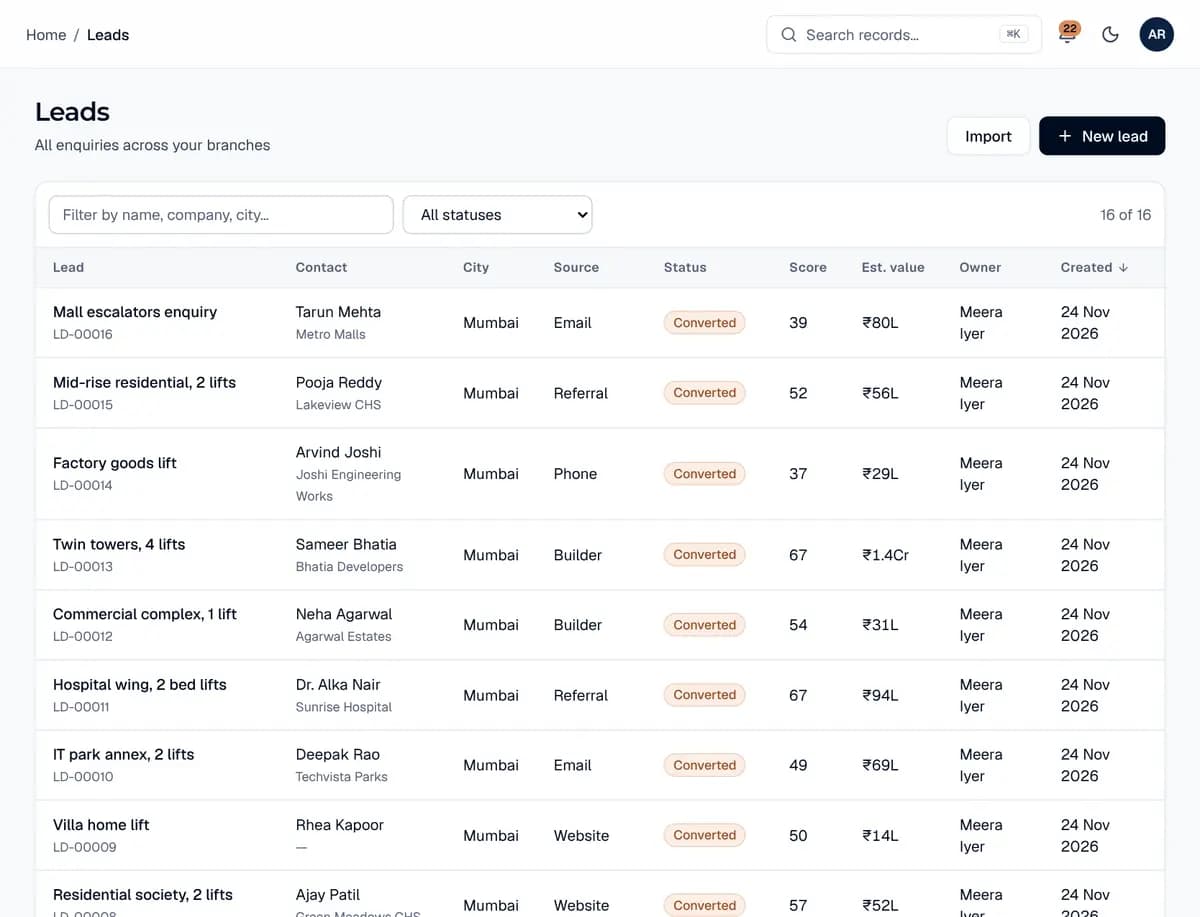
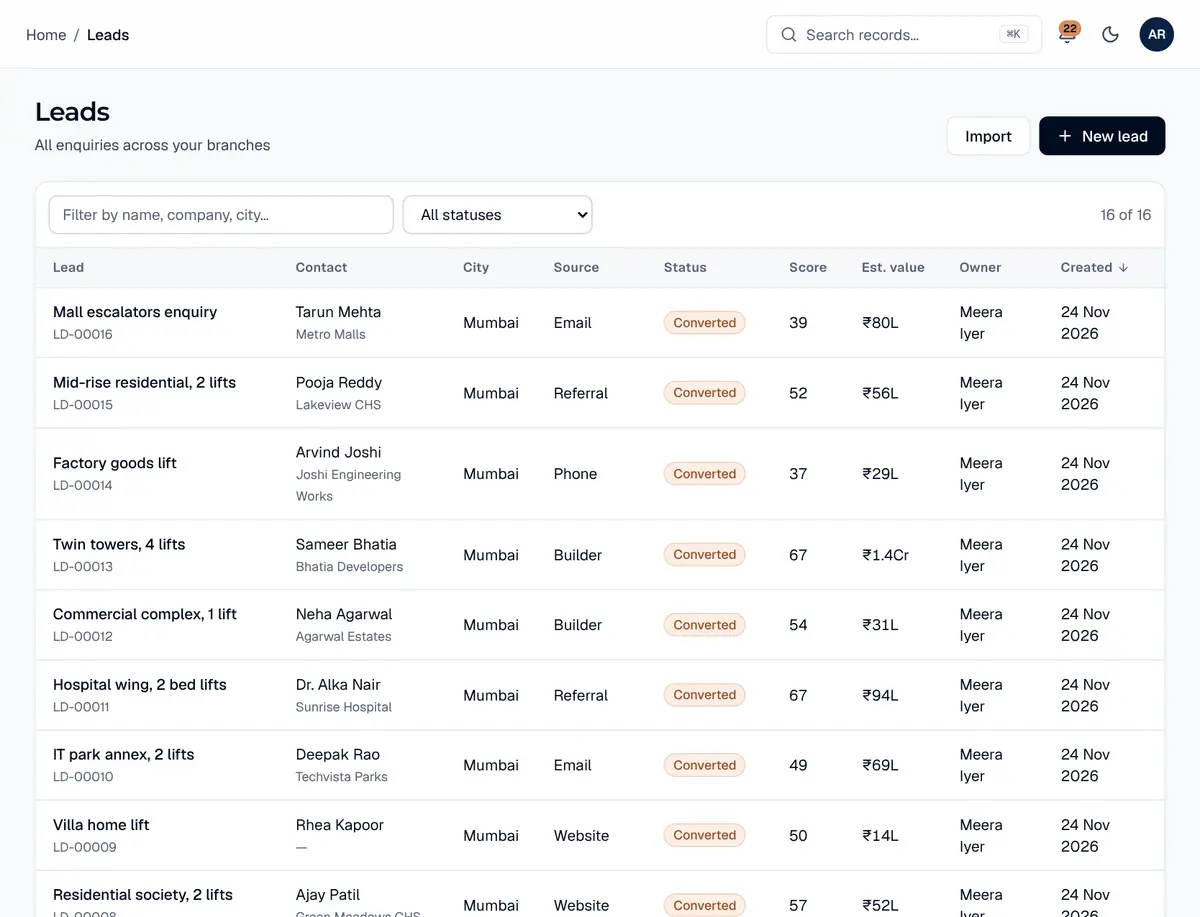
Who to call today
Leads with status, owner, score and estimated value. Filter by owner or status, or search by name and city.
 Step 2
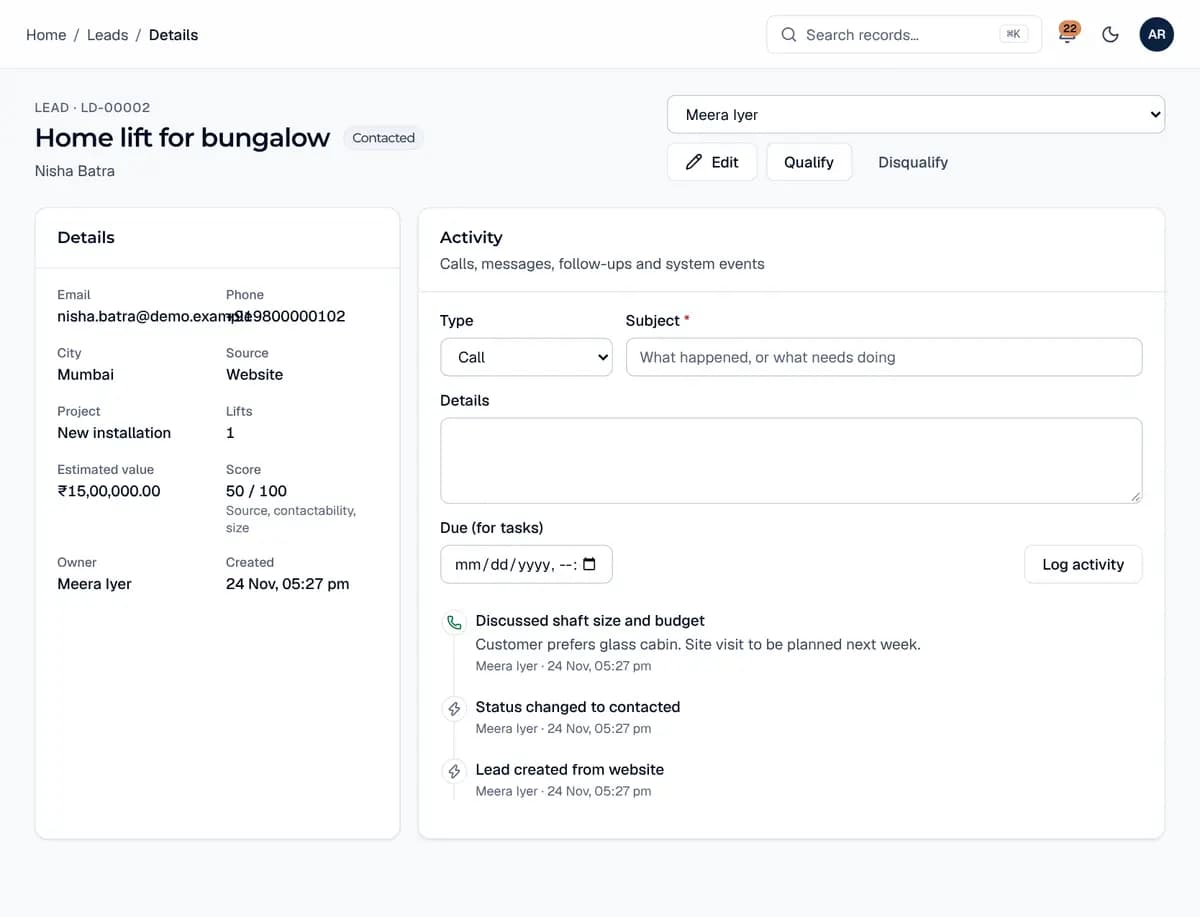
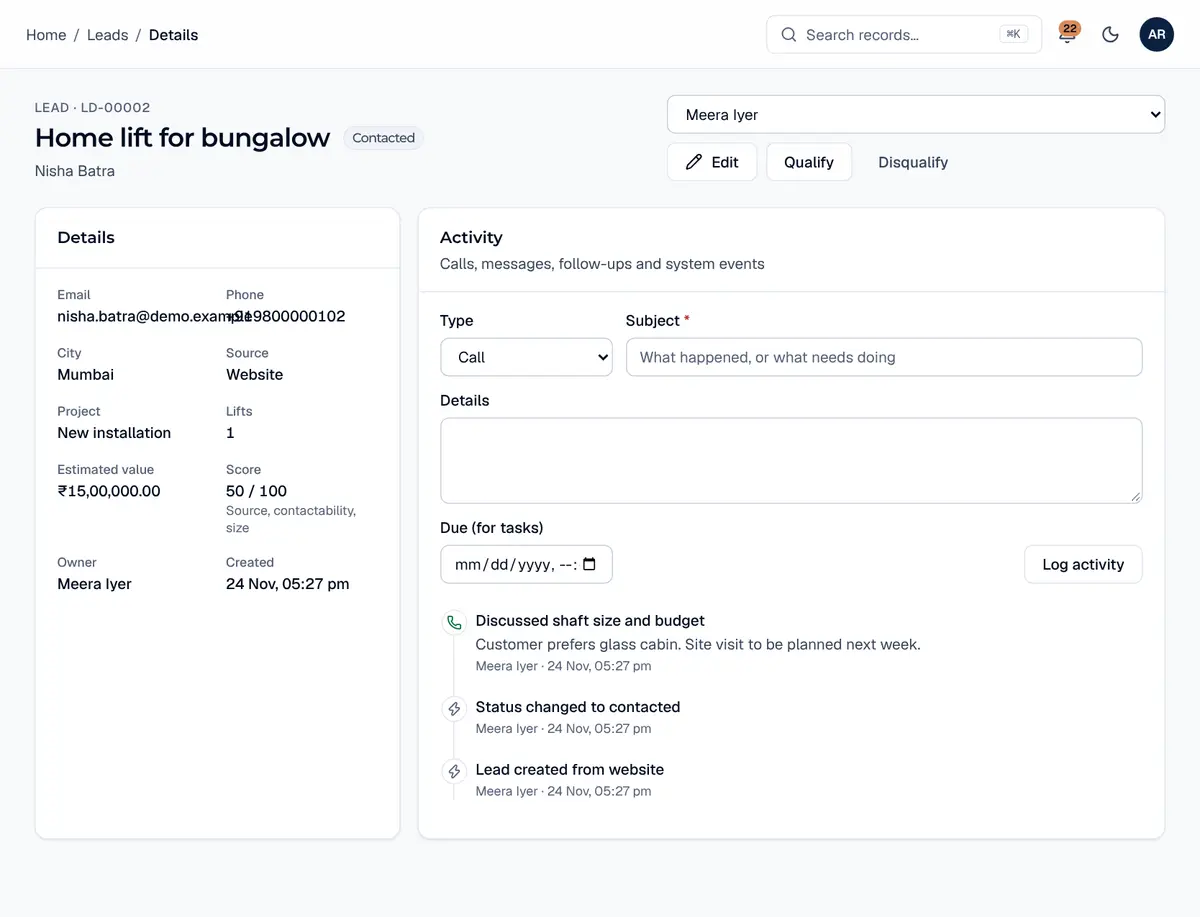
Log every touch
Record a call, visit or note and set a due date. The owner is reminded when the follow-up is due.
 Step 3
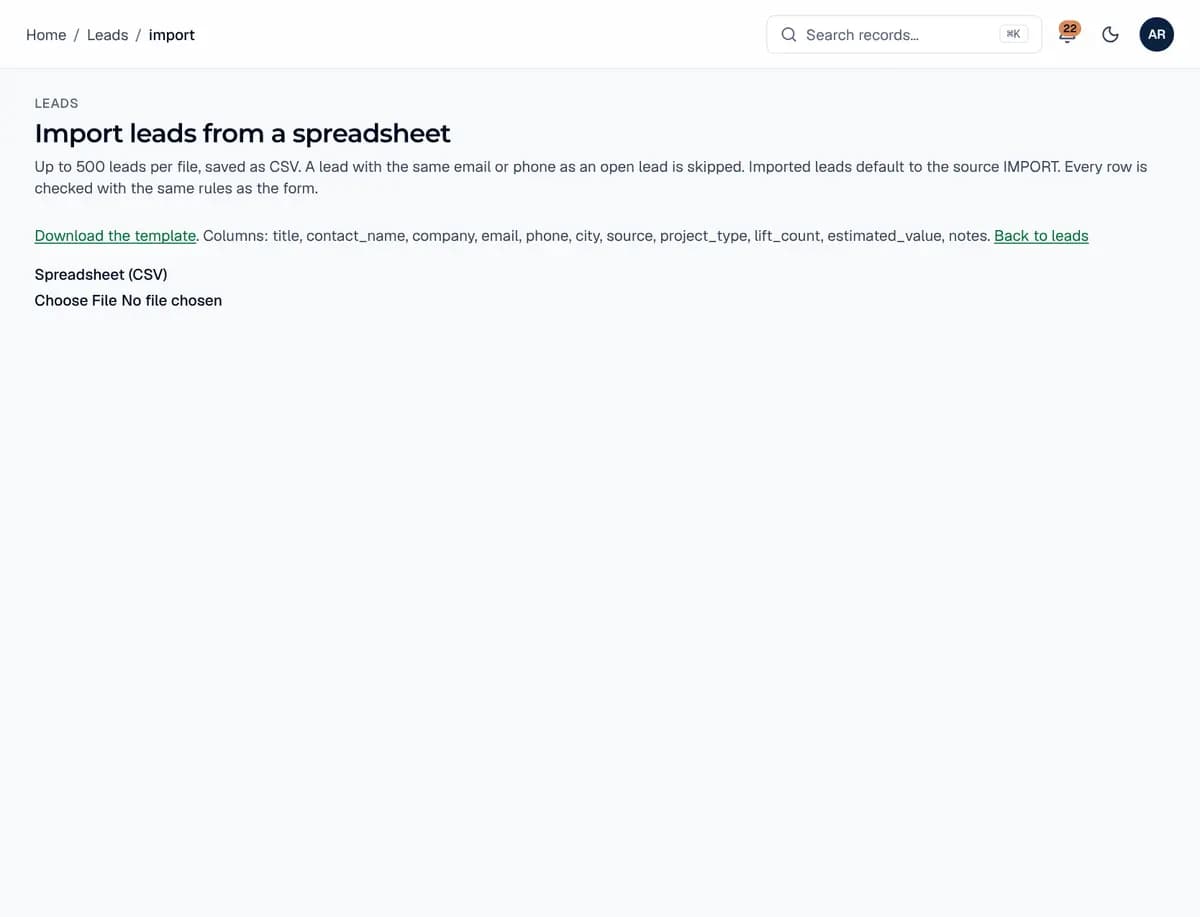
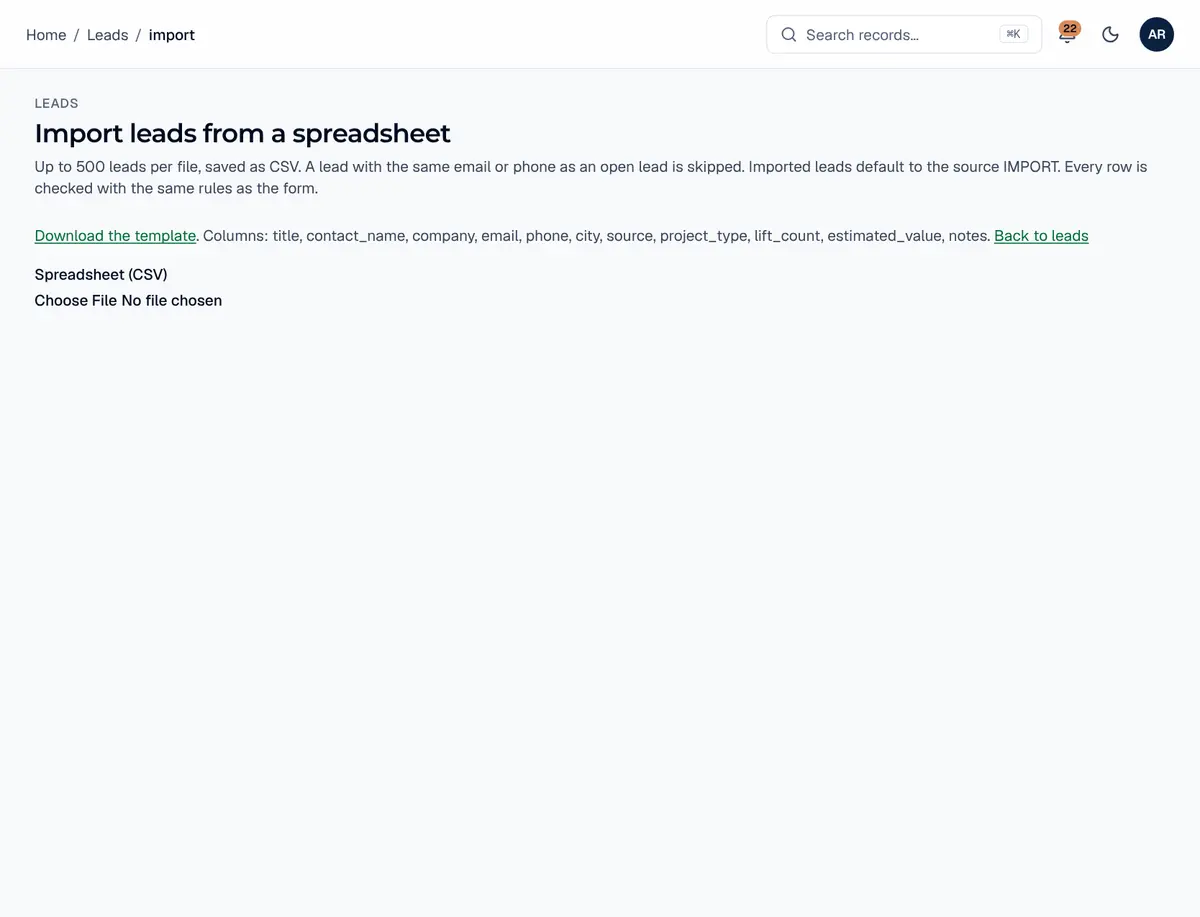
Bring your spreadsheet
Import existing leads from a CSV. Every problem row is shown first and nothing is saved until you confirm.
 Step 4
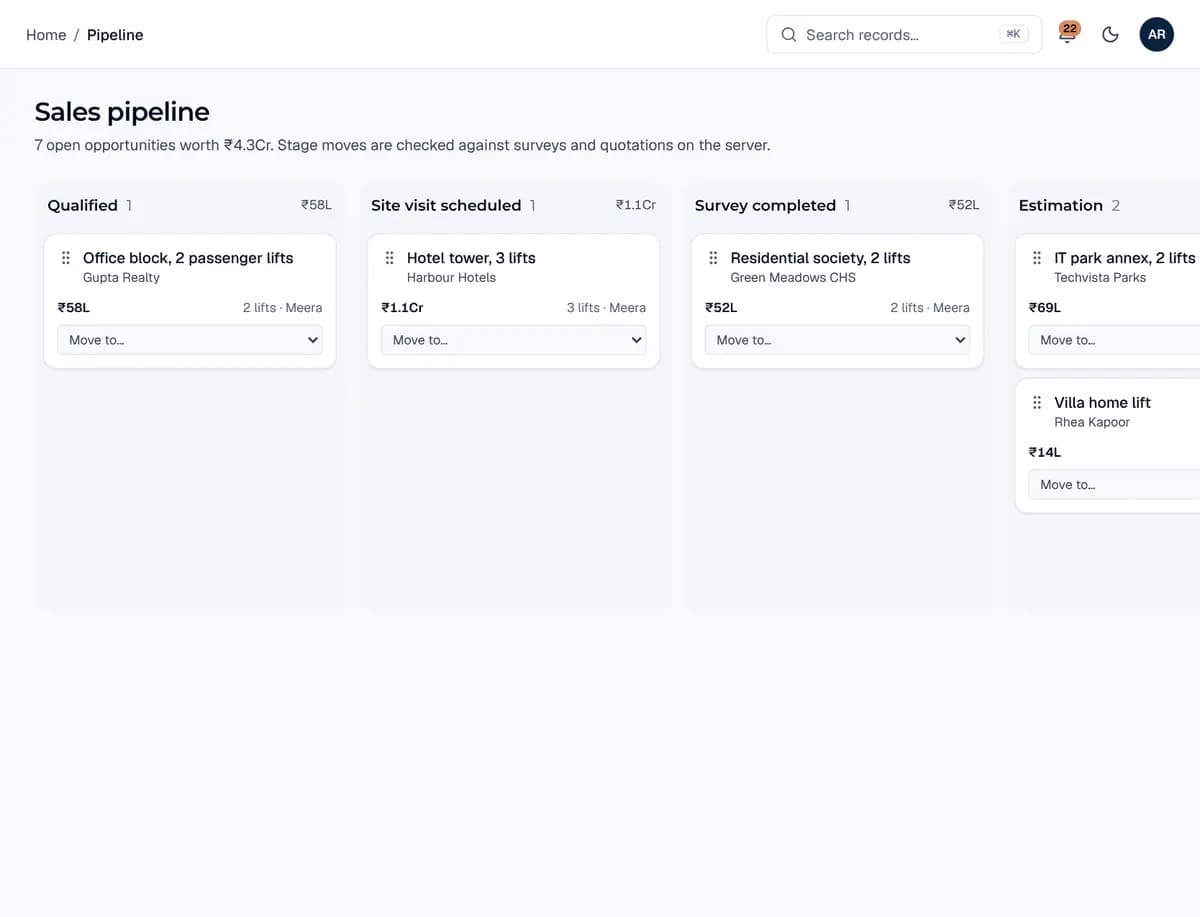
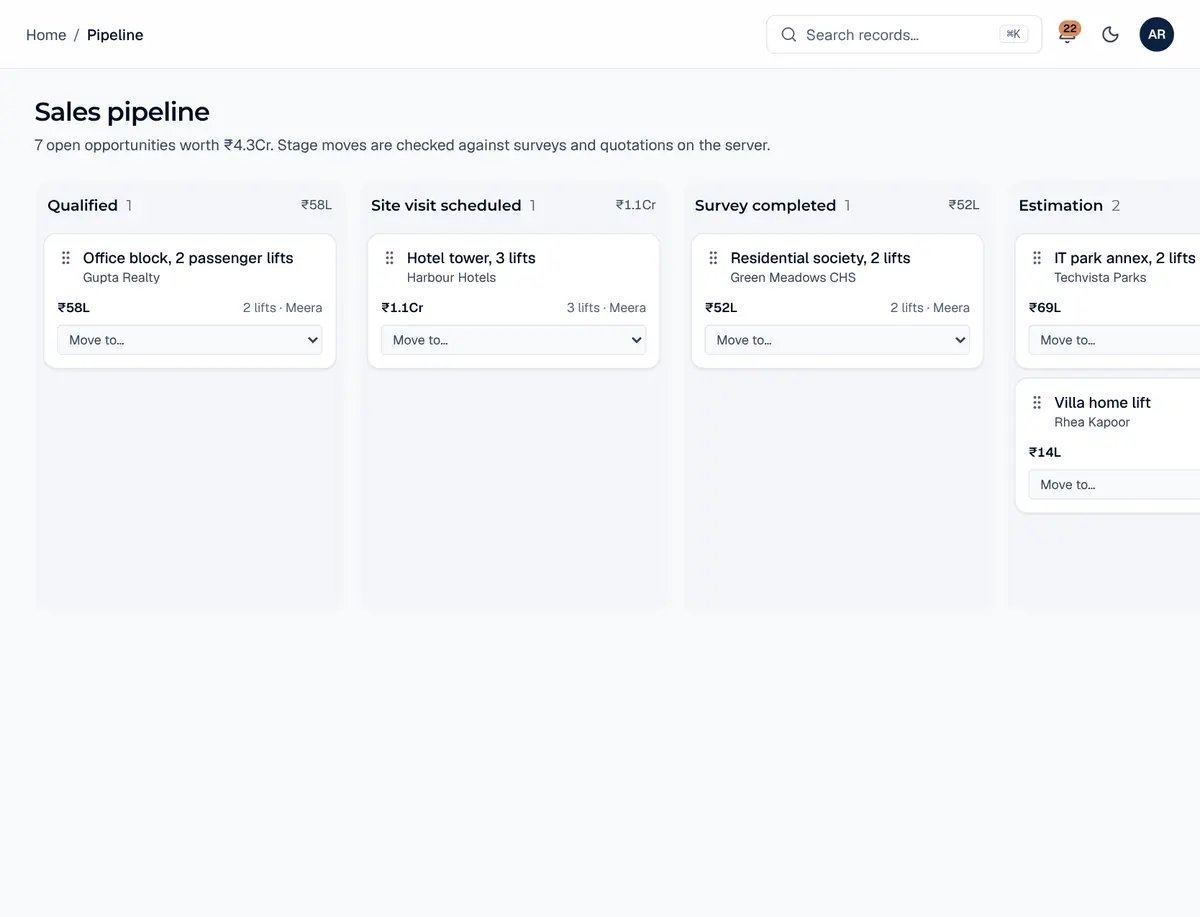
Qualified leads move on
A qualified lead converts into a customer, site and opportunity, and appears on the sales pipeline.
How it helps
Follow-ups stop slipping
A daily reminder goes to the owner of every lead with a follow-up due.
Start from what you have
Your current lead sheet imports with a checked preview, so you are not retyping.
Managers see the whole list
Owners see their own leads; managers with permission see everyone's, with scores to sort by.
Compared with how it is usually done
Spreadsheets, Tally and general ERPs are good tools for what they were built for. This is where each one fits for this part of a lift business.
| Task | Excel, paper and WhatsApp | Tally or a general ERP | OopsWeSold |
|---|---|---|---|
| Remind someone to follow up | Calendar notes or memory | Not part of accounting software | Automatic reminder to the lead's owner on the due day |
| Know who owns a lead | A column in a shared sheet, often out of date | Not tracked | Single owner on every lead, changes recorded in the audit trail |
| Move an enquiry to a quotation | Retype into a new quotation file | Retype as a new party and sales quotation | Convert once; customer, site and opportunity are created together |
Other elevator software
We have not compared this area across other elevator software yet.
Checked on 24 November 2026, from each vendor's own website. See the full comparison.
Who it is for
- Sales managers who need to see who owns what
- Executives who want a short list of who to call today
The problem
Leads are scattered across inboxes and notebooks. Two people call the same builder, and a hot enquiry waits because it was never assigned.
How it works
- 1
Record
Title, contact, city, source, project type and lift count, with a duplicate check as you type.
- 2
Assign
Give the lead an owner. Owners see their own leads; managers with permission see everyone's.
- 3
Follow up
Log calls, visits and notes. Set the next follow-up, and the owner is reminded when it is due.
- 4
Convert or close
A qualified lead converts into a customer, site and opportunity in one step. Everything you recorded carries across.
What you can do today
- Lead score from the information you have
- Status flow from new to qualified
- Activity log with calls, meetings and notes
- Daily reminders to owners for due follow-ups
- Filters by status, owner and search text
Controls and records
- Lead visibility follows ownership: you see your own leads unless you have permission to see all
- Reassignments are audited
Not available yet
So there are no surprises:
- Automatic capture from email or web forms
- WhatsApp integration
Connected to
Questions
How does the lead score work?
It is a transparent score from the details you record, such as project type, lift count and contact completeness. It is a prompt for attention, not a prediction.