
Automation that tells people, and never decides for them
The routine chasing in an elevator business is predictable: a quotation about to lapse, a visit that is overdue, a contract about to end. OopsWeSold does that chasing on a schedule and leaves every decision to a person.
Finance and automation · Product tour
Workflow automation, step by step in the real app
Screenshots from the working product, using a fictional demo company. Select any screen to open it full size.
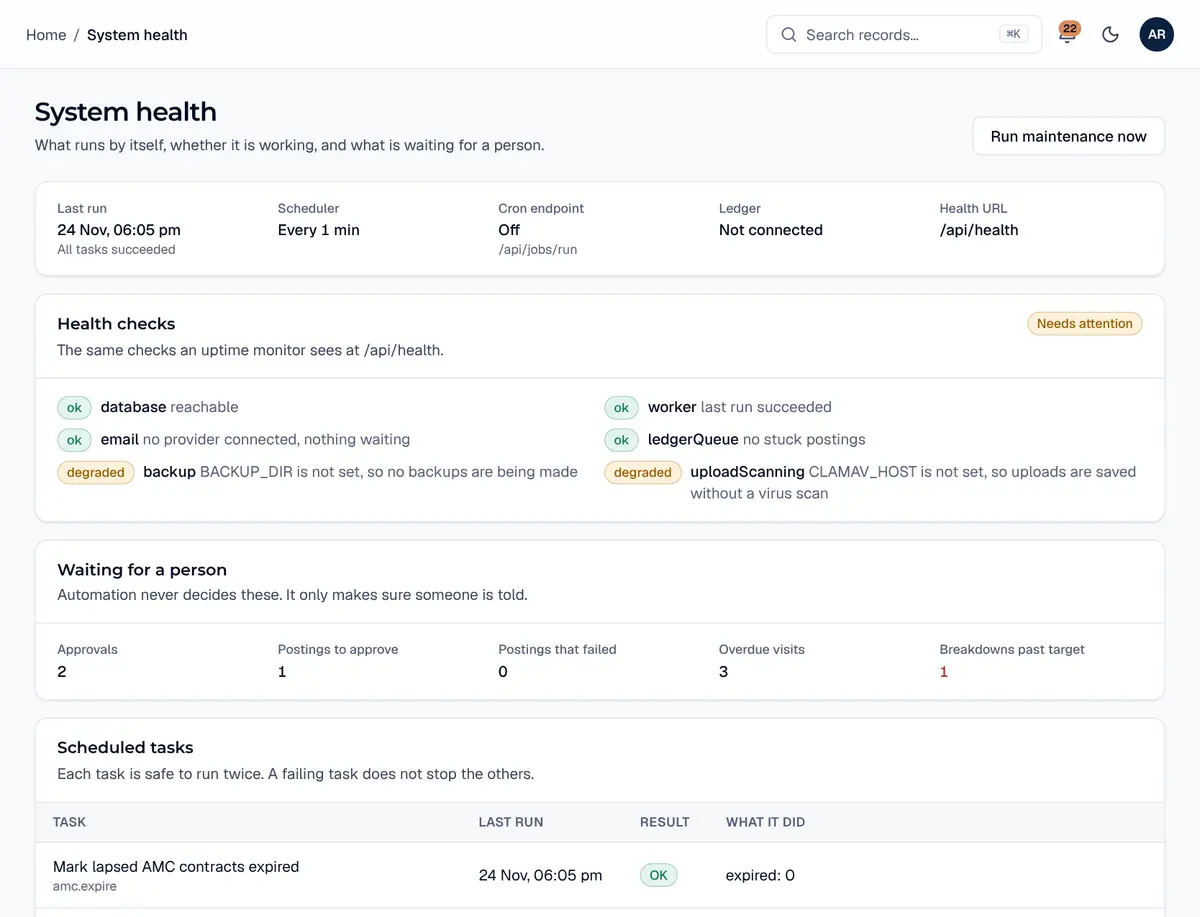
What runs by itself
Scheduler status, health checks and what is waiting for a person, on one page.
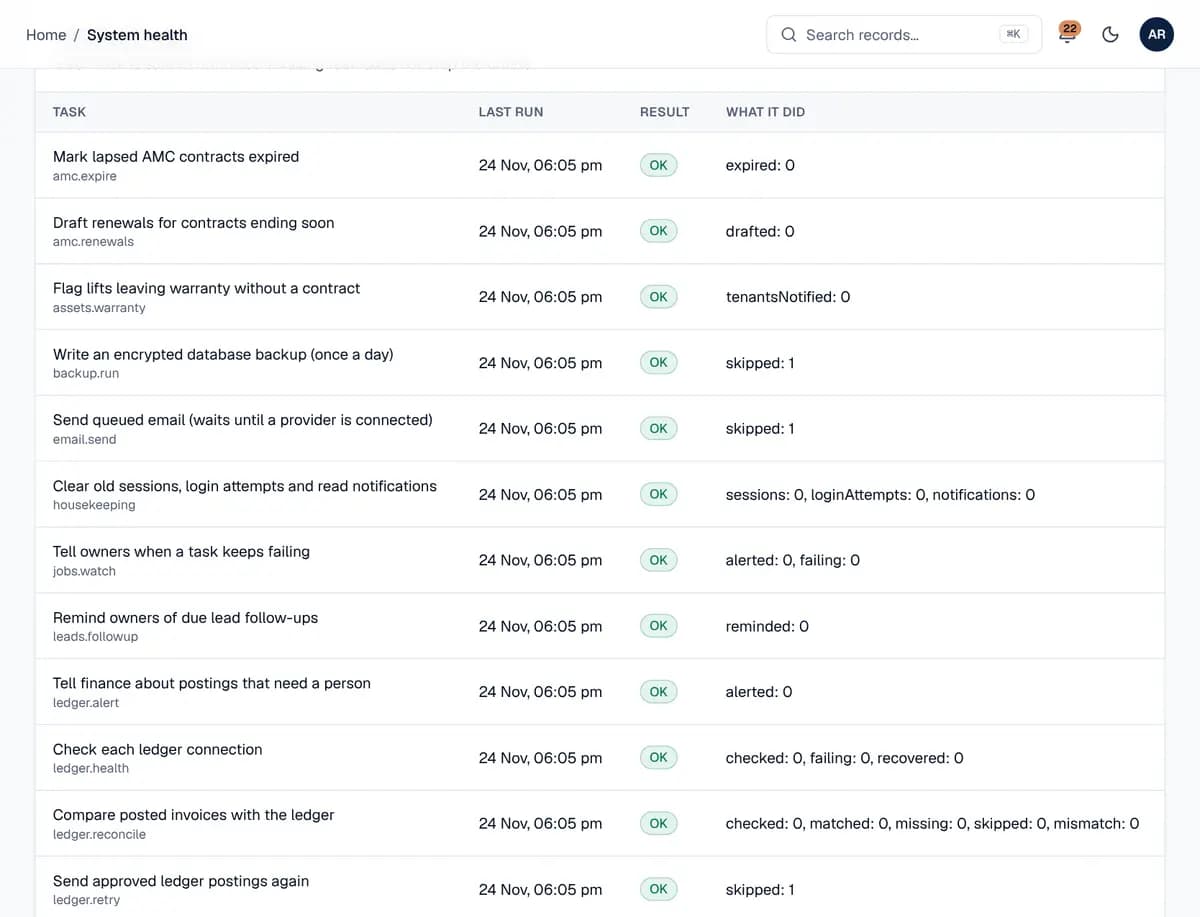 Step 2
Scheduled tasks
Each task with its last run, result and what it did: renewals drafted, reminders sent, postings retried.
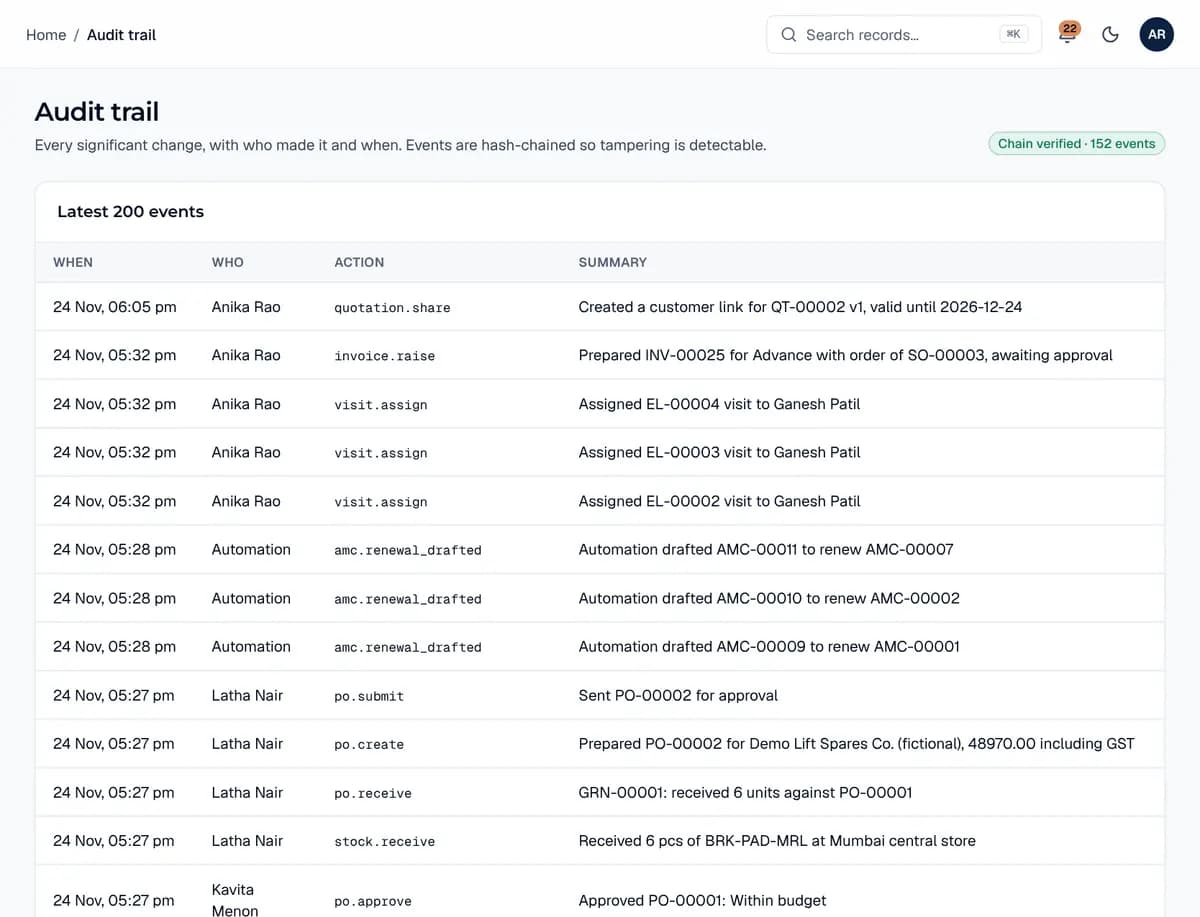 Step 3
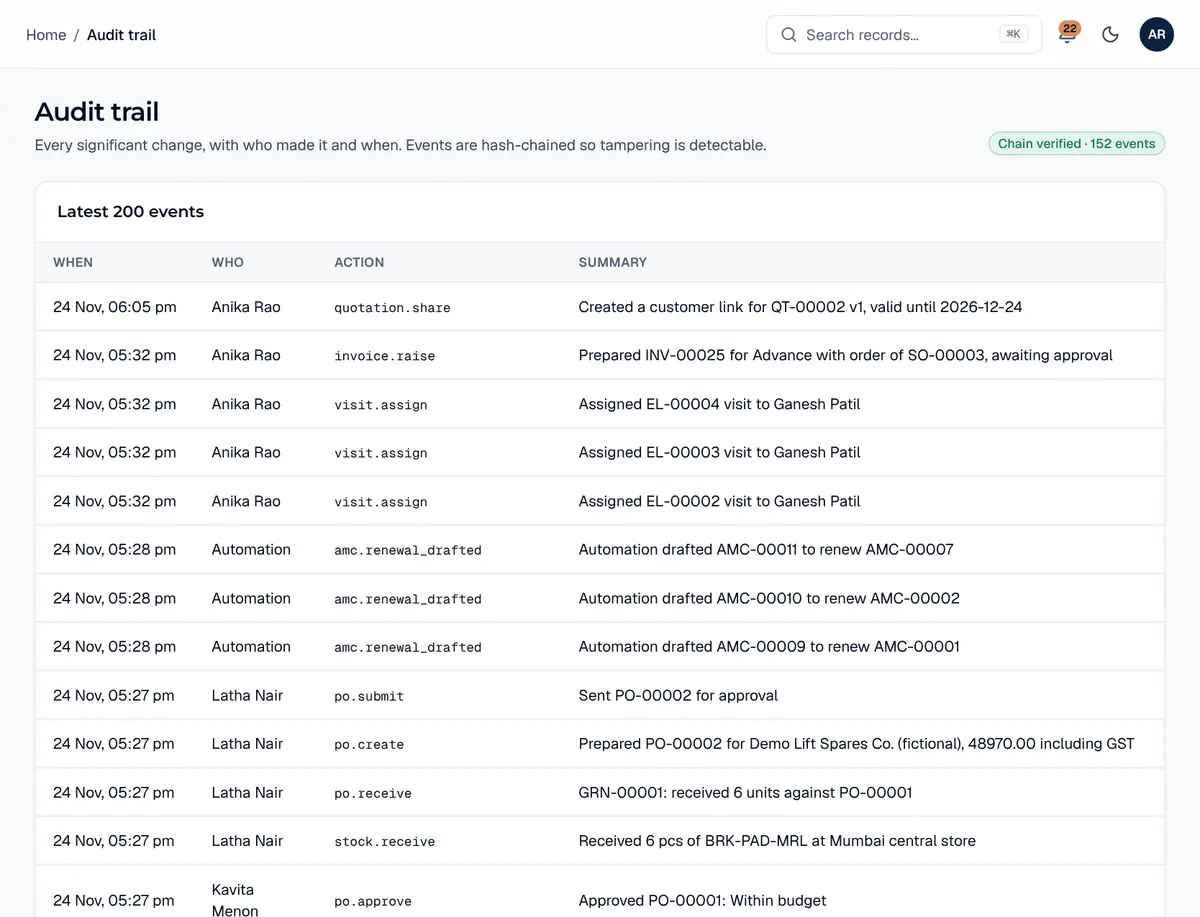
Automation is recorded
Automated actions appear in the audit trail beside the people's actions.
How it helps
Reminders nobody has to set
Lead follow-ups, quotations about to lapse, overdue visits and missed targets.
Safe to repeat
Every task can run twice without harm, and one failing task does not stop the others.
Decisions stay with people
Automation drafts and reminds; approvals are always a person's.
Compared with how it is usually done
Spreadsheets, Tally and general ERPs are good tools for what they were built for. This is where each one fits for this part of a lift business.
| Task | Excel, paper and WhatsApp | Tally or a general ERP | OopsWeSold |
|---|---|---|---|
| Remind about due work | Someone checks the sheets | Payment reminders, little else | Scheduled reminders and alerts across sales and service |
| Know automation worked | Not applicable | Varies | Last run and result of every task, owners alerted on repeat failure |
| Switch individual automations off | Not applicable | Varies | Not yet: a control centre is planned |
Other elevator software
- Discount or margin approvals: claimed by 3 of the 7 elevator software websites we read, partly by 1 more.
Checked on 24 November 2026, from each vendor's own website. See the full comparison.
Who it is for
- Owners and managers who are tired of being the reminder system
The problem
Important dates live in people's heads. Things get missed on the days the team is busiest.
How it works
- 1
Runs by itself
Tasks run inside the server every few minutes, or from your own scheduler.
- 2
Safe to repeat
Every task can run twice without doing harm, and a failing task does not stop the others.
- 3
Tells you when it fails
A task that fails three runs in a row alerts the owners, and the System health page shows each task's last result.
What you can do today
- Reminders for due lead follow-ups and quotations about to lapse
- Alerts for overdue visits and missed breakdown targets
- Draft AMC renewals and expiry of lapsed contracts
- Retry of failed ledger postings with backoff
- Warranty-ending flags
- Queued email with retry
Controls and records
- Automation drafts and alerts; people approve
- Health checks report honestly, including a stale scheduler
Not available yet
So there are no surprises:
- A control centre for switching individual automations on and off
- AI-generated recommendations
Connected to
Questions
Does automation send messages to customers?
No. Today it notifies your own team. Email to customers needs a mail provider connected.