
From confirmed order to a lift that is handed over
When an order is confirmed, the commercial promise becomes a project. OopsWeSold creates the project from the order, plans it milestone by milestone, and finishes by registering every lift for service.
Installation and projects · Product tour
Installation management, step by step in the real app
Screenshots from the working product, using a fictional demo company. Select any screen to open it full size.
- Step 1
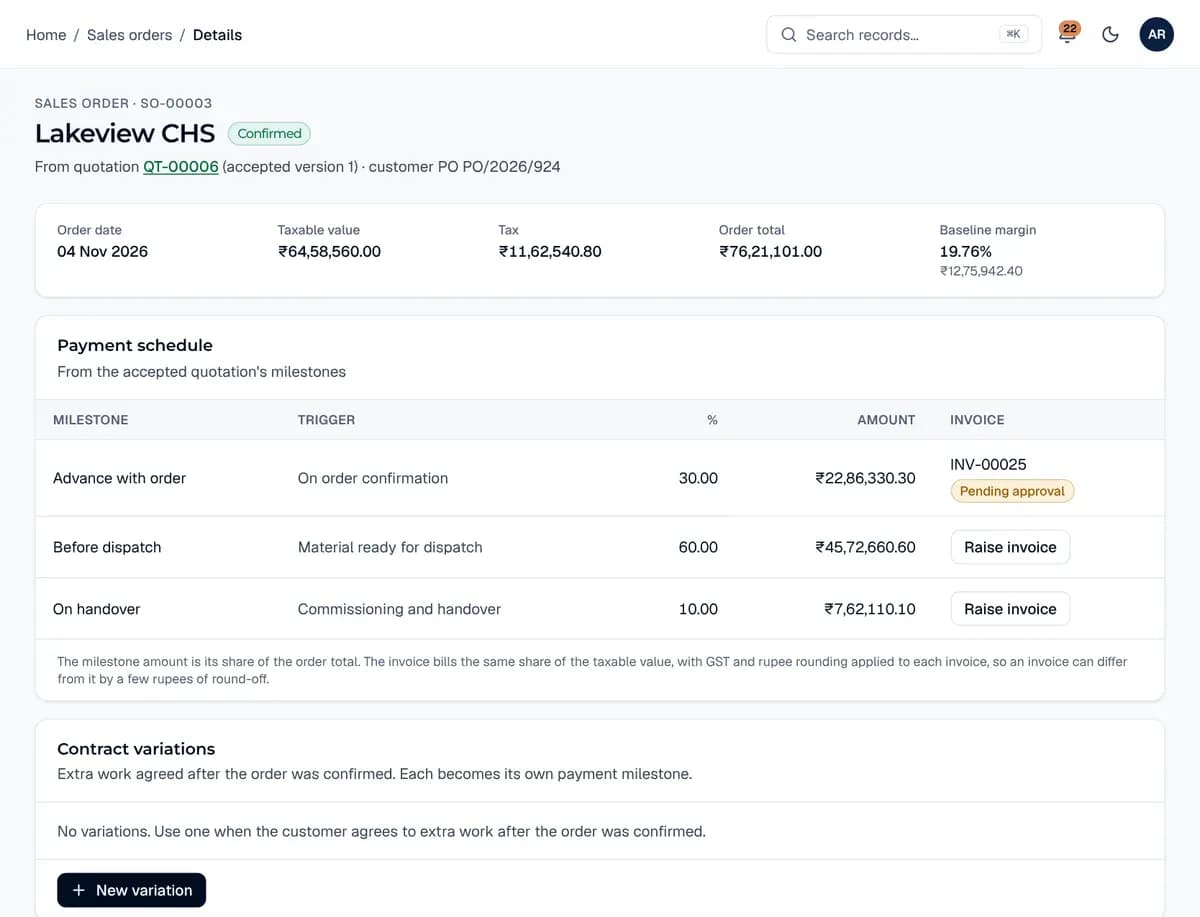
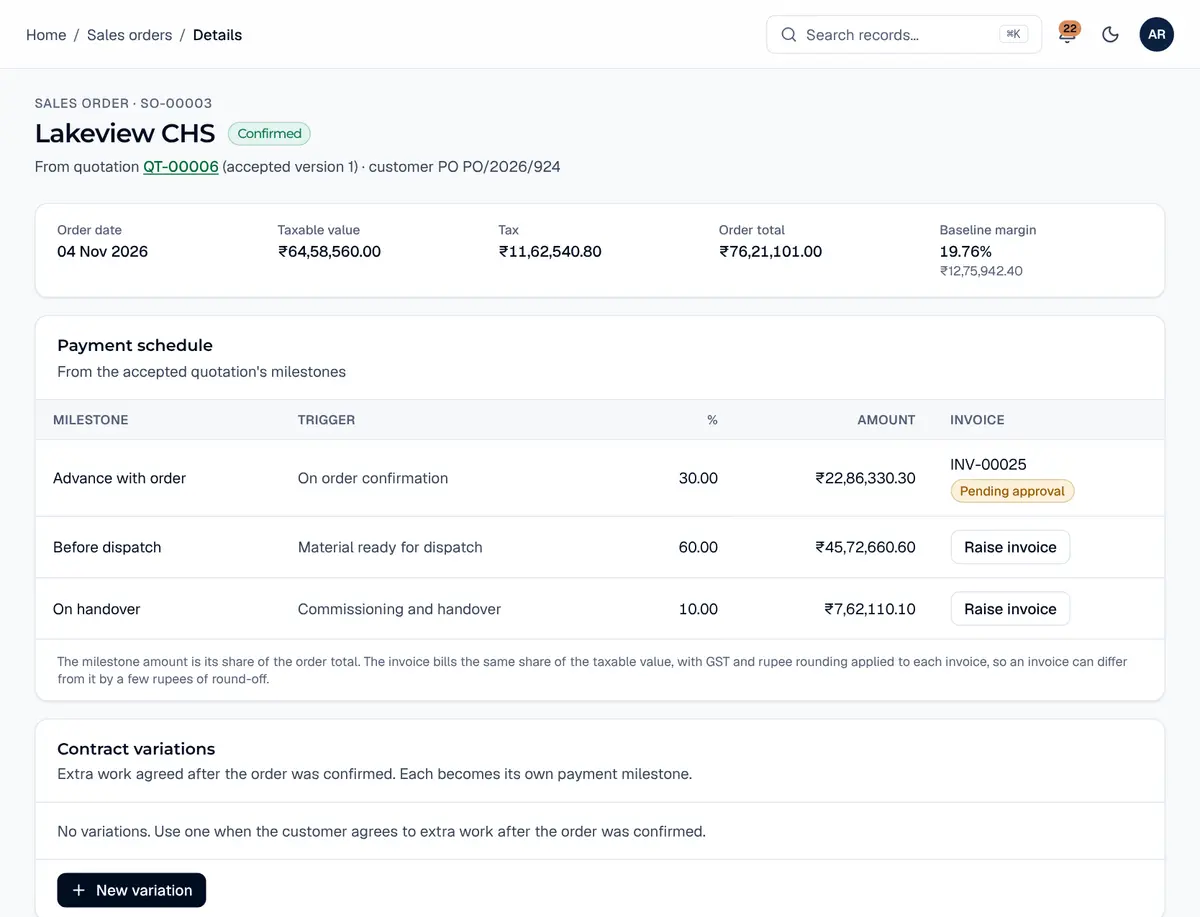
Starts from the sales order
The confirmed order with its payment schedule, variations and the installation project it created.
- Step 2
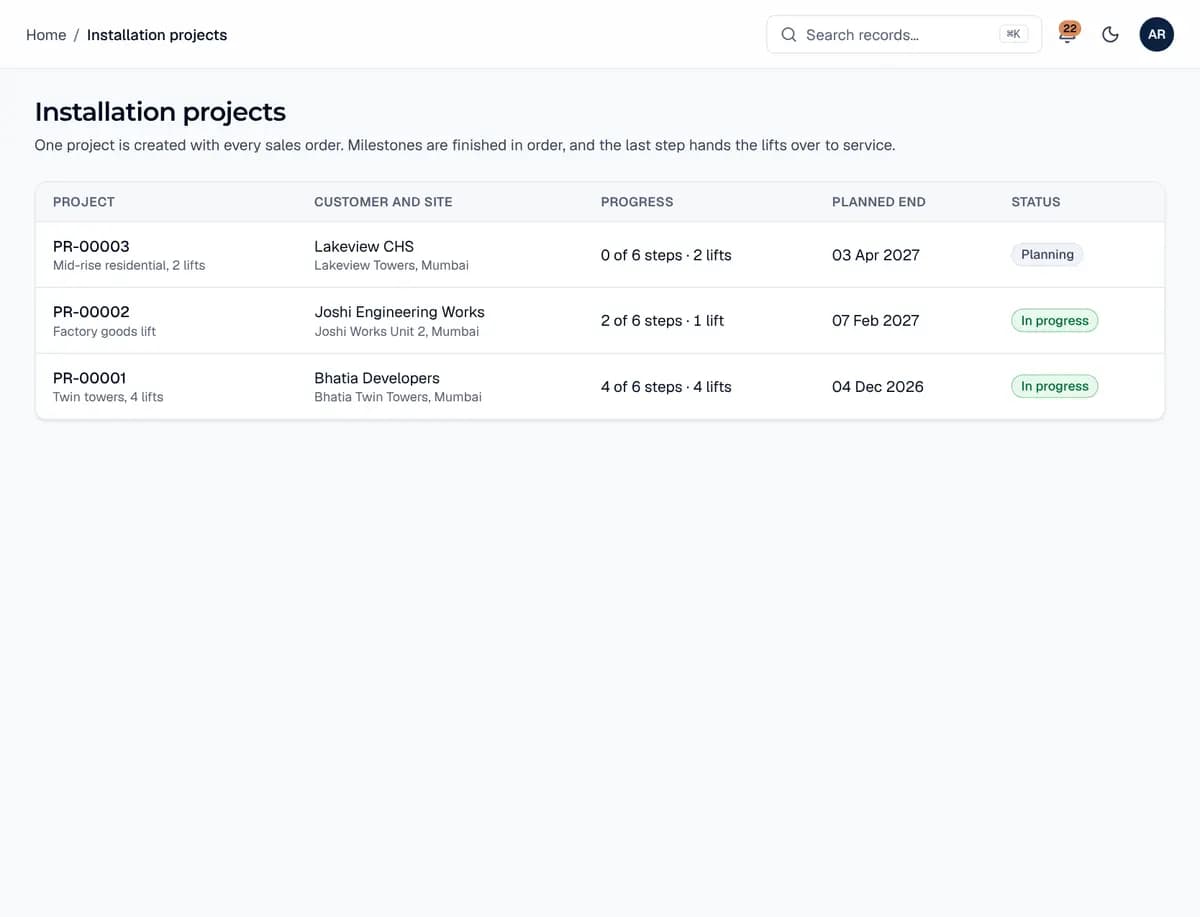
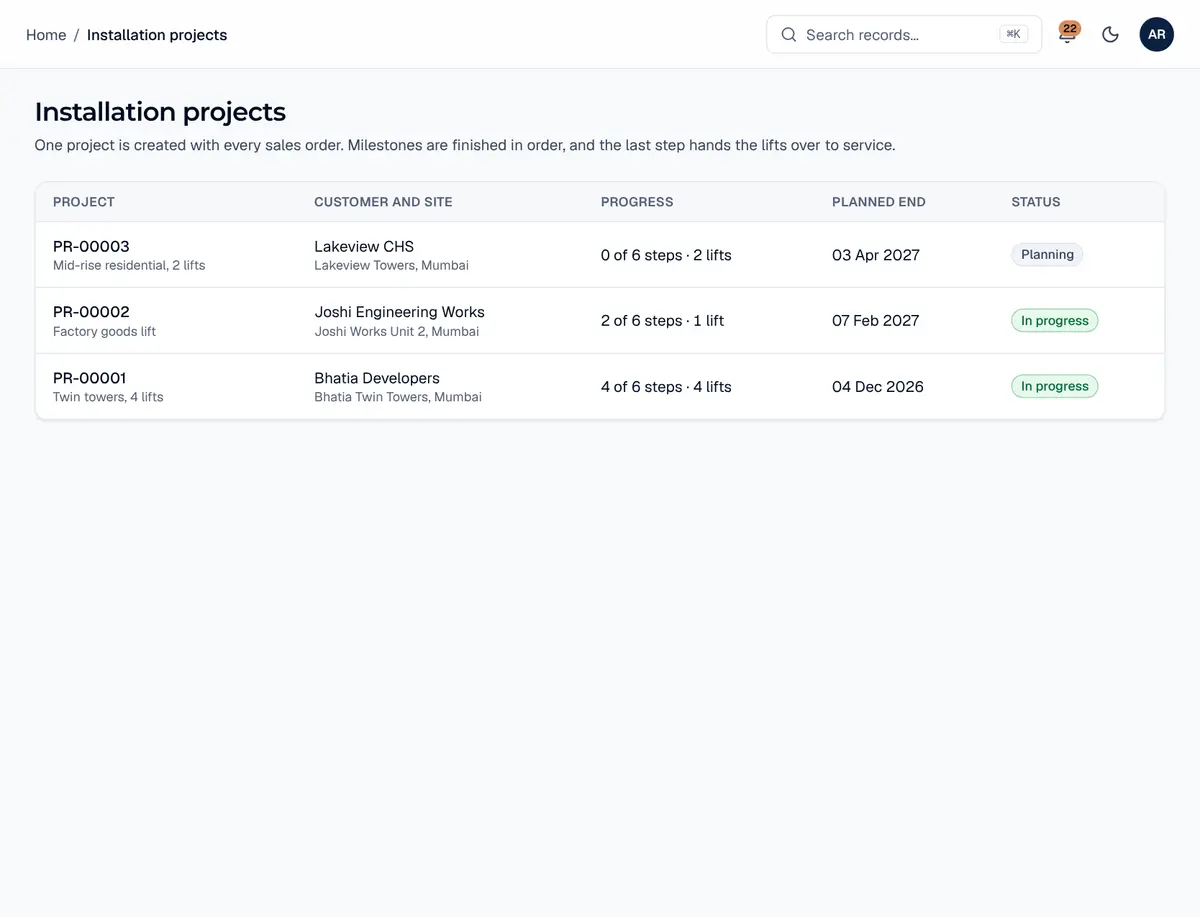
Every installation in progress
Projects with customer, site, milestones done, planned end and status, by branch.
- Step 3
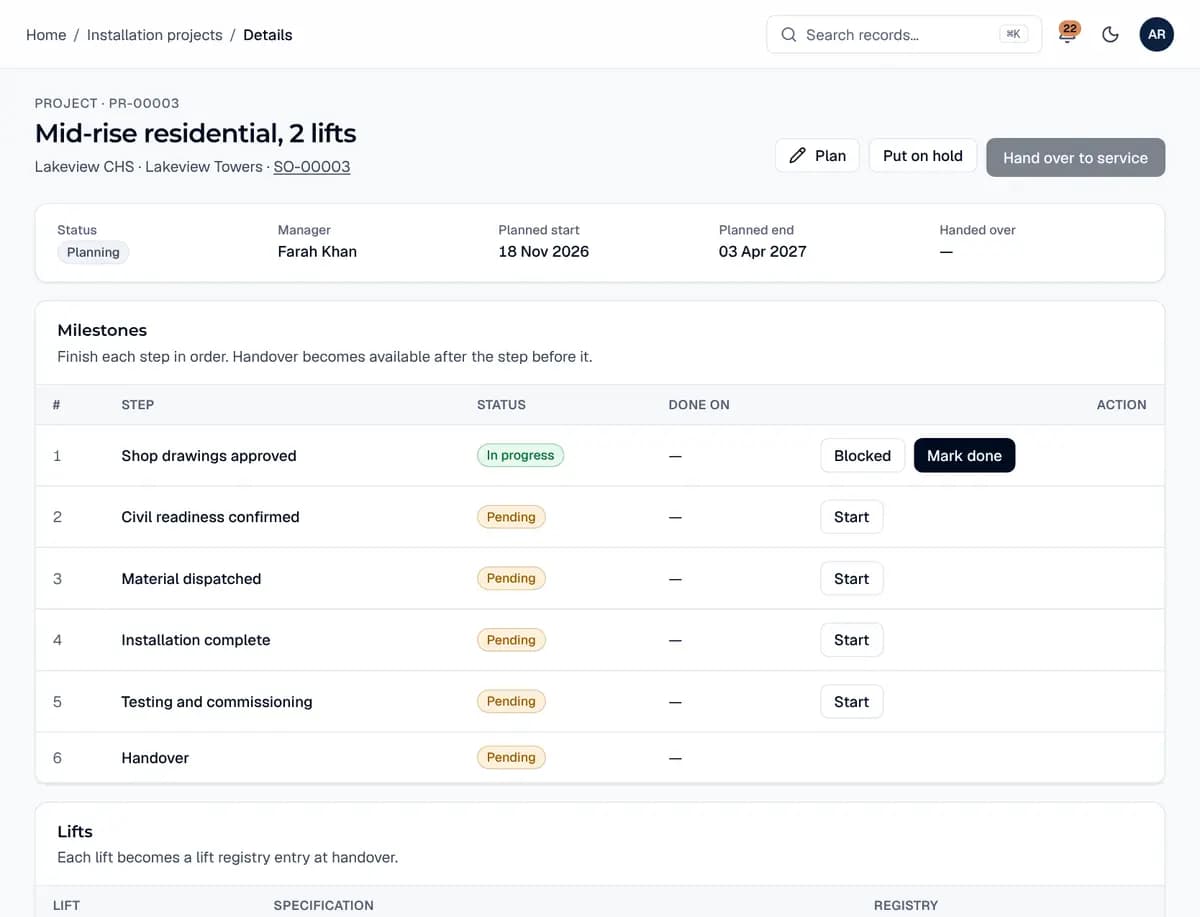
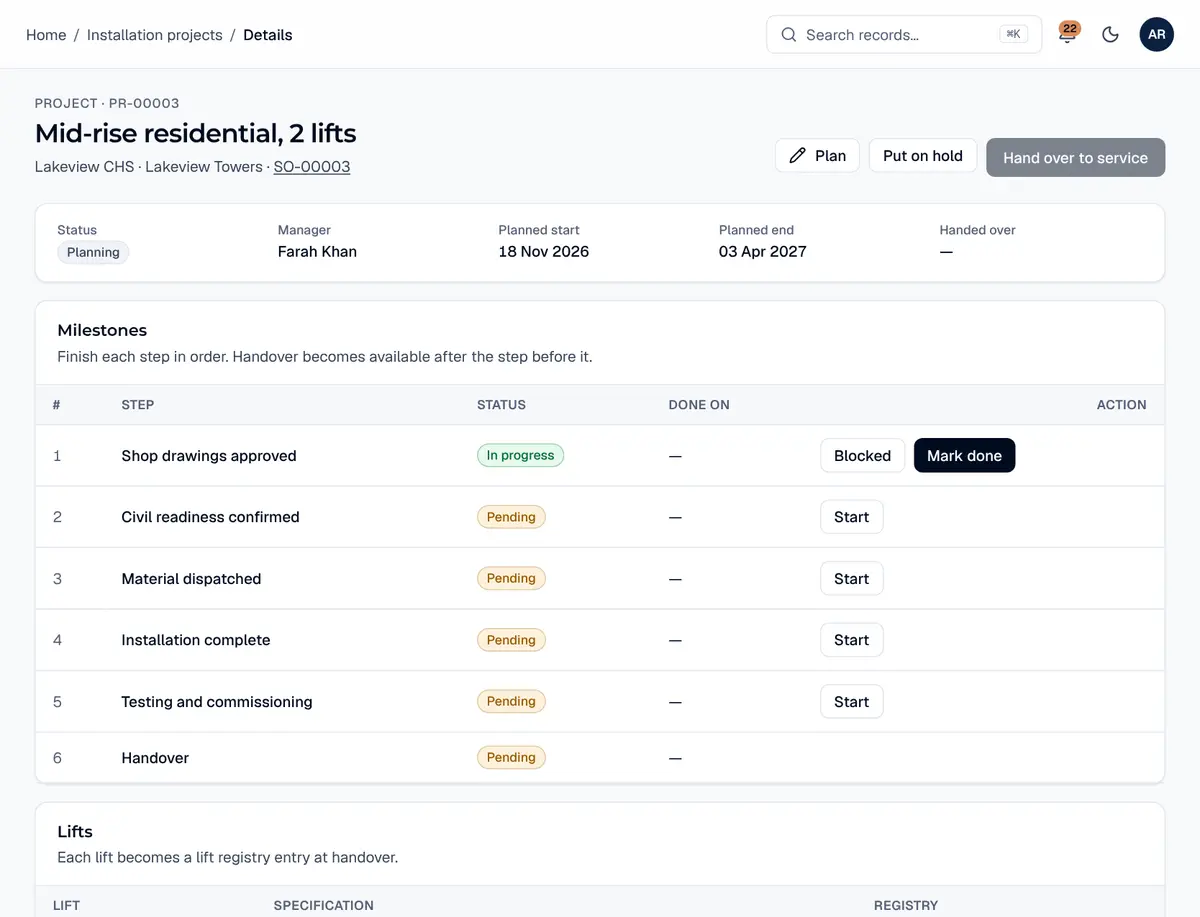
Milestones in order
From shop drawings to handover, each step finished in order. Hold and resume are recorded with reasons.
- Step 4
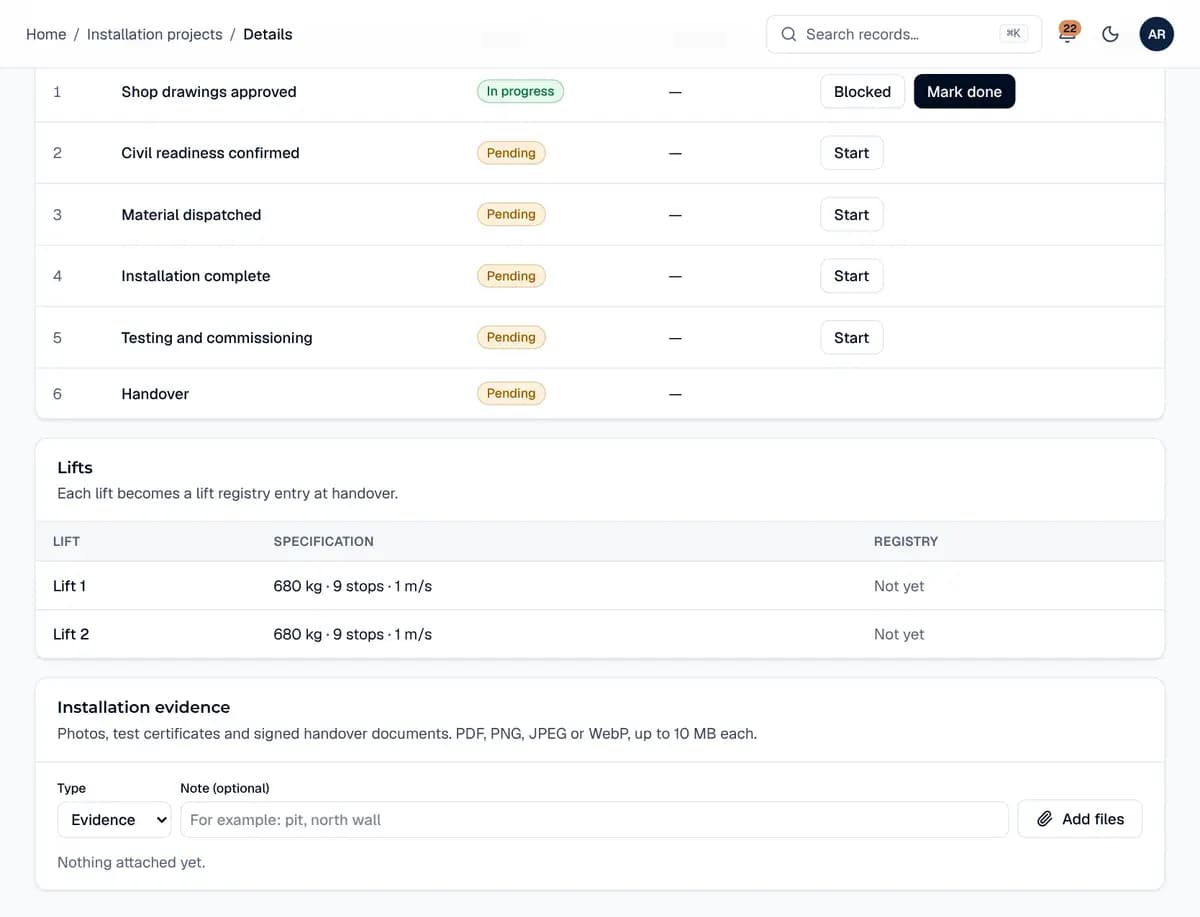
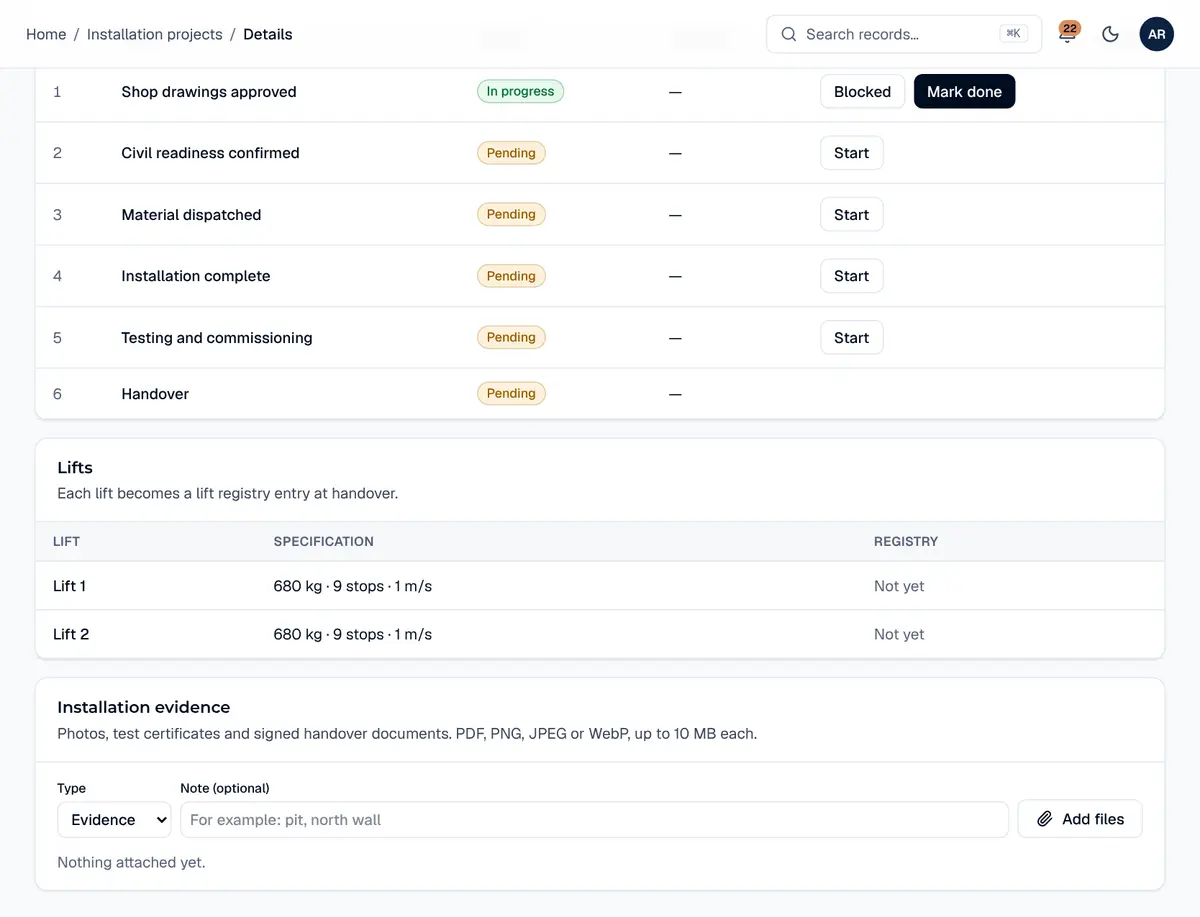
Evidence on the project
Lifts on the project and the photos and documents that show the work was done.
How it helps
No retyping after the order
The project is created from the order, so the lifts and specification carry across.
Delays are visible
Delayed projects show on the dashboard without anyone building a report.
Handover creates the lift record
Handing over registers each lift, with its warranty, ready for service.
Compared with how it is usually done
Spreadsheets, Tally and general ERPs are good tools for what they were built for. This is where each one fits for this part of a lift business.
| Task | Excel, paper and WhatsApp | Tally or a general ERP | OopsWeSold |
|---|---|---|---|
| Track milestones | A sheet per project, updated when someone remembers | Project module if configured, not lift-specific | Ordered milestones with dates, holds and reasons |
| Keep site evidence | Photos in WhatsApp groups | Attachments, if set up | Photos and documents on the project |
| Hand over to service | New row in the service register | Not linked to service | Handover registers each lift automatically |
Other elevator software
- Installation projects and milestones: claimed by 5 of the 7 elevator software websites we read.
Checked on 24 November 2026, from each vendor's own website. See the full comparison.
Who it is for
- Project and installation managers
- Owners tracking delivery against orders
The problem
Orders are signed and then the trail goes cold. Milestones are tracked in a separate sheet, evidence is in someone's phone, and service learns about the lift later.
How it works
- 1
Project from the order
A confirmed sales order creates the project and its lifts with the specification that was sold.
- 2
Plan
Assign a manager and a plan. Milestones must be completed in order.
- 3
Execute
Update milestones, hold and resume with a reason, and attach photos, test certificates and signed documents as installation evidence.
- 4
Hand over
Handover creates one permanent registry record per lift, ready for service and AMC.
An installation, milestone by milestone
Milestones are finished in order. Pick a milestone to see what is recorded, or switch the scenario to see a project on hold.
PRJ-00031 · milestone 5 of 8
Materials
In progress
Materials dispatched to site and receipt recorded.
- Completed
- In progress
- Awaiting approval
- Blocked
- Not started
Sample project with fictional records. Real projects show only your own data, inside the signed-in product.
What you can do today
- Project plan with ordered milestones
- Hold and resume with reasons
- Installation evidence attached to the project
- Handover that registers each lift
- Branch-scoped project list
Controls and records
- Milestone order is enforced
- All changes are audited
Not available yet
So there are no surprises:
- Material requirements and cost variance tracking
- Subcontractor management
- Mobile site app
Connected to
Questions
Does it track materials and stock?
Spare parts for service are tracked in Inventory and bought through Purchasing. Material planning for installation projects is planned and is not part of the current product.