
Buy parts with approval, and know when they have arrived
Spare parts run out and have to be bought. OopsWeSold keeps your suppliers, raises purchase orders from what is due for reorder, needs someone other than the buyer to approve each one, and books goods into stock as they are received.
Installation and projects · Product tour
Purchasing, step by step in the real app
Screenshots from the working product, using a fictional demo company. Select any screen to open it full size.
- Step 1
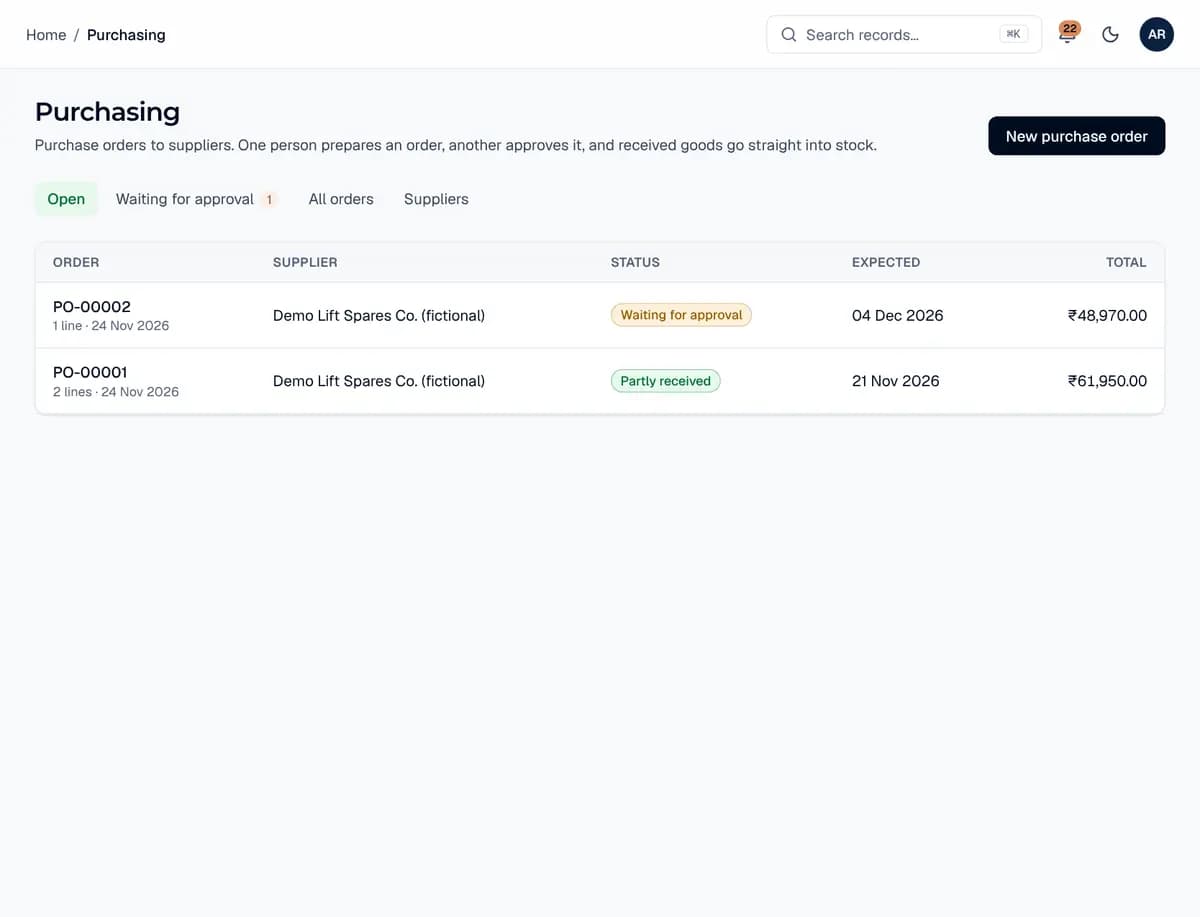
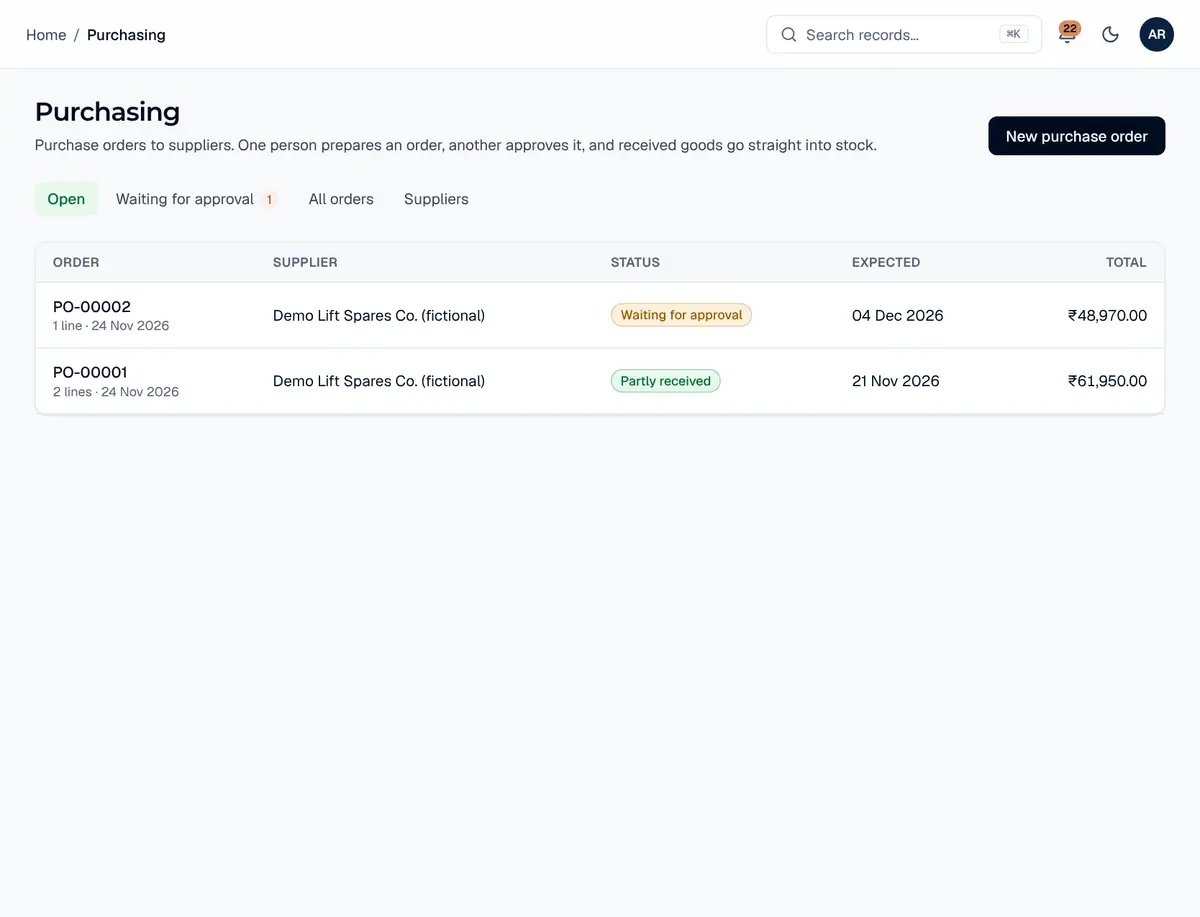
Purchase orders
Open orders, orders waiting for approval and suppliers, with expected date and total.
- Step 2
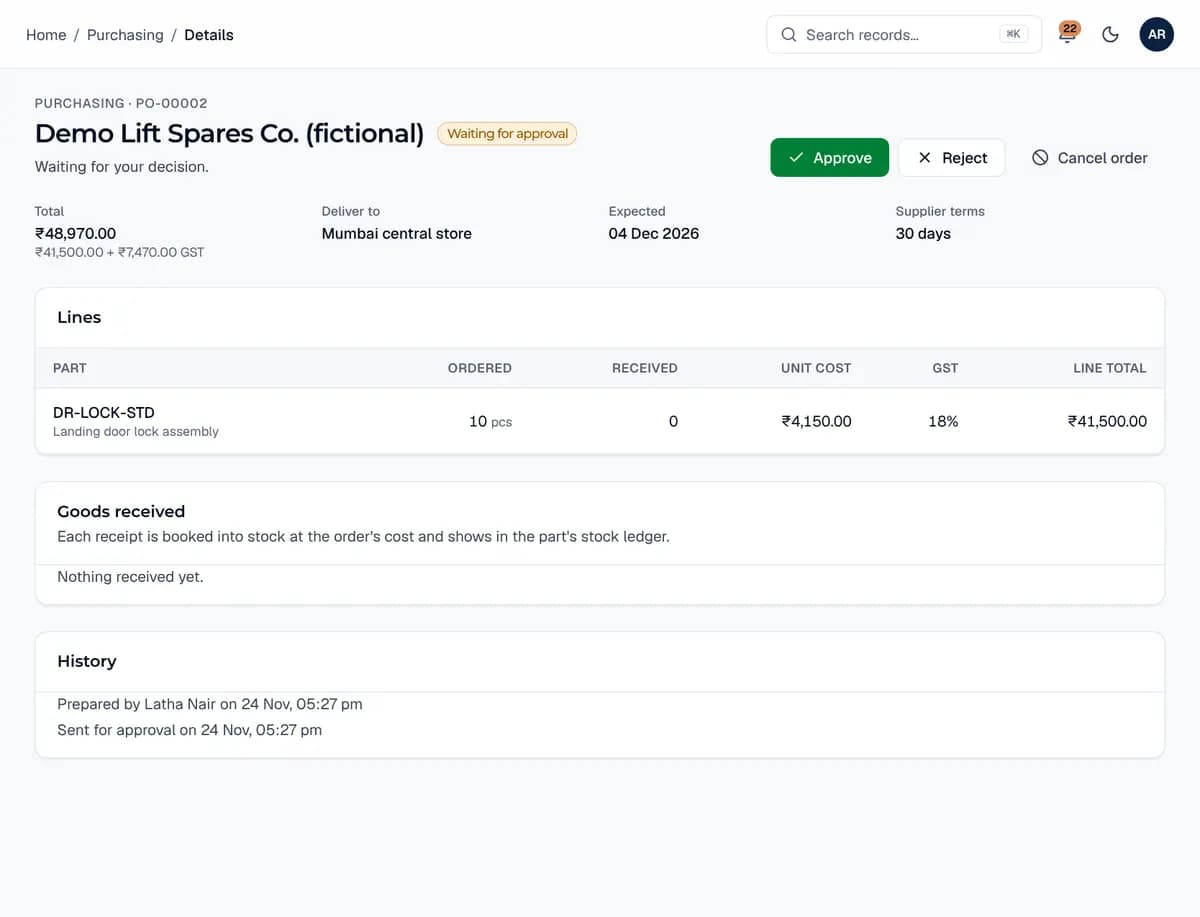
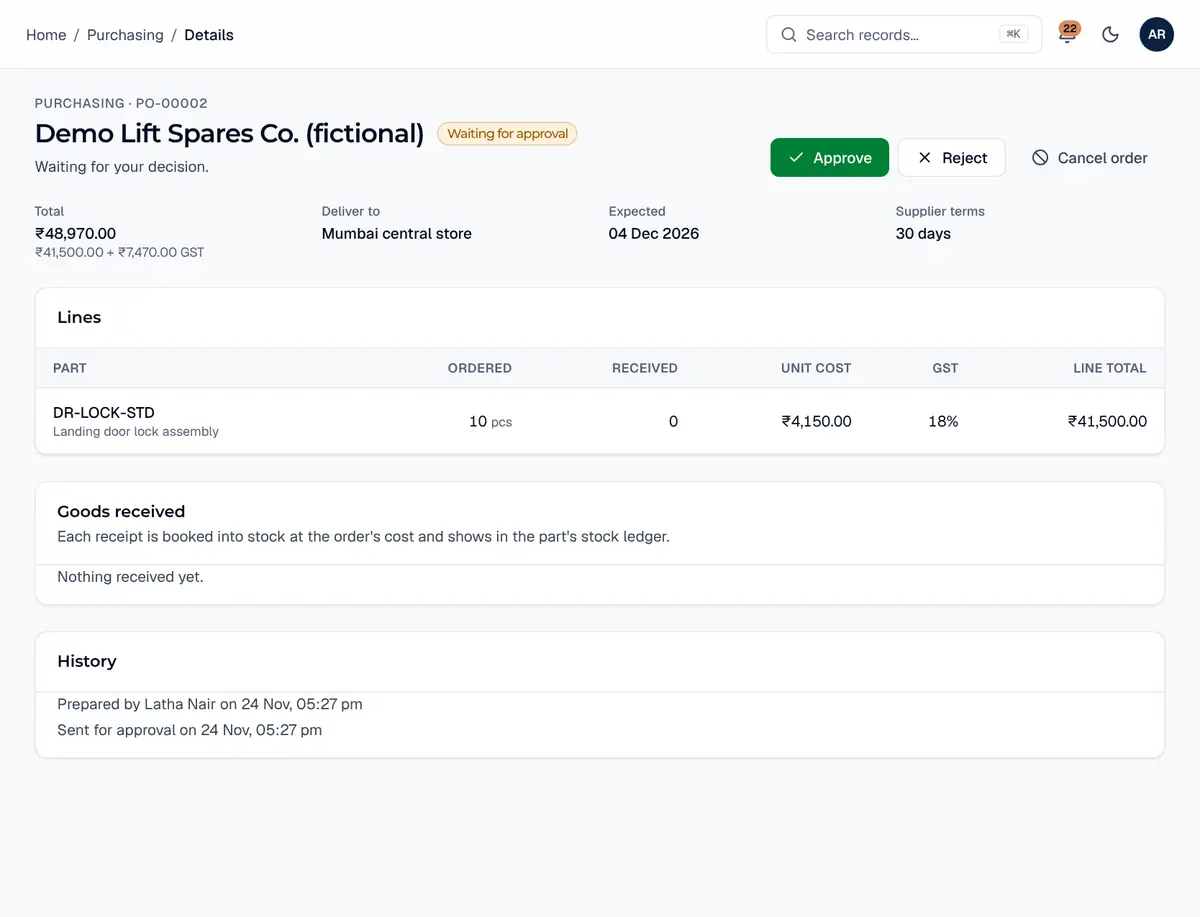
Approved by a second person
Lines with GST, delivery store and supplier terms. The approver approves or rejects with a reason.
- Step 3
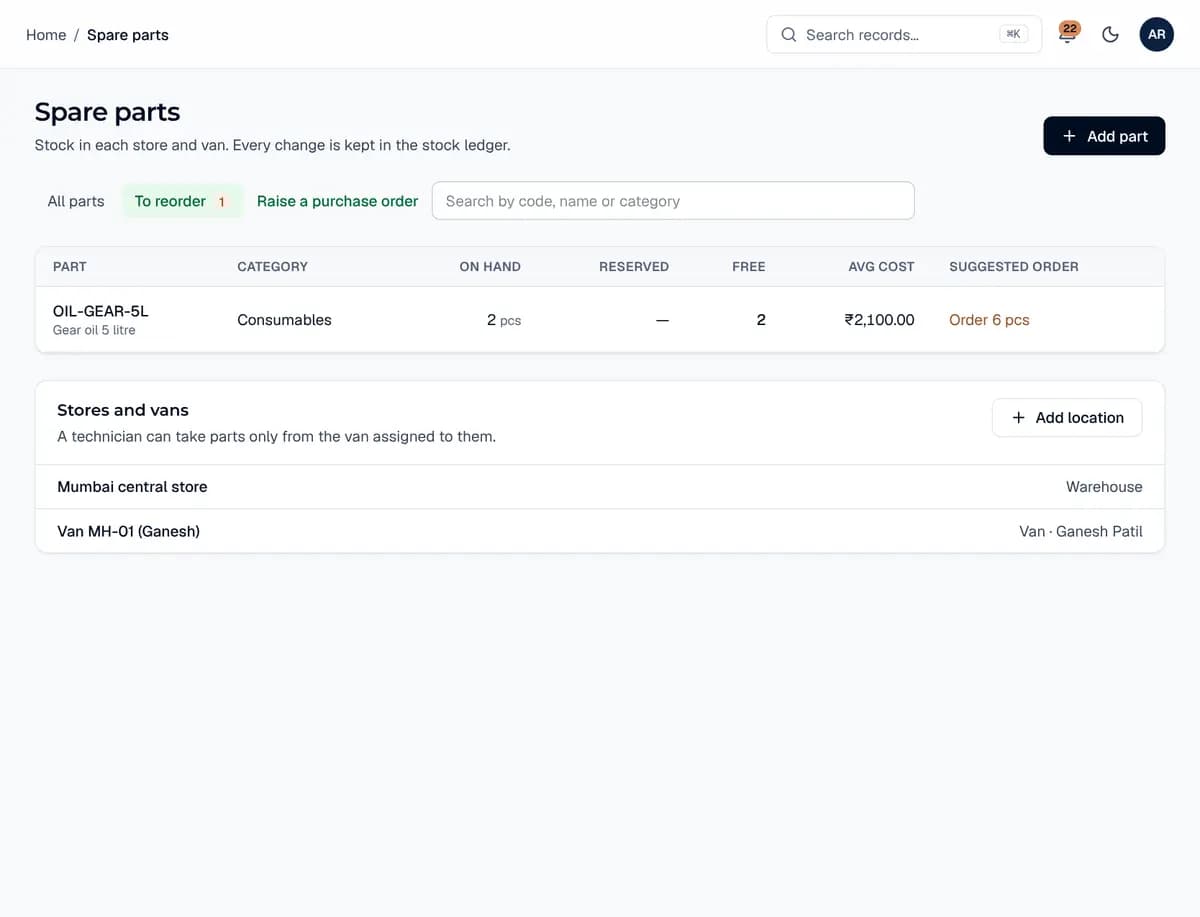
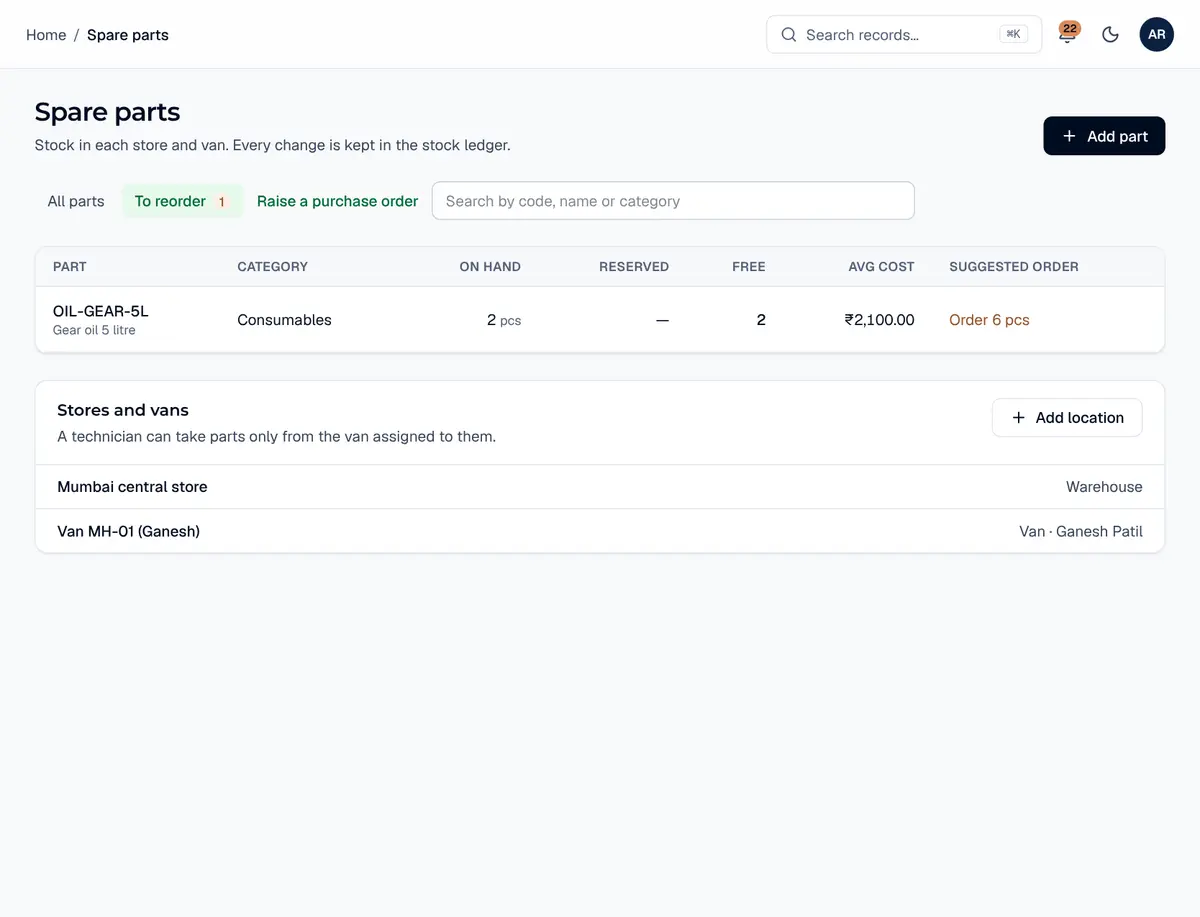
Order what is running low
Parts below their reorder point can fill a purchase order directly.
How it helps
Two people on every order
The person who prepares an order cannot approve it.
Receipts go straight into stock
Goods received are booked into the store at the order's cost and appear in the part's stock ledger.
Reorder from the shortfall
No separate list of what to buy; the reorder view is the starting point.
Compared with how it is usually done
Spreadsheets, Tally and general ERPs are good tools for what they were built for. This is where each one fits for this part of a lift business.
| Task | Excel, paper and WhatsApp | Tally or a general ERP | OopsWeSold |
|---|---|---|---|
| Raise a purchase order | Word or email to the supplier | Strong: purchase orders, GST and supplier ledgers | Purchase order with line-wise GST and supplier terms |
| Approve before ordering | Verbal | Often available as a configurable rule | Second-person approval, reason required on rejection |
| Supplier bills and payments | Accountant's files | Core strength | Bills matched to goods received, approved, and payments recorded. Posting them to the ledger is planned |
Other elevator software
We have not compared this area across other elevator software yet.
Checked on 24 November 2026, from each vendor's own website. See the full comparison.
Who it is for
- Service managers and storekeepers who buy parts
- Finance teams approving spend
- Owners who want purchases checked before money is committed
The problem
Purchases are raised by phone and email and tracked in a spreadsheet. Nobody is sure what was approved, what has arrived, or what a part really cost.
How it works
- 1
Order
Pick the supplier and the store or van it is delivered to, then add lines by hand or fill them from the parts due for reorder. GST is worked out per line.
- 2
Approve
The order is sent for approval and appears on the Approvals page. Someone other than the person who prepared it approves or rejects it, with a reason.
- 3
Receive
Record what arrived, in one delivery or several. Goods go into stock at the order's cost, the part's average cost is updated, and nothing can be received past the quantity ordered.
- 4
Bill and pay
Enter the supplier's bill against what was received. Someone else approves it for payment, any price difference from the order is shown, and payments are recorded until it is paid.
What you can do today
- Supplier records with GSTIN and payment terms
- Purchase orders with line-wise GST
- Fill an order from parts due for reorder
- Approval by a second person, with a reason when rejected
- Partial and full goods receipts with their own numbers
- Receipts shown in each part's stock ledger
- Supplier bills matched to goods received, approved by a second person
- Payments recorded against bills, with what is owed by how late it is
Controls and records
- The person who prepared an order can never approve it, whatever their role
- An approved order cannot be edited; it is cancelled and raised again
- Two people receiving the same delivery at once cannot book it twice
- A bill can never cover more than was received, and the same supplier invoice cannot be entered twice
- Every step is audited
Not available yet
So there are no surprises:
- Sending the purchase order to the supplier by email or PDF
- Purchase requests from a project's bill of materials
- Posting supplier bills and payments to the accounting ledger
- Supplier delay alerts
- Approval limits by amount
Connected to
Questions
Does every purchase order need approval?
Yes. Each order is approved by someone other than the person who prepared it. Approval limits by amount are not available yet.
Can we send the order to the supplier from OopsWeSold?
Not yet. Today you send it yourself; sending it by email or as a PDF is planned.
Does it record the supplier's bill?
Yes. Enter the bill against the goods received; someone else approves it for payment and payments are recorded against it. Posting bills to your accounting ledger is planned, so record them there as well for now.