
Guided product tour
Follow one lift job from the first enquiry to its AMC.
Sixteen stages, each a real screen from the working product, using a fictional demo company. This is a guided tour of screenshots: nothing you select here changes any records.
Stage 1 · Sell
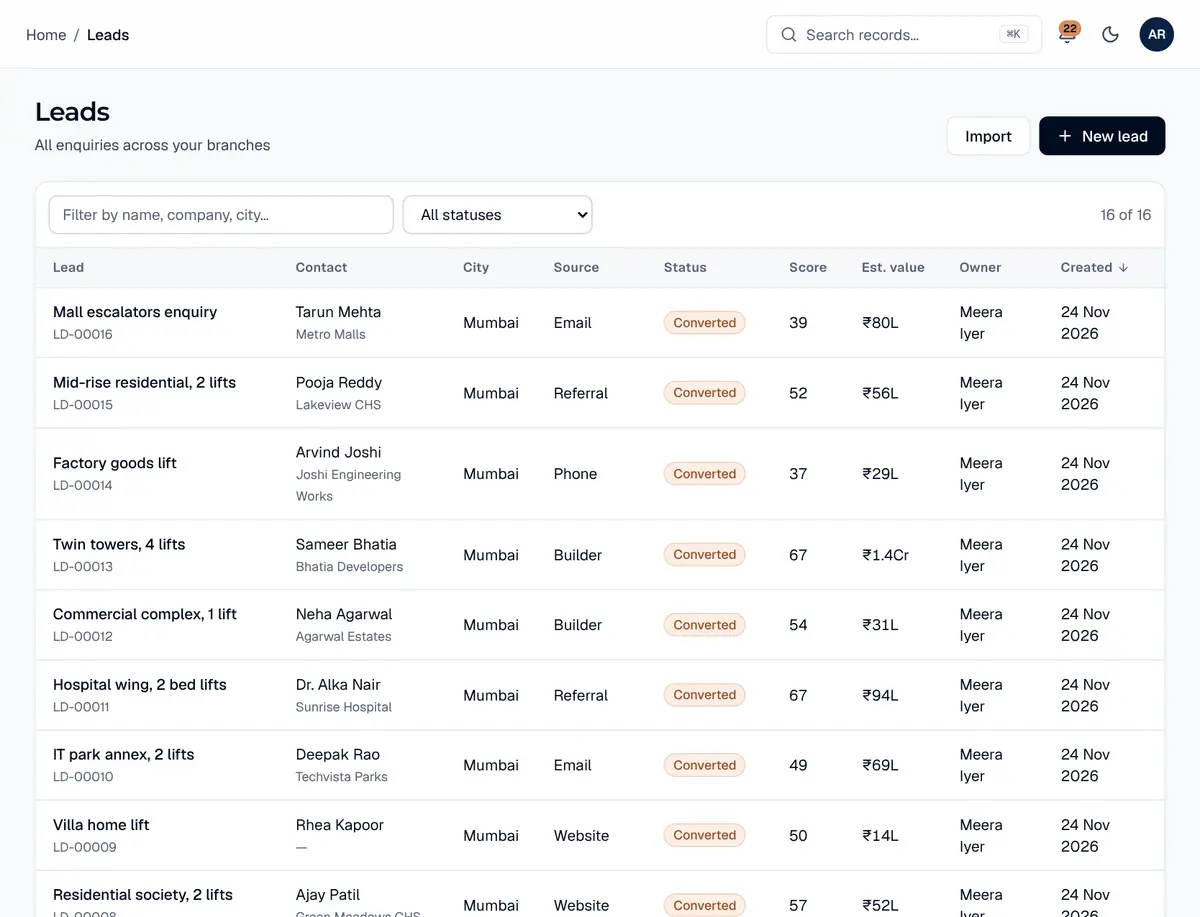
Capture an elevator enquiry
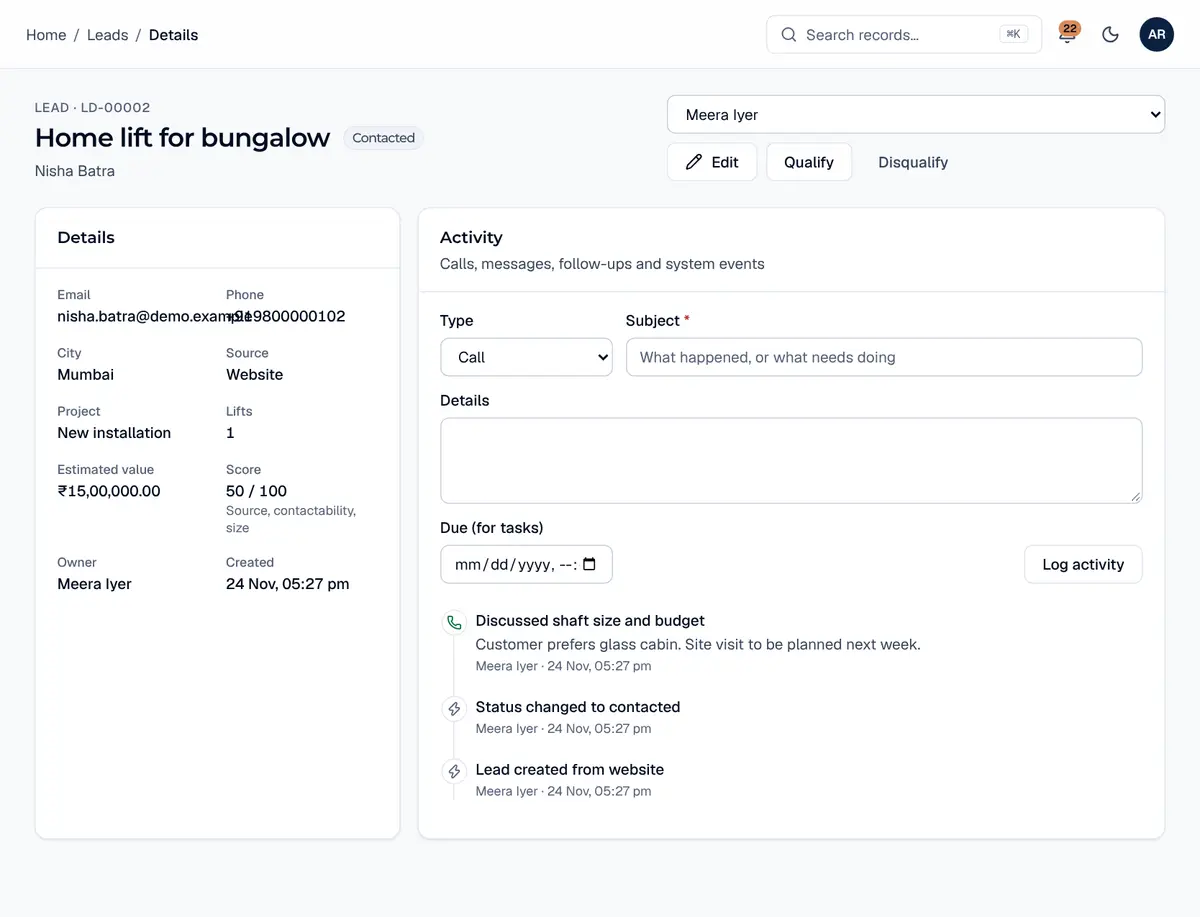
The enquiry is recorded with its source, city, project type, number of lifts and estimated value.
Why it matters
Every enquiry is in one list instead of phones, notebooks and WhatsApp.
- A duplicate warning appears on a matching email or phone
- Existing leads can be imported from a CSV with a checked preview
Stage 2 · Sell
Assign a salesperson
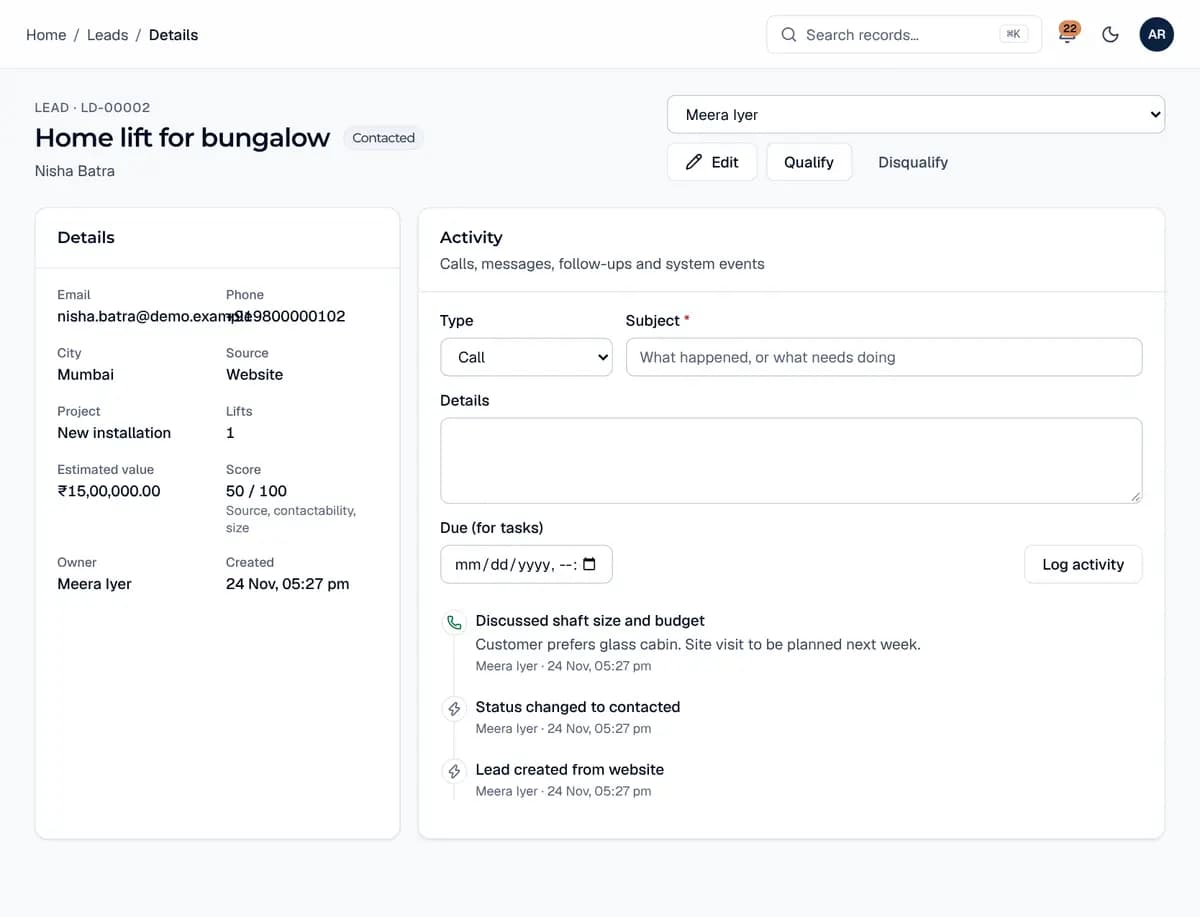
The lead gets one owner, a score from the facts entered, and an activity log of calls, visits and notes.
Why it matters
Someone owns the next step, and is reminded when the follow-up is due.
- Owners see their own leads; managers with permission see everyone's
- Converting creates the customer, site and opportunity together
Stage 3 · Engineer
Record a site survey
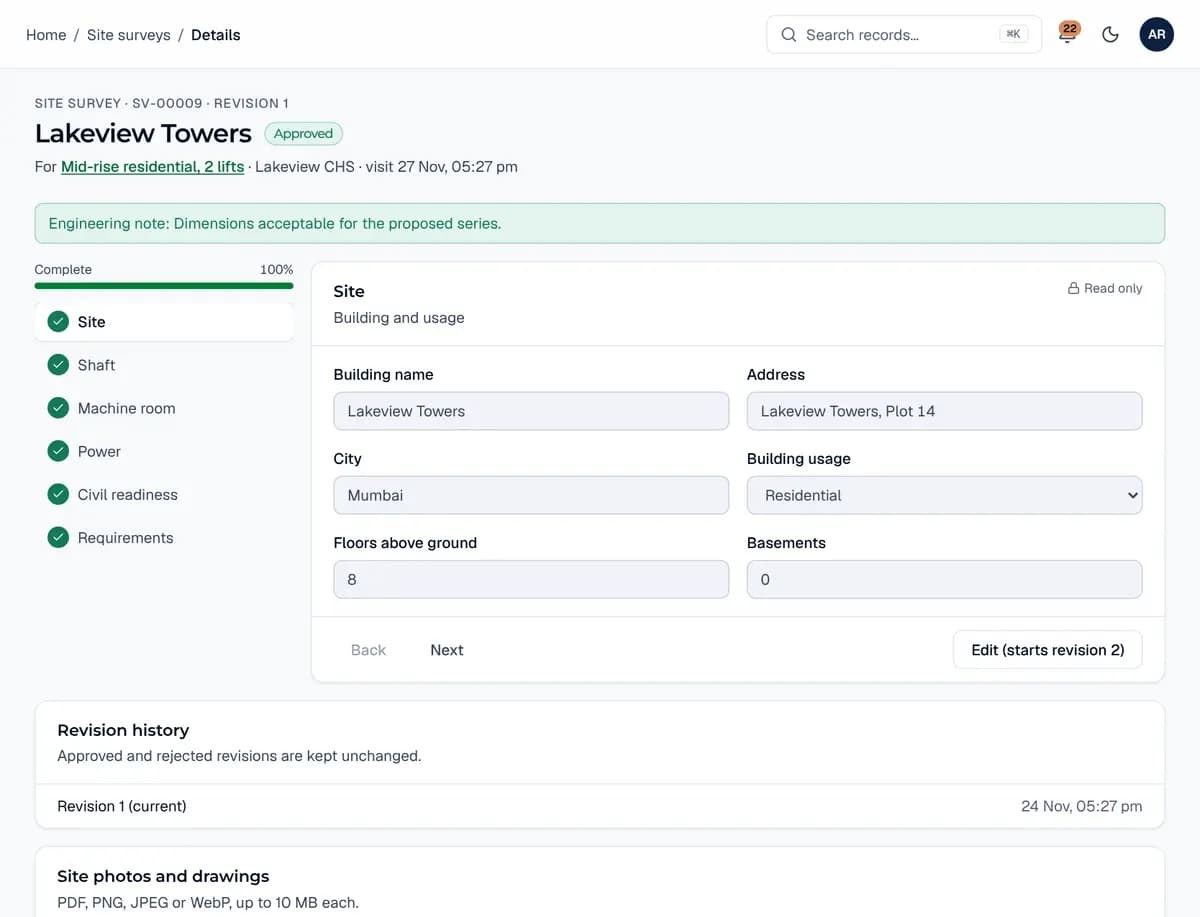
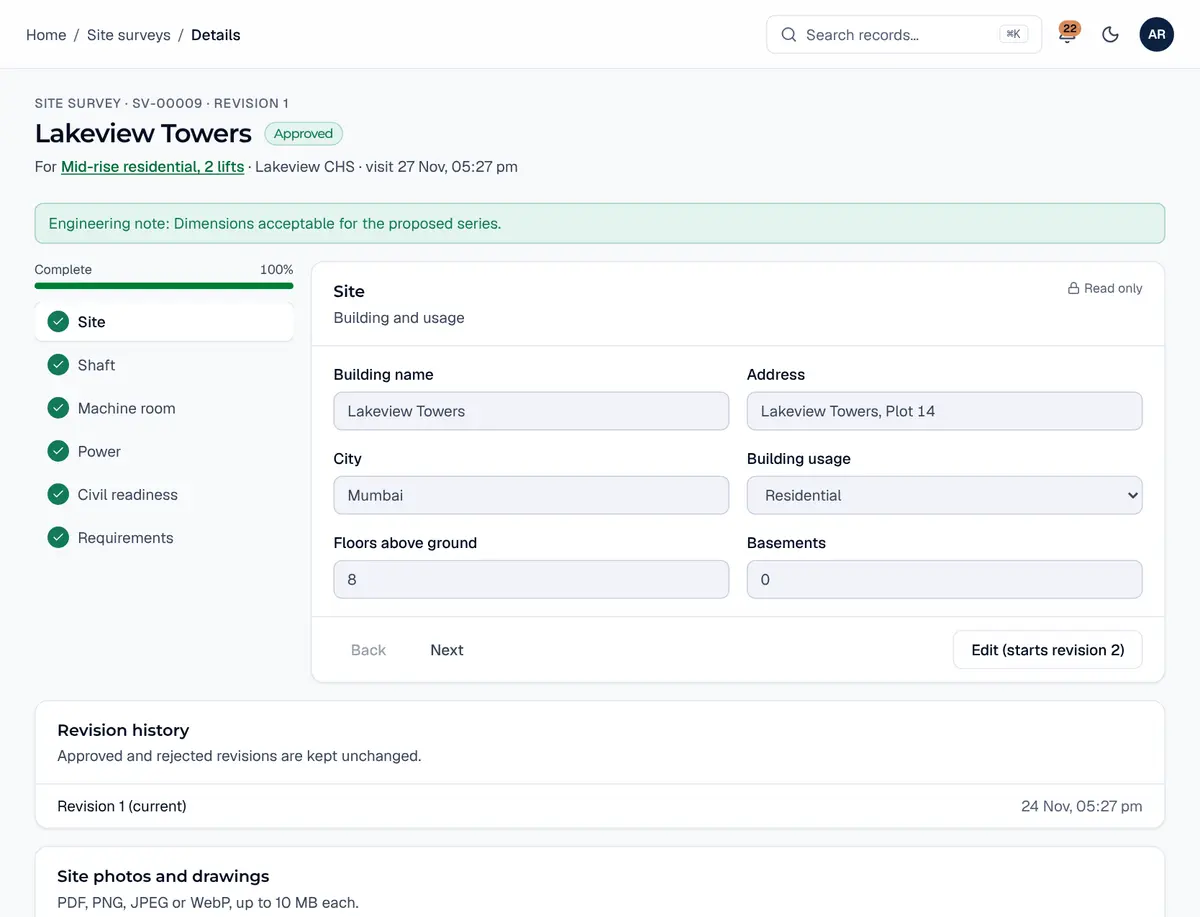
The surveyor fills site, shaft, machine room, power, civil readiness and requirements, with photos and drawings.
Why it matters
Engineering gets complete measurements in the same shape every time.
- Surveyed shaft dimensions carry into the technical configuration
- Editing an approved survey starts a new revision
Stage 4 · Engineer
Select an approved configuration
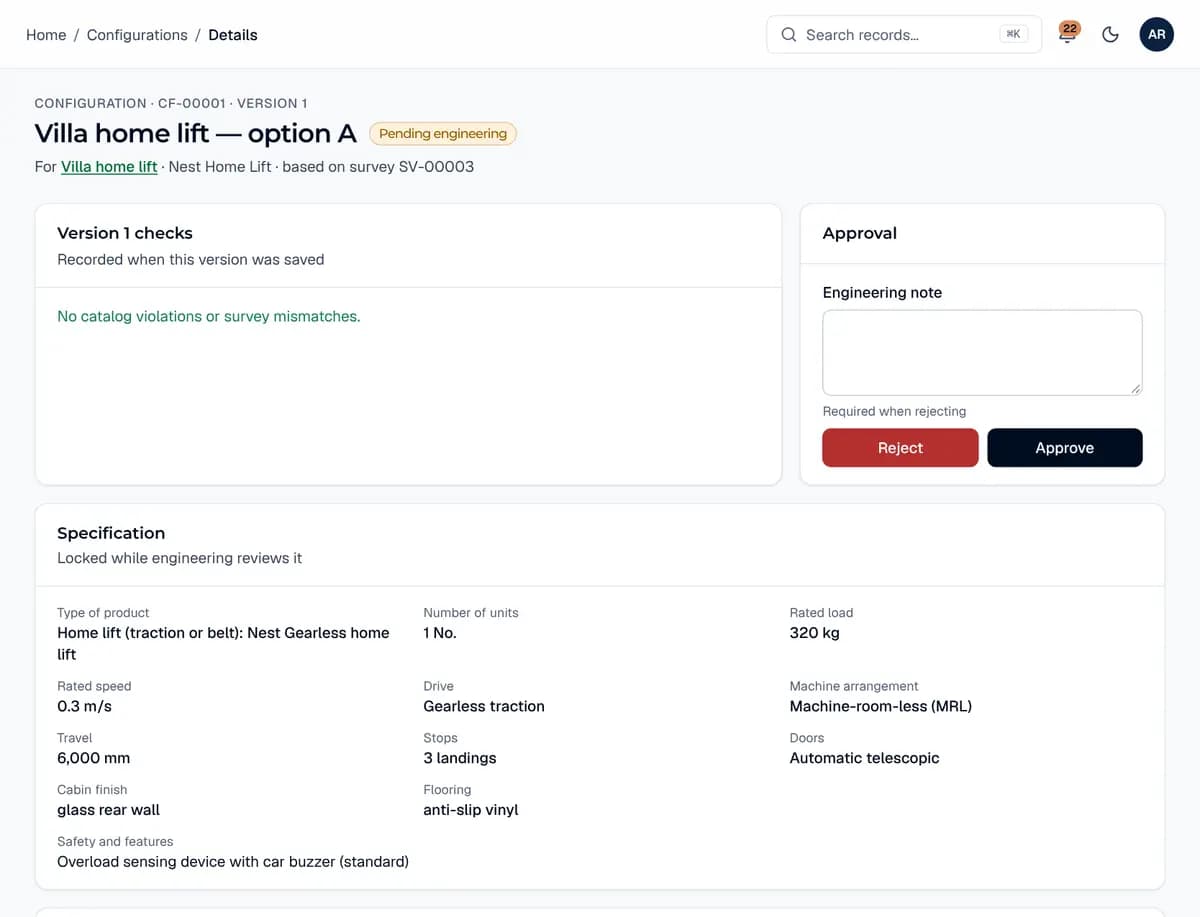
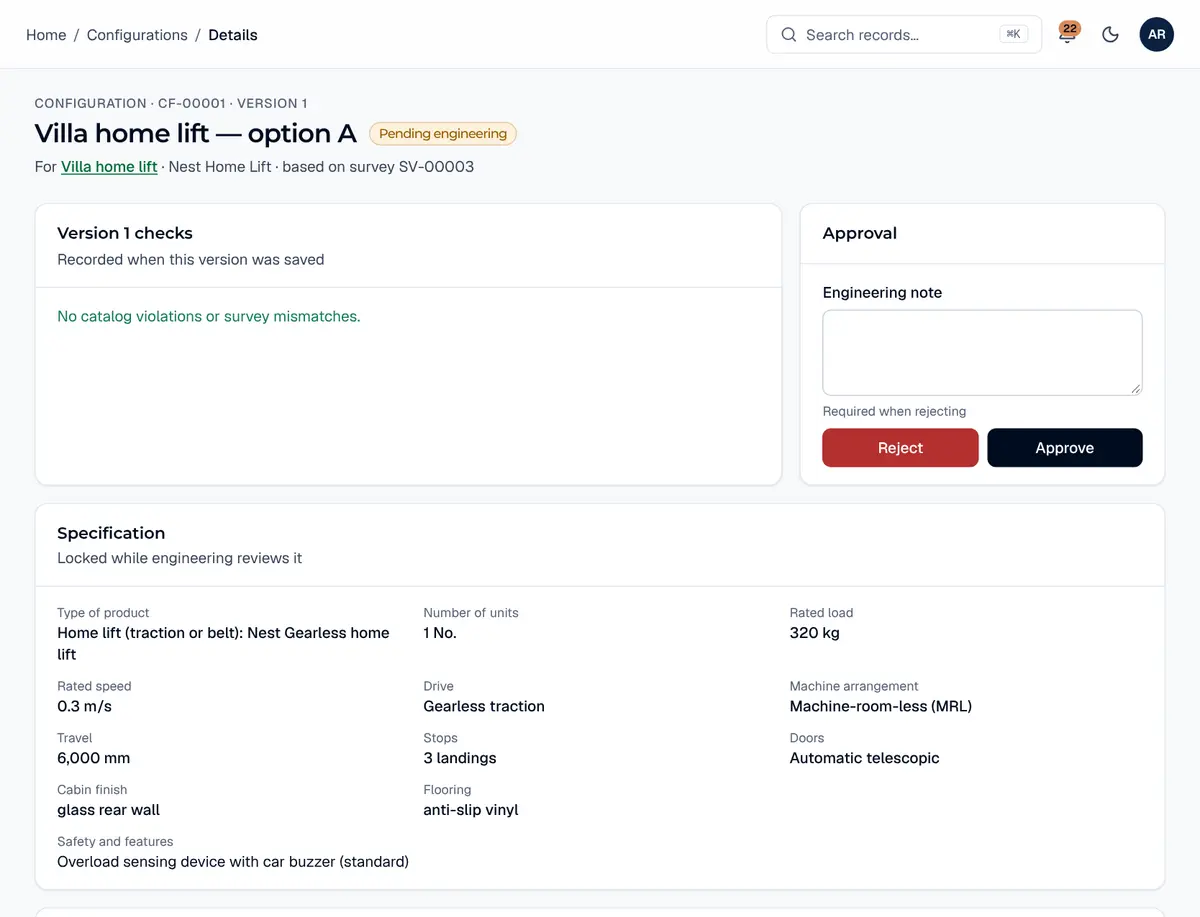
The lift is configured from the engineering catalog and checked against the survey before engineering approves it.
Why it matters
Sales cannot quote a lift engineering has not approved.
- Approved catalog options constrain quotation inputs
- Each version records its checks; rejection needs a note
Stage 5 · Sell
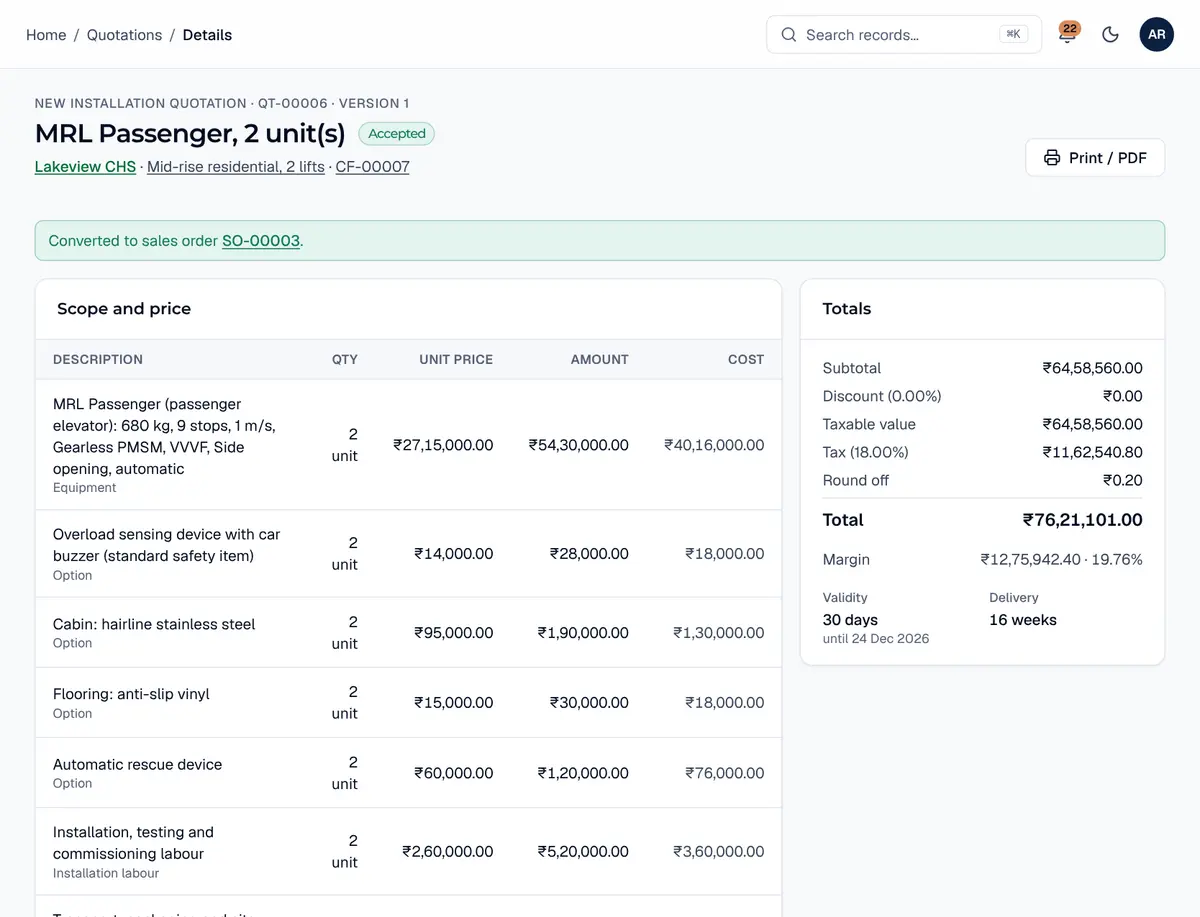
Generate the quotation
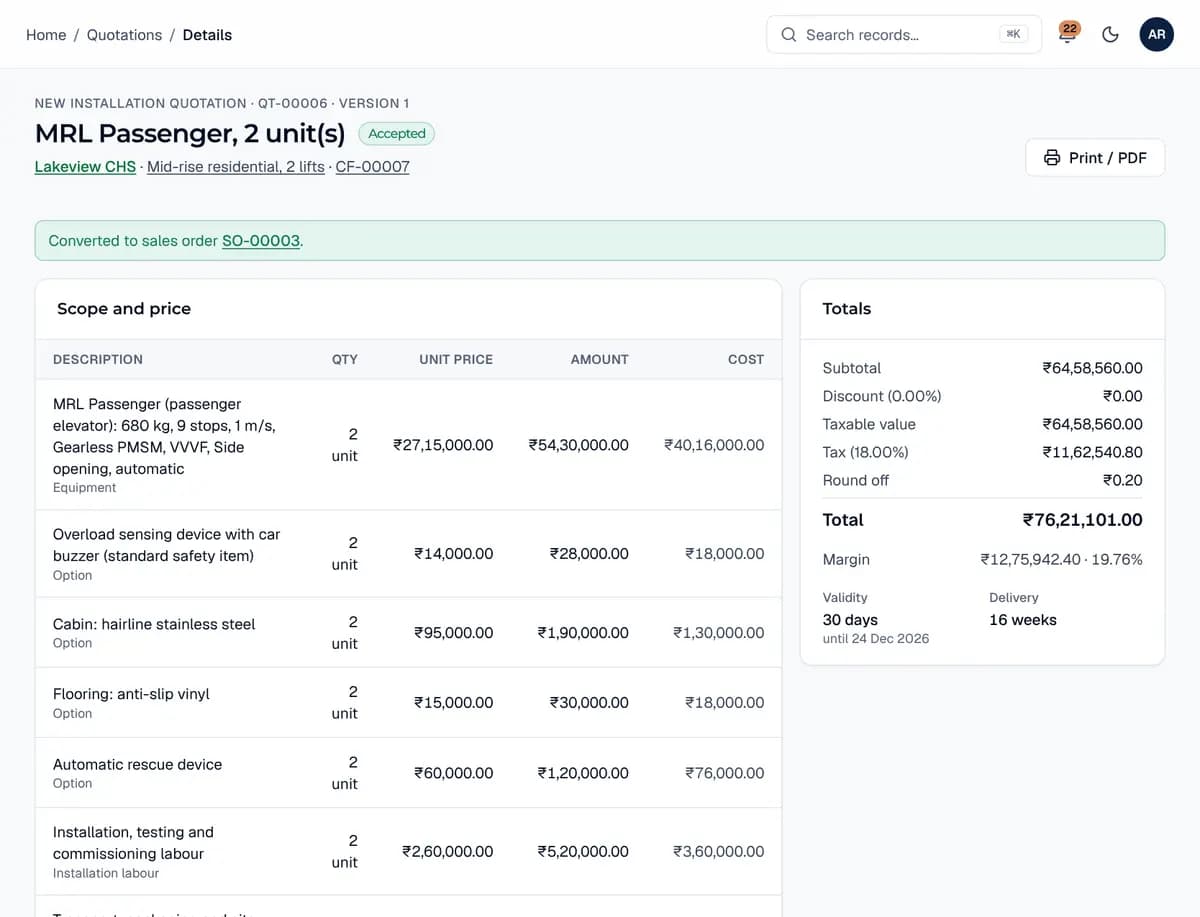
Equipment, options and labour are priced from the catalog, with GST, totals, validity and margin for roles allowed to see it.
Why it matters
Two salespeople cannot price the same lift differently by mistake.
- The document uses your company's own template
- Every version is kept, with an archived PDF and checksum
Stage 6 · Sell
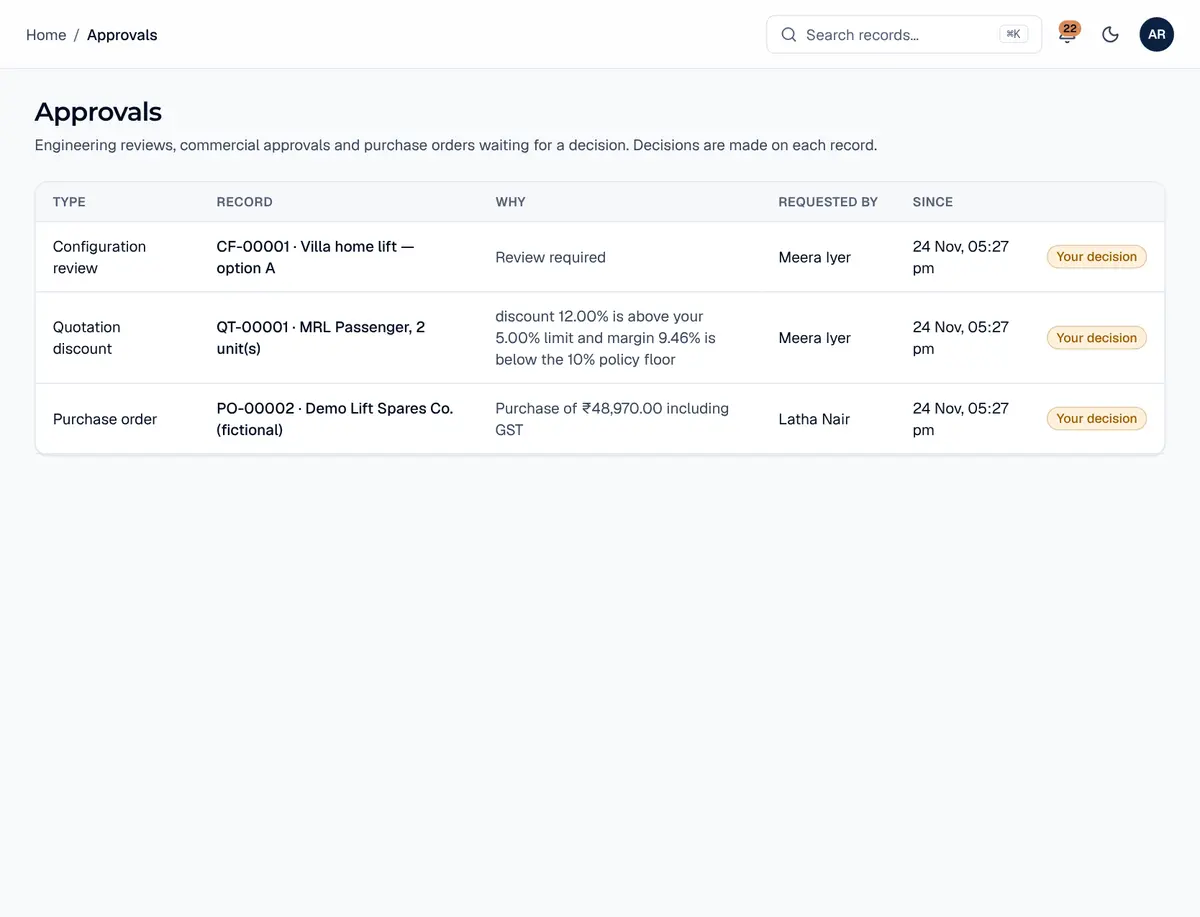
Review price and commercial approval
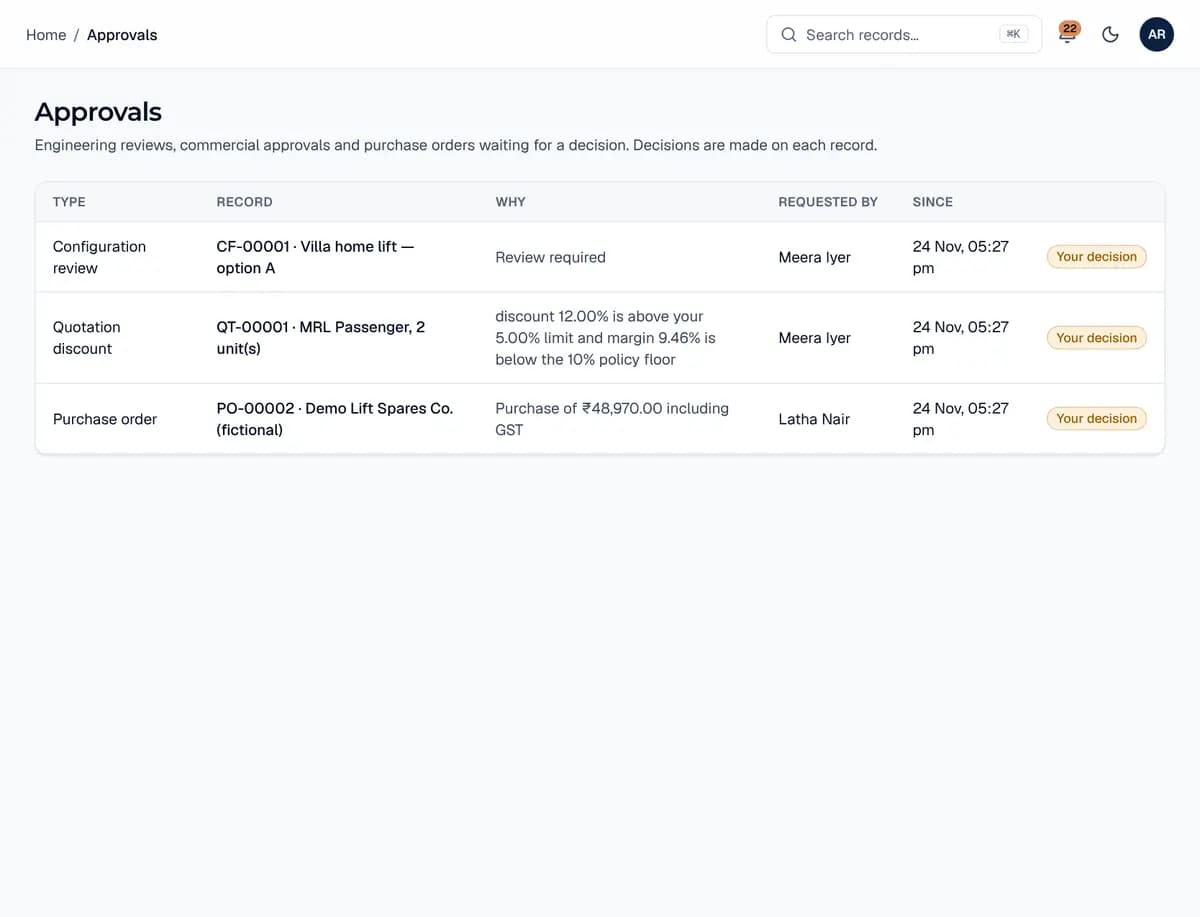
A discount above a person's limit, a price override or special terms wait in the approvals queue.
Why it matters
Discounts are approved by a named person, and the decision is recorded.
- You cannot approve your own request
- Configurations and purchase orders wait in the same queue
Stage 7 · Sell
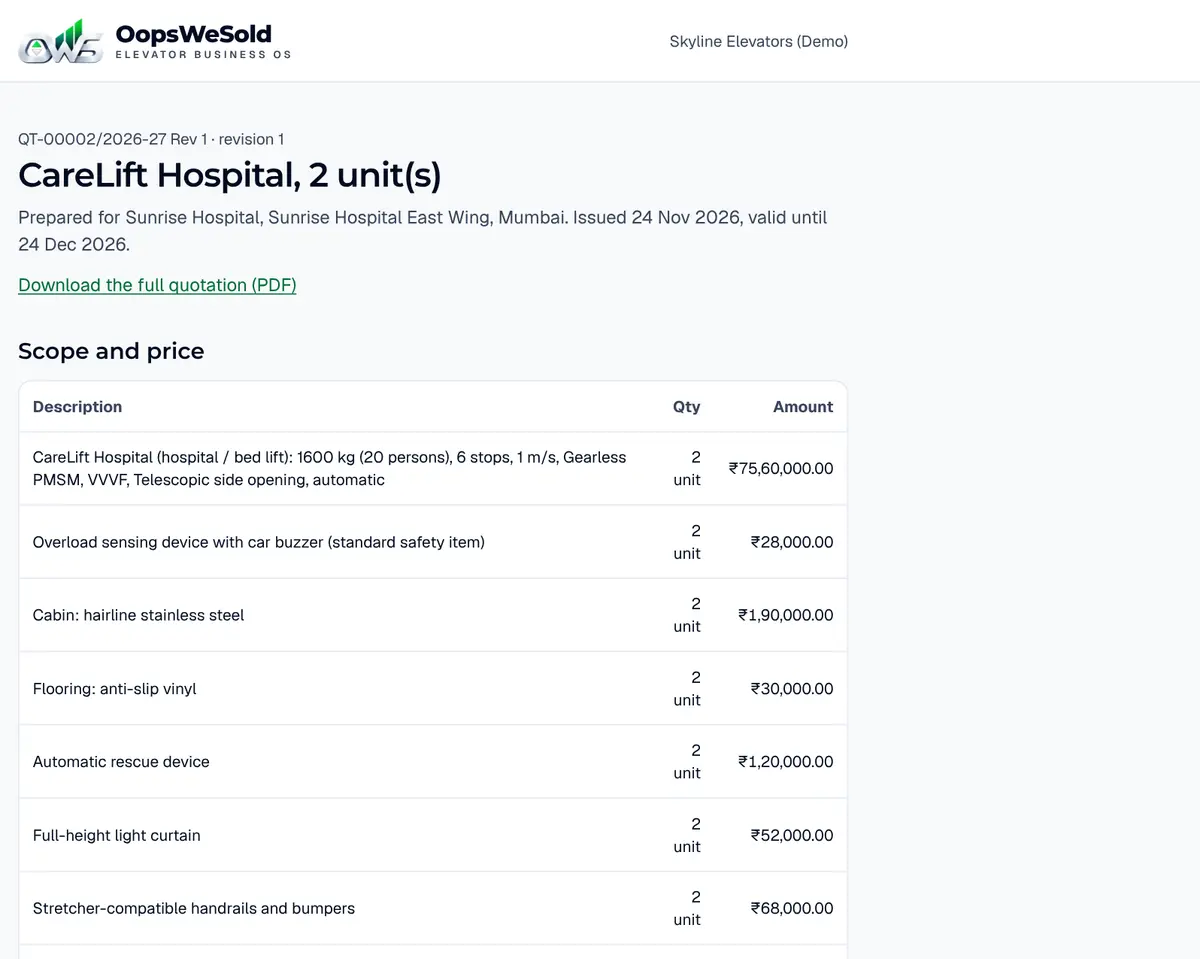
Capture customer acceptance
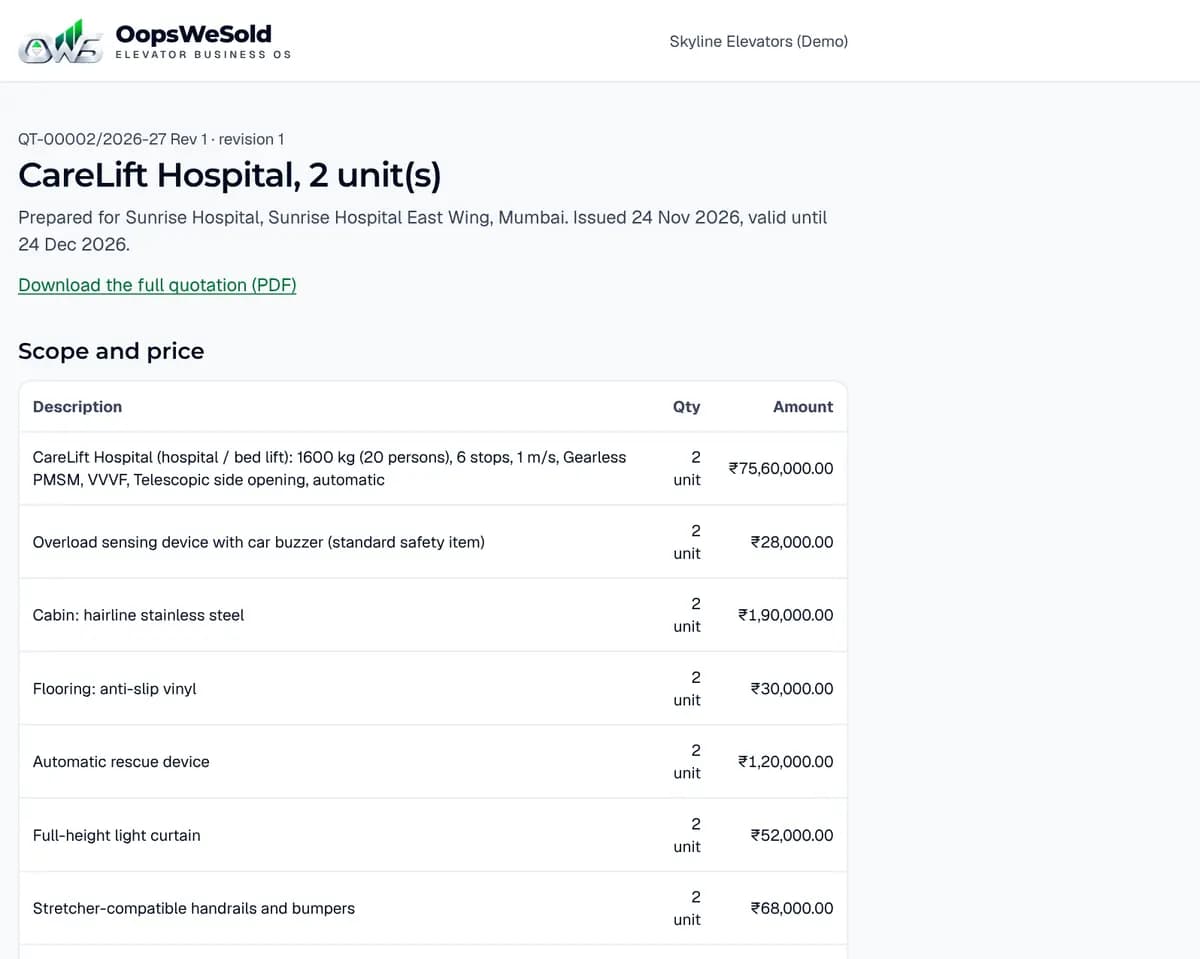
The customer opens a private link, reads the issued quotation and accepts or declines it.
Why it matters
You know exactly which version was accepted, by whom and when.
- The link records name, date and the exact version
- This is a named acceptance, not a legal e-signature
Stage 8 · Deliver
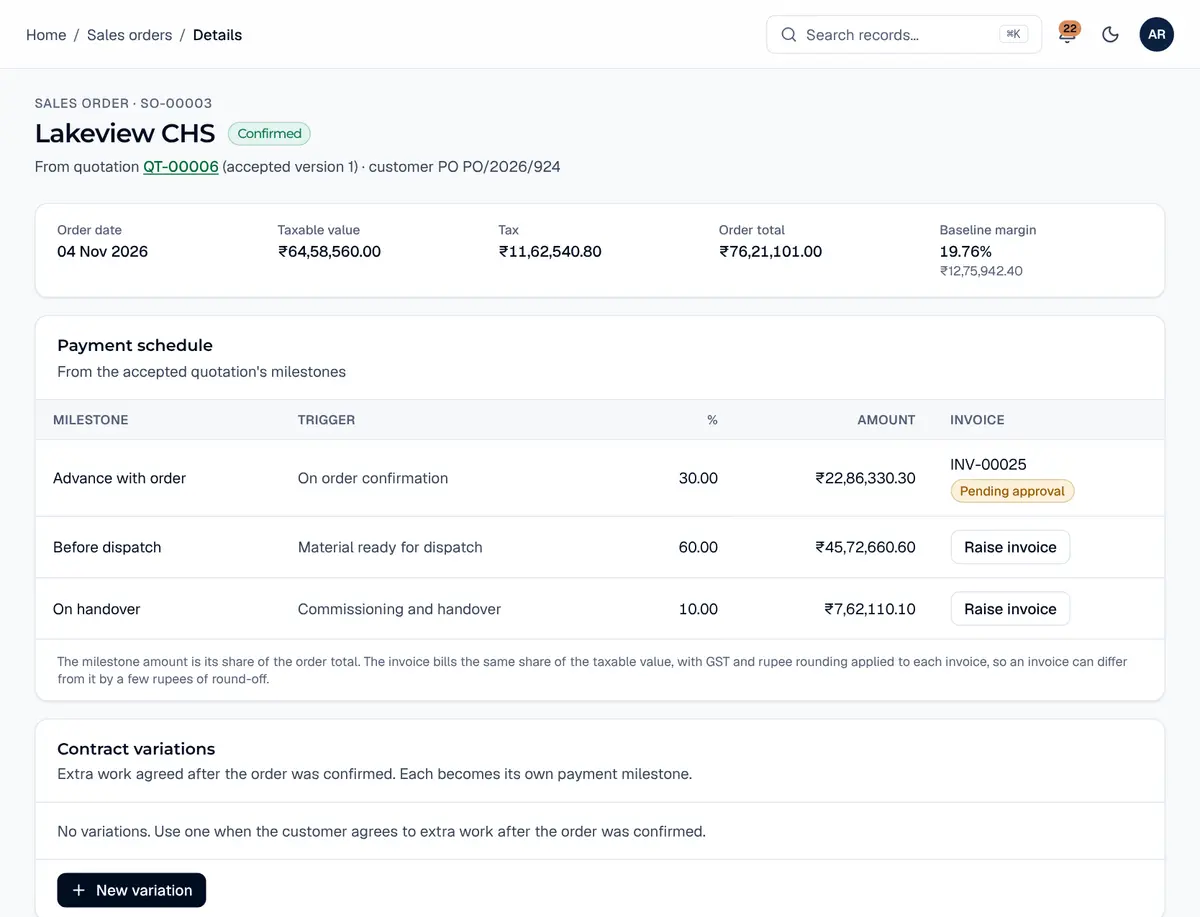
Convert to a sales order
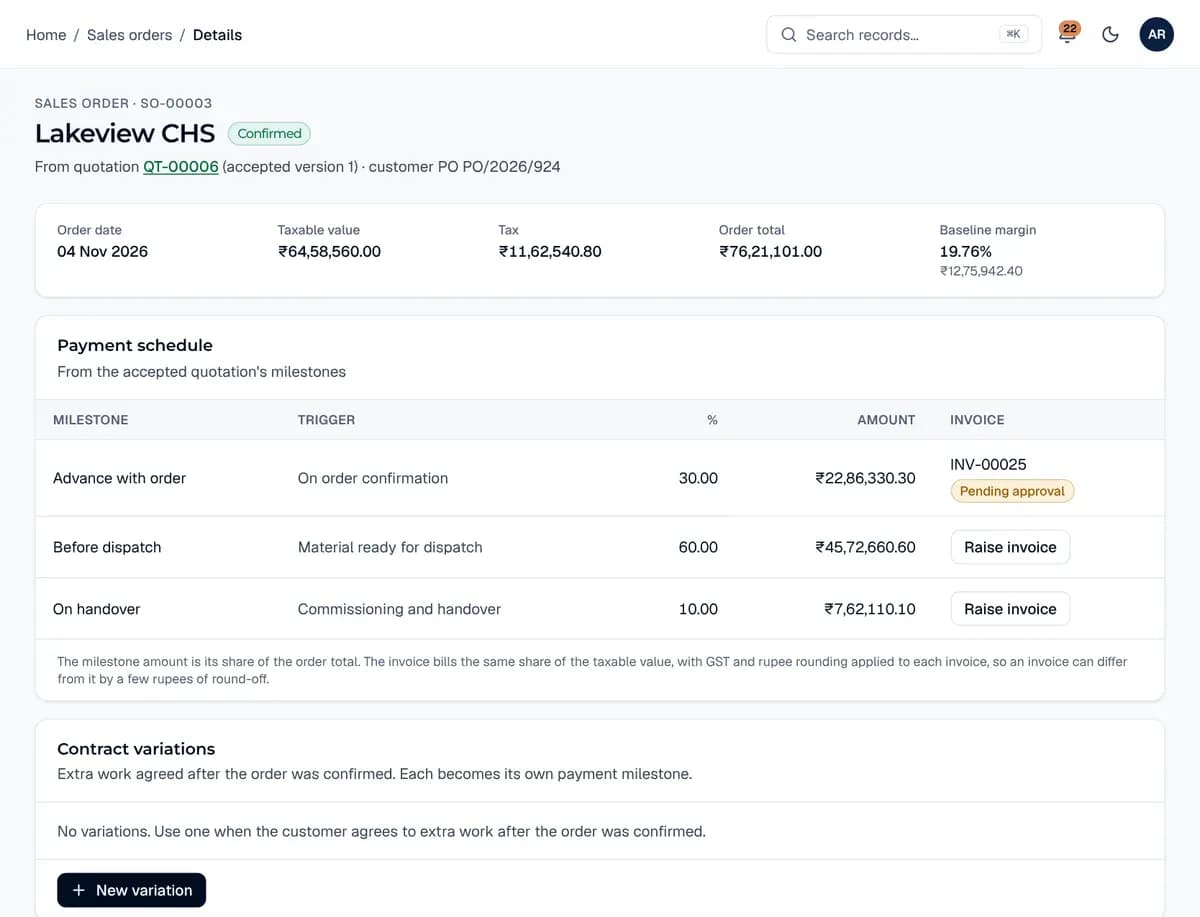
The accepted quotation becomes a sales order with its payment schedule and a frozen commercial baseline.
Why it matters
What was sold is fixed and cannot drift when the work starts.
- The accepted quotation version becomes the sales-order baseline
- Extra work becomes a contract variation with its own milestone
Stage 9 · Deliver
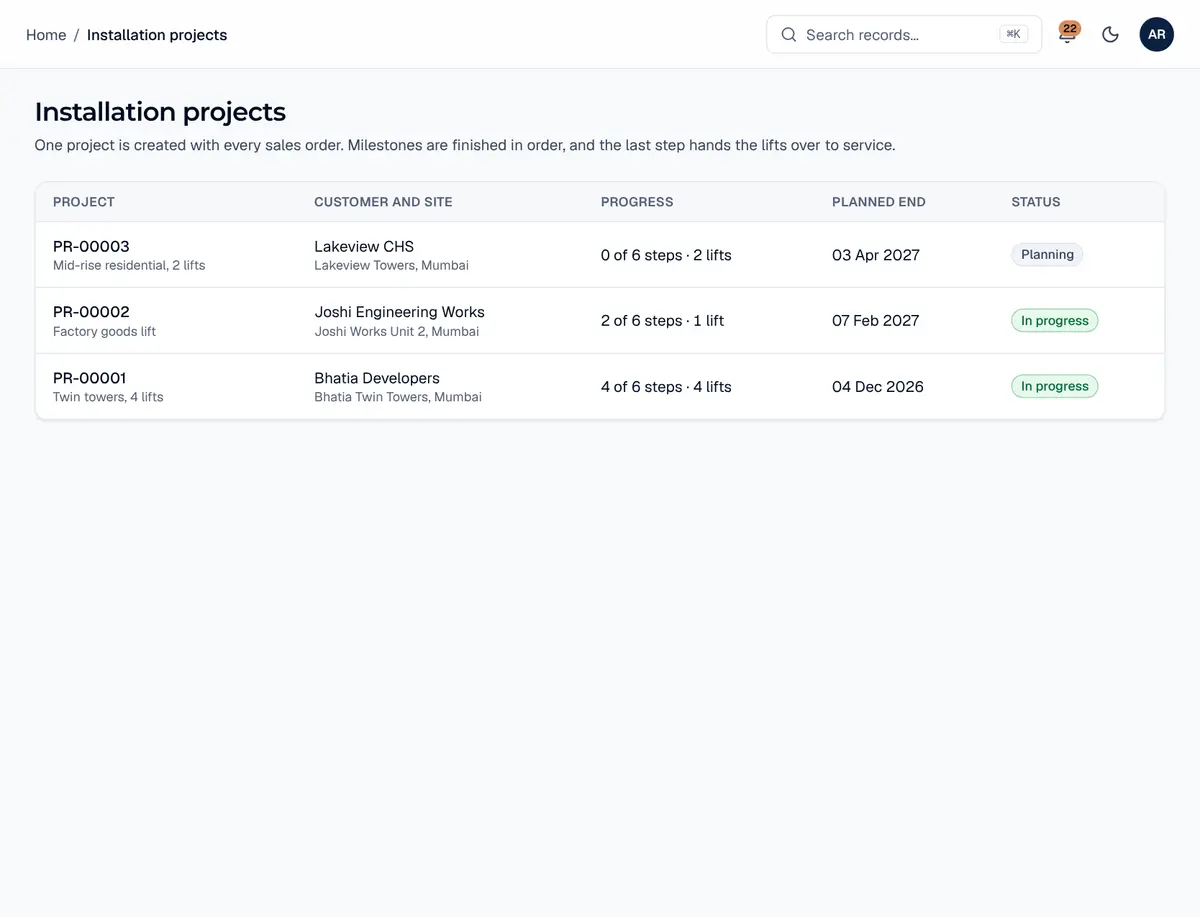
Create an installation project
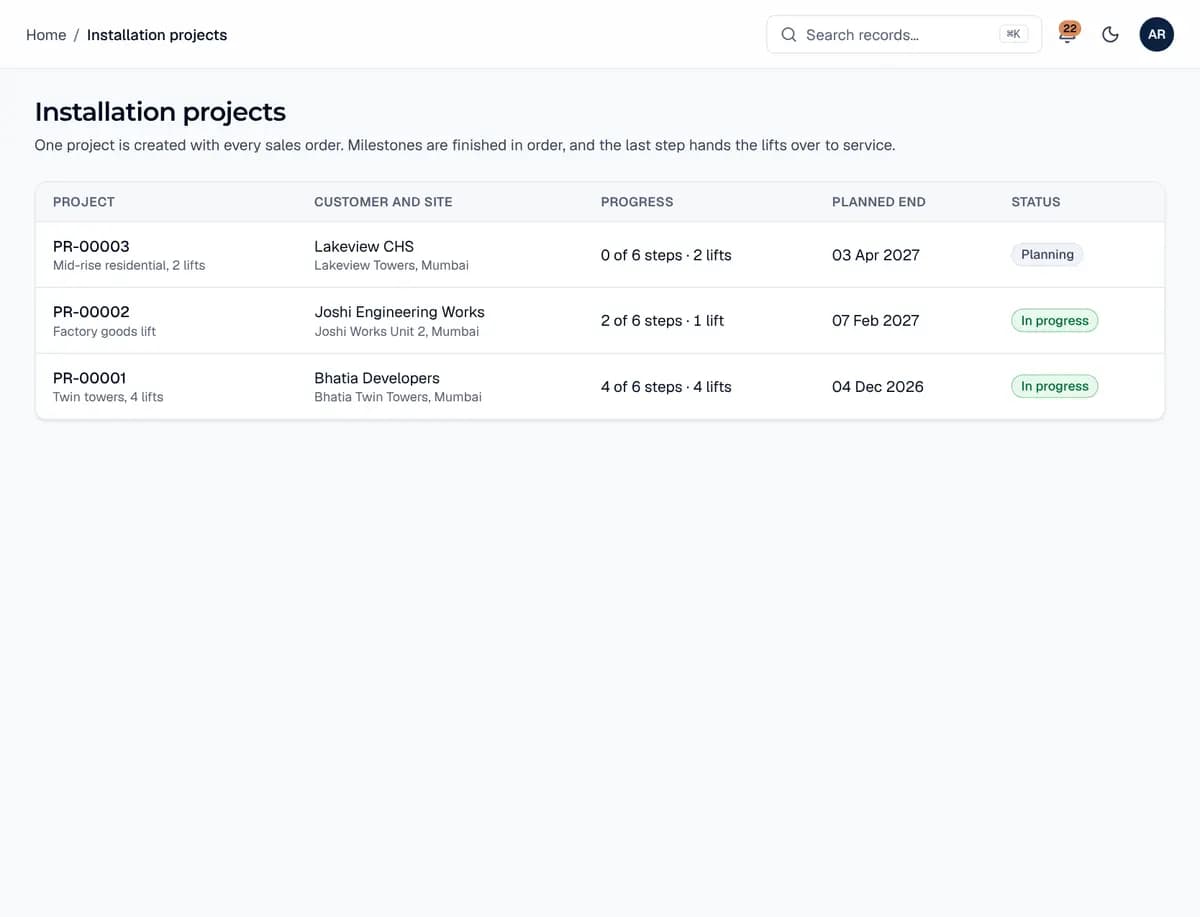
The order creates an installation project with the lifts, manager and planned dates.
Why it matters
The installation team starts from the order, not a copy of it.
- Projects are listed by branch
- Delayed projects show on the dashboard
Stage 10 · Deliver
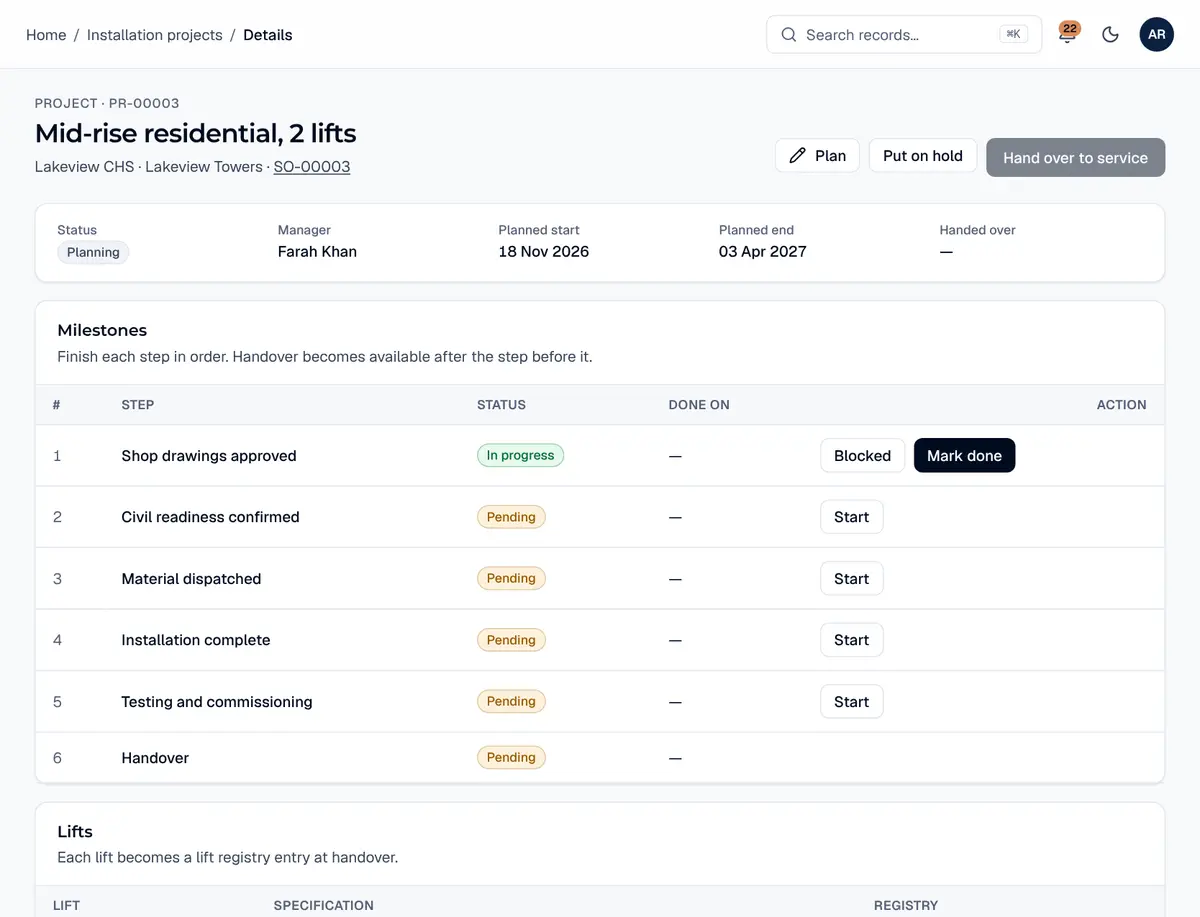
Complete milestones
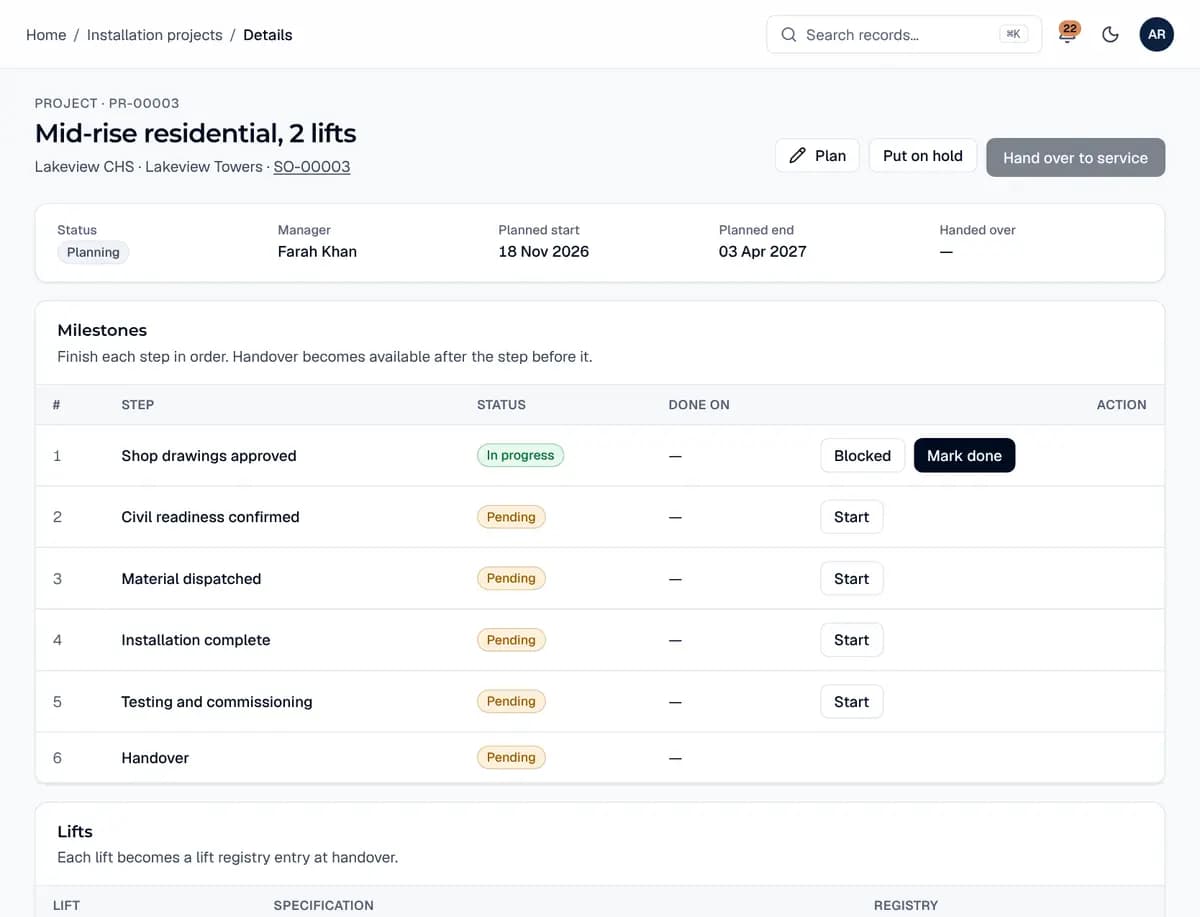
Milestones from shop drawings to handover are finished in order. Holds and resumes are recorded with reasons.
Why it matters
Everyone sees where each installation stands.
- Photos and documents are attached to the project
- Handover becomes available after the step before it
Stage 11 · Maintain
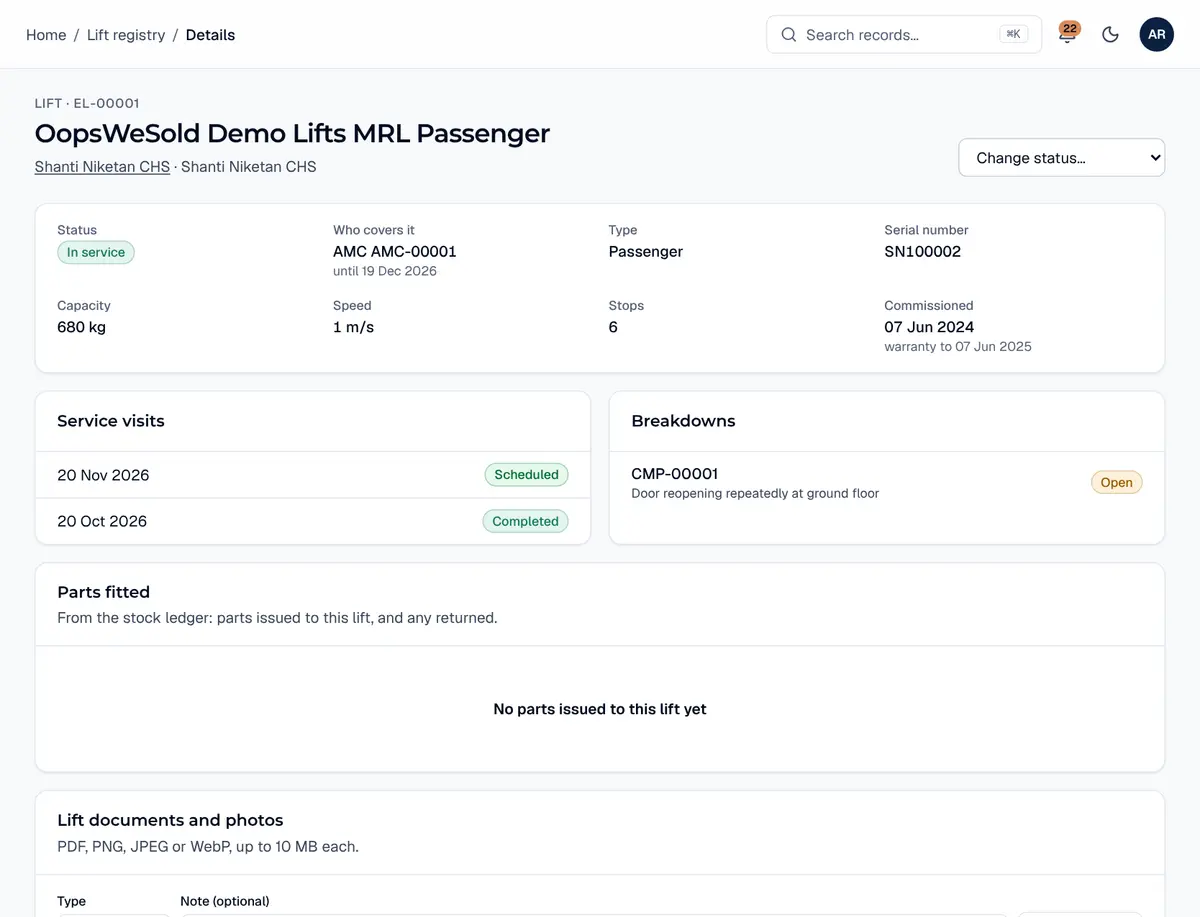
Register the elevator asset
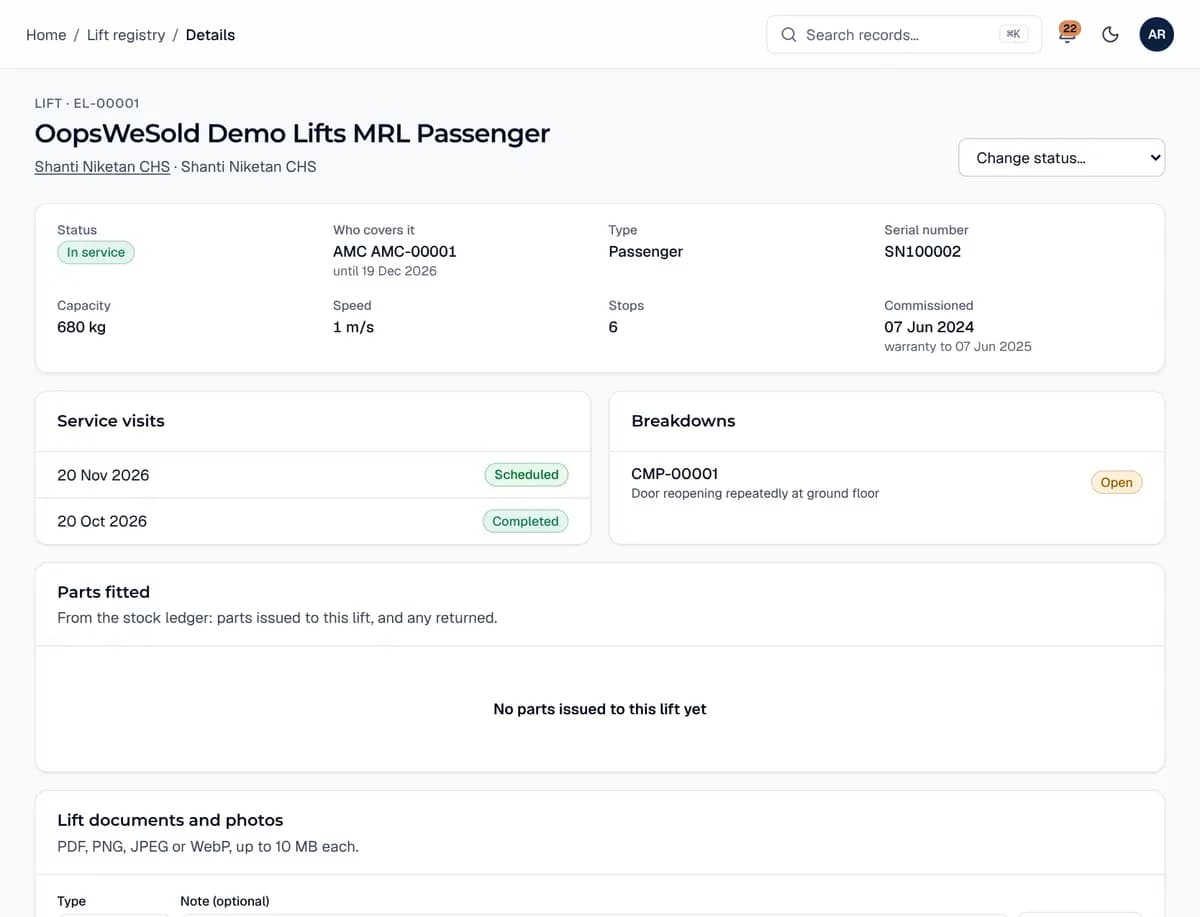
Handover registers each lift with its specification, serial number and warranty dates.
Why it matters
Service starts from what was actually installed.
- Completion creates a permanent elevator asset record
- Cover shows warranty, AMC or none
Stage 12 · Maintain
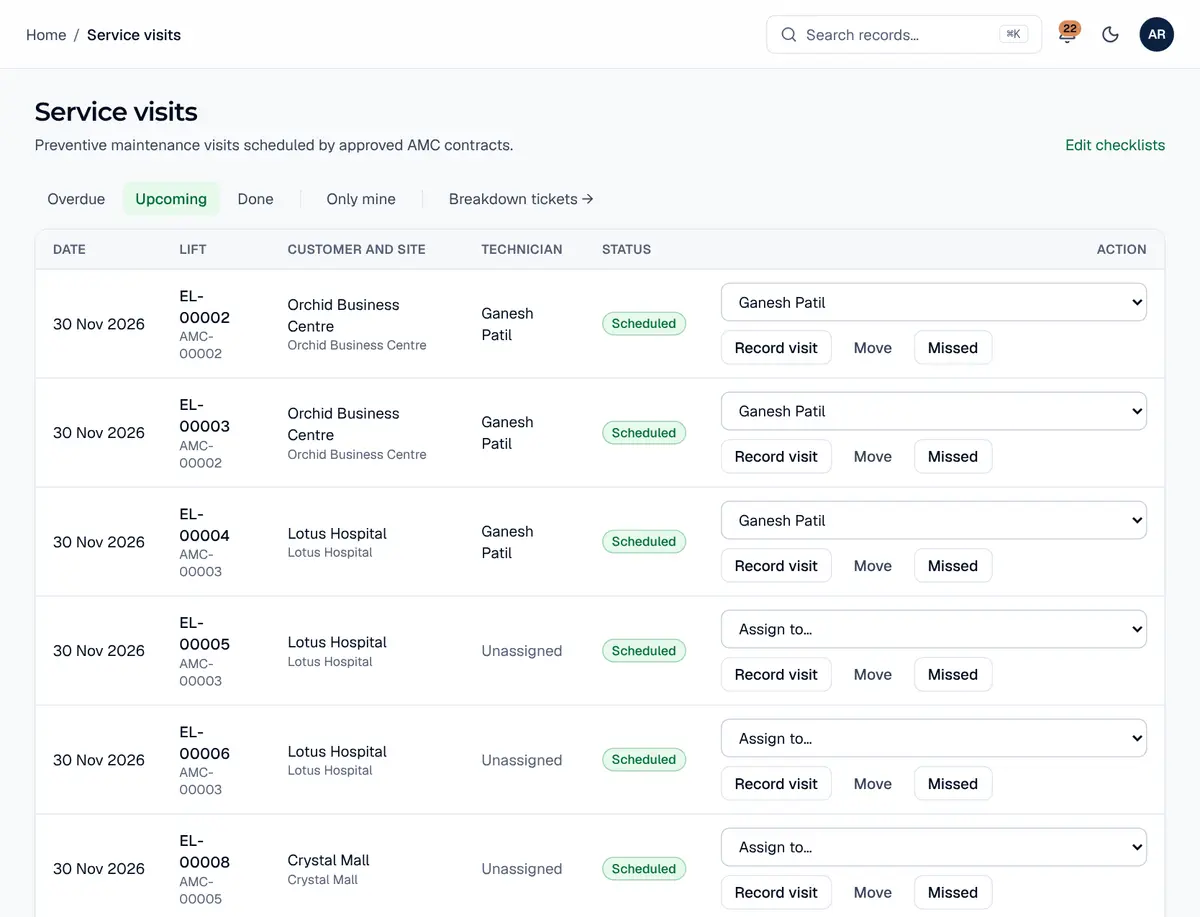
Schedule maintenance
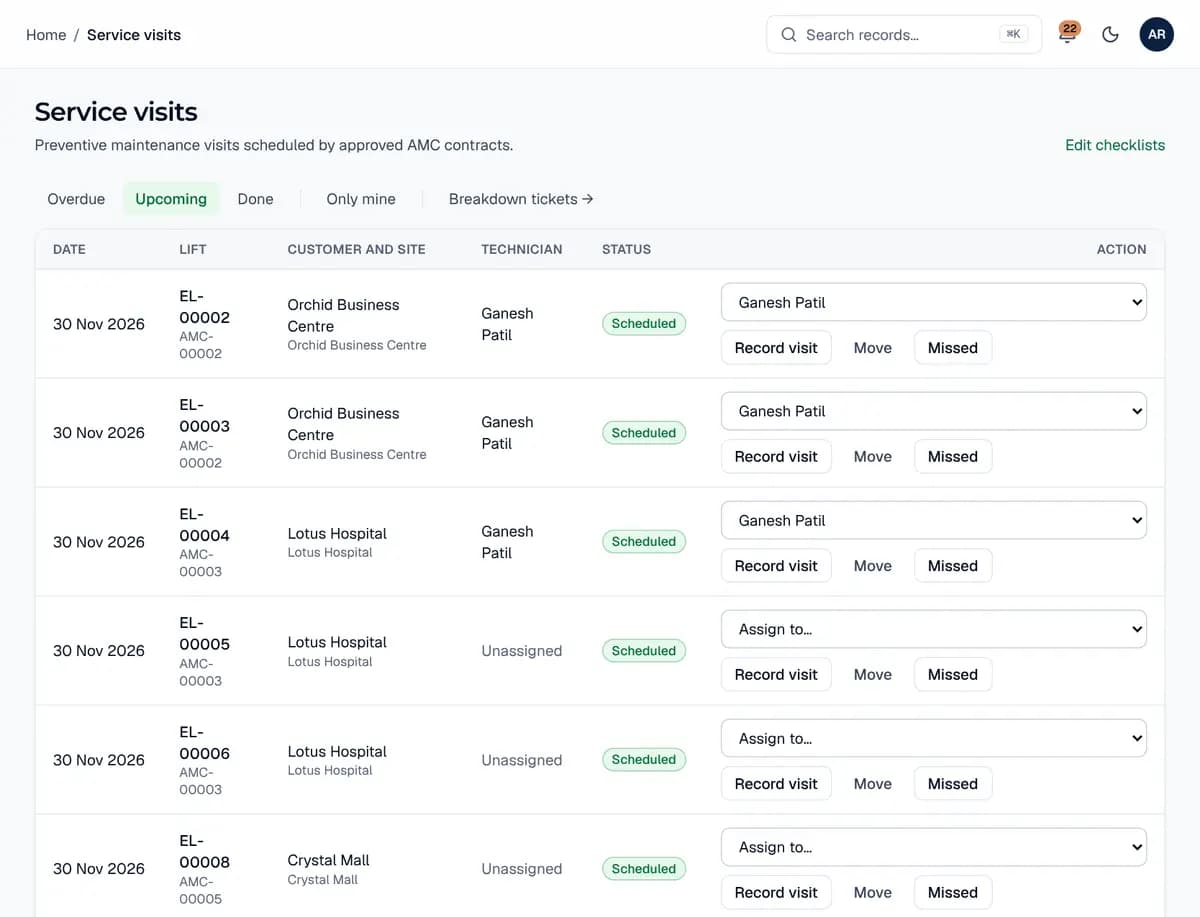
Visits generated from AMC contracts are assigned to technicians, moved or marked missed.
Why it matters
The month's visits are planned without rebuilding a sheet.
- Technicians see only their assigned work
- Overdue visits are flagged and alerted
Stage 13 · Maintain
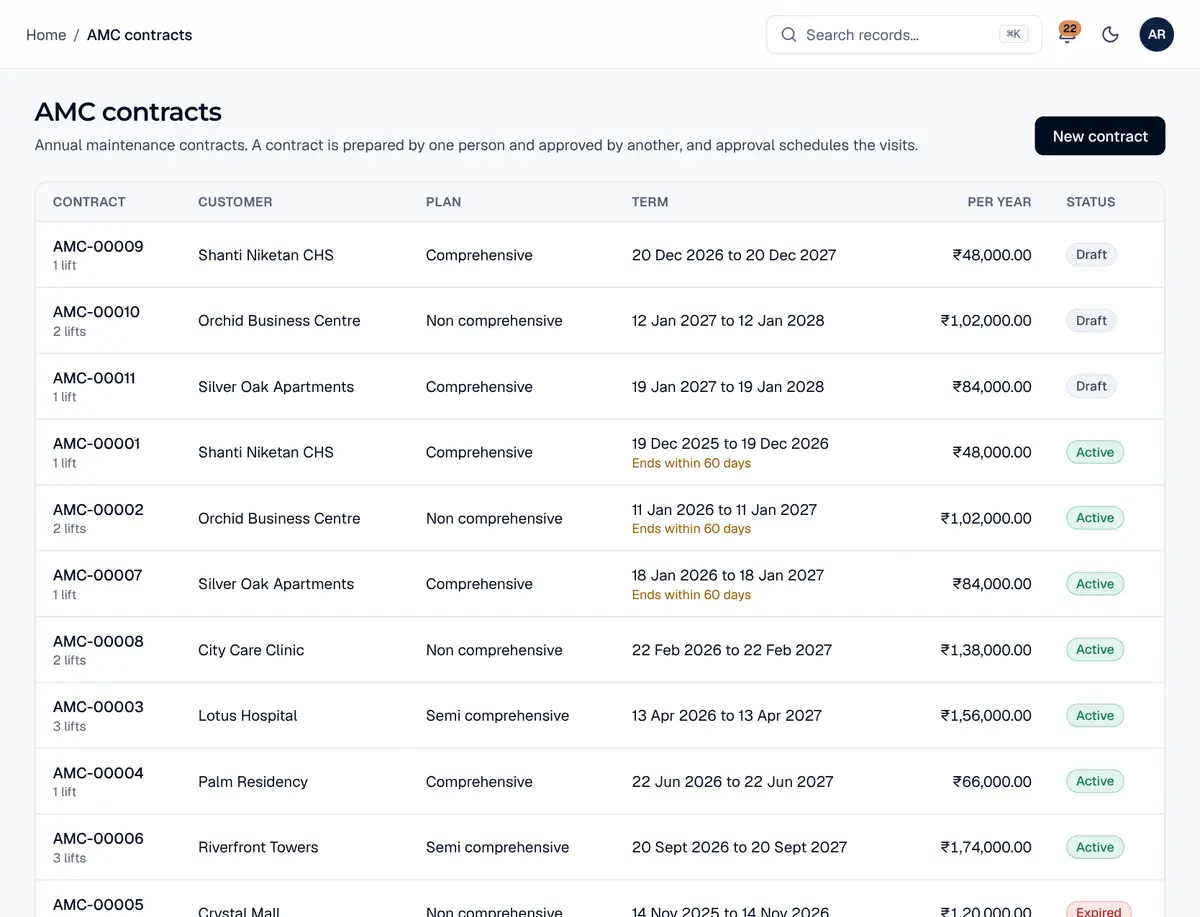
Manage AMC contracts
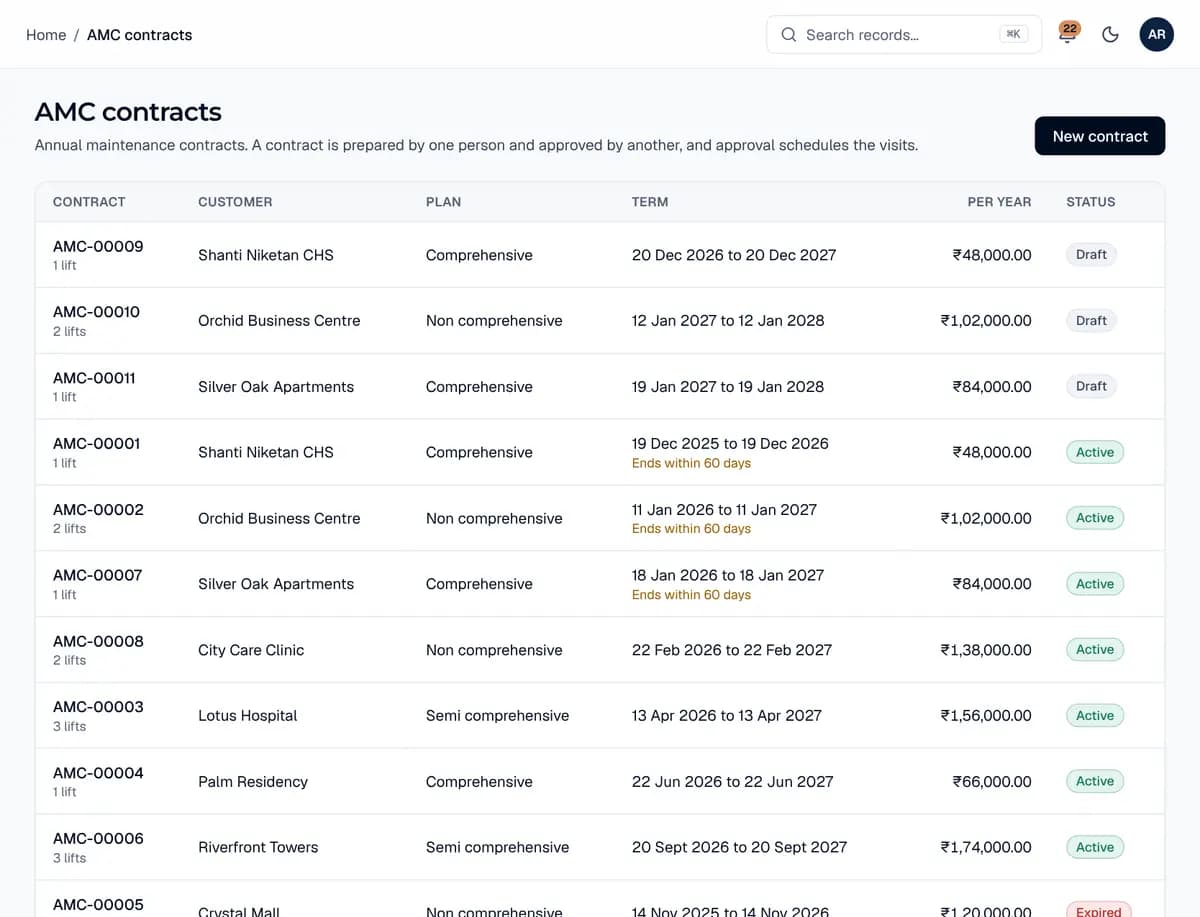
Contracts with plan, term and annual value. Approval by a second person schedules the visits.
Why it matters
Renewals are drafted before contracts end, not after the customer calls.
- Contracts ending within 60 days are marked
- Invoicing the term needs your ERPNext connection
Stage 14 · Maintain
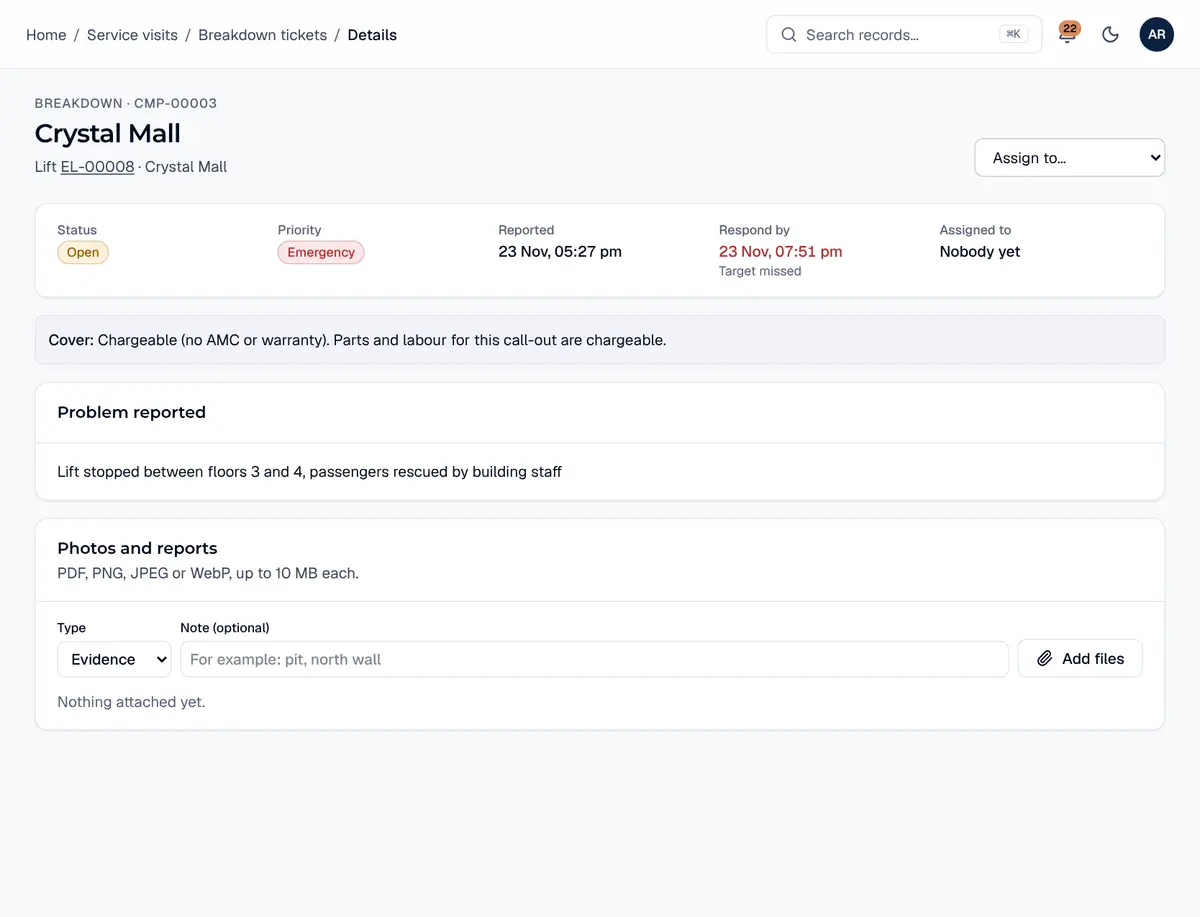
Resolve a breakdown
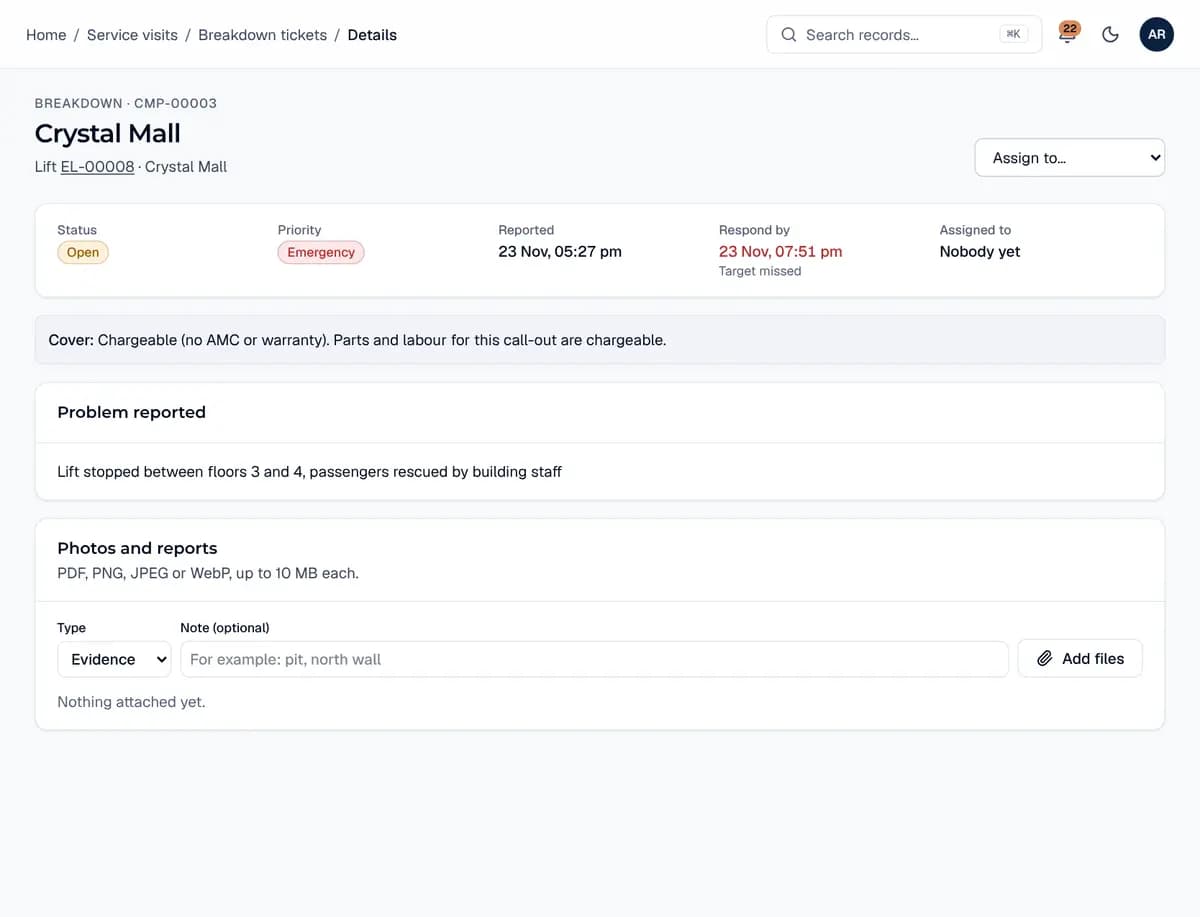
A ticket against the lift, with priority, respond-by time and whether the call-out is covered or chargeable.
Why it matters
Response targets are visible, and missed ones alert managers.
- Cover comes from the lift's AMC and warranty
- Cause and fix stay in the lift's history
Stage 15 · Manage
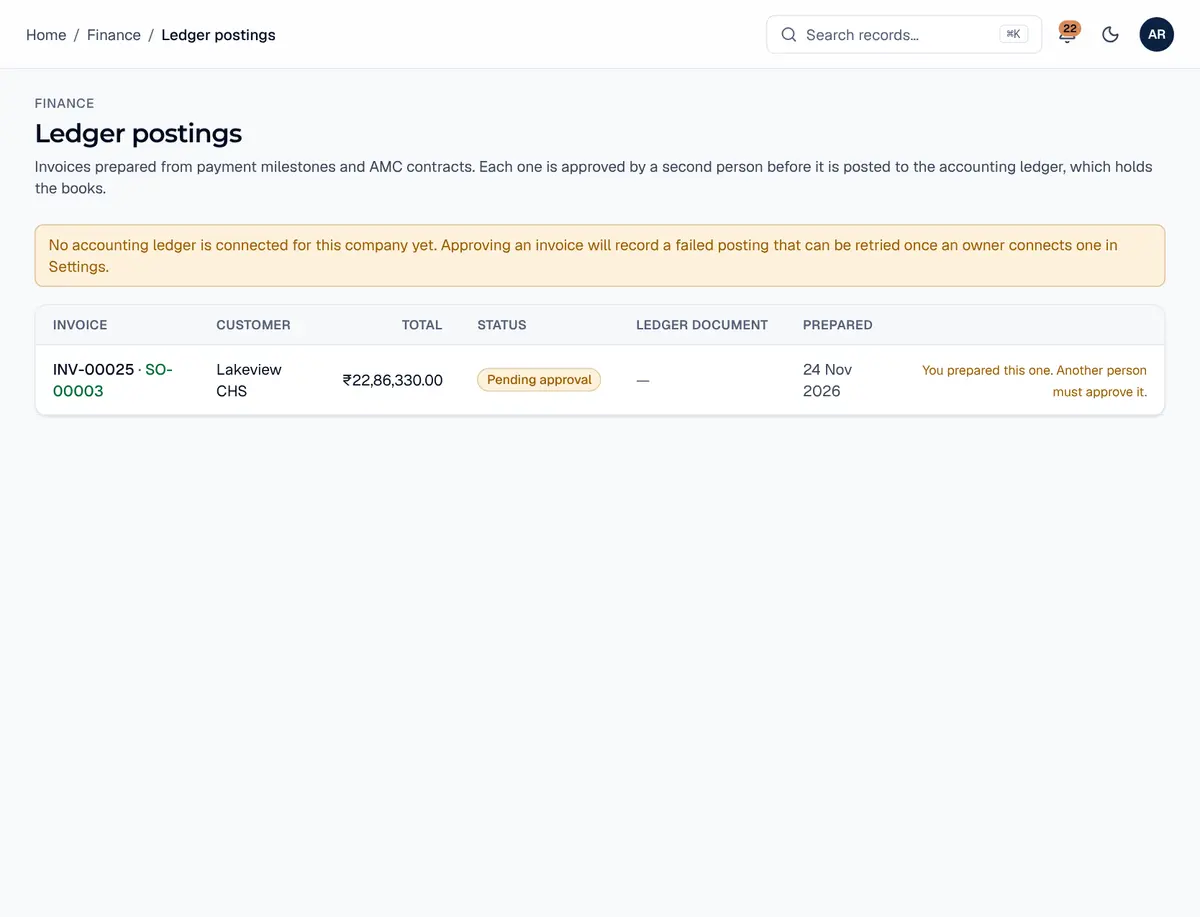
Prepare an invoice
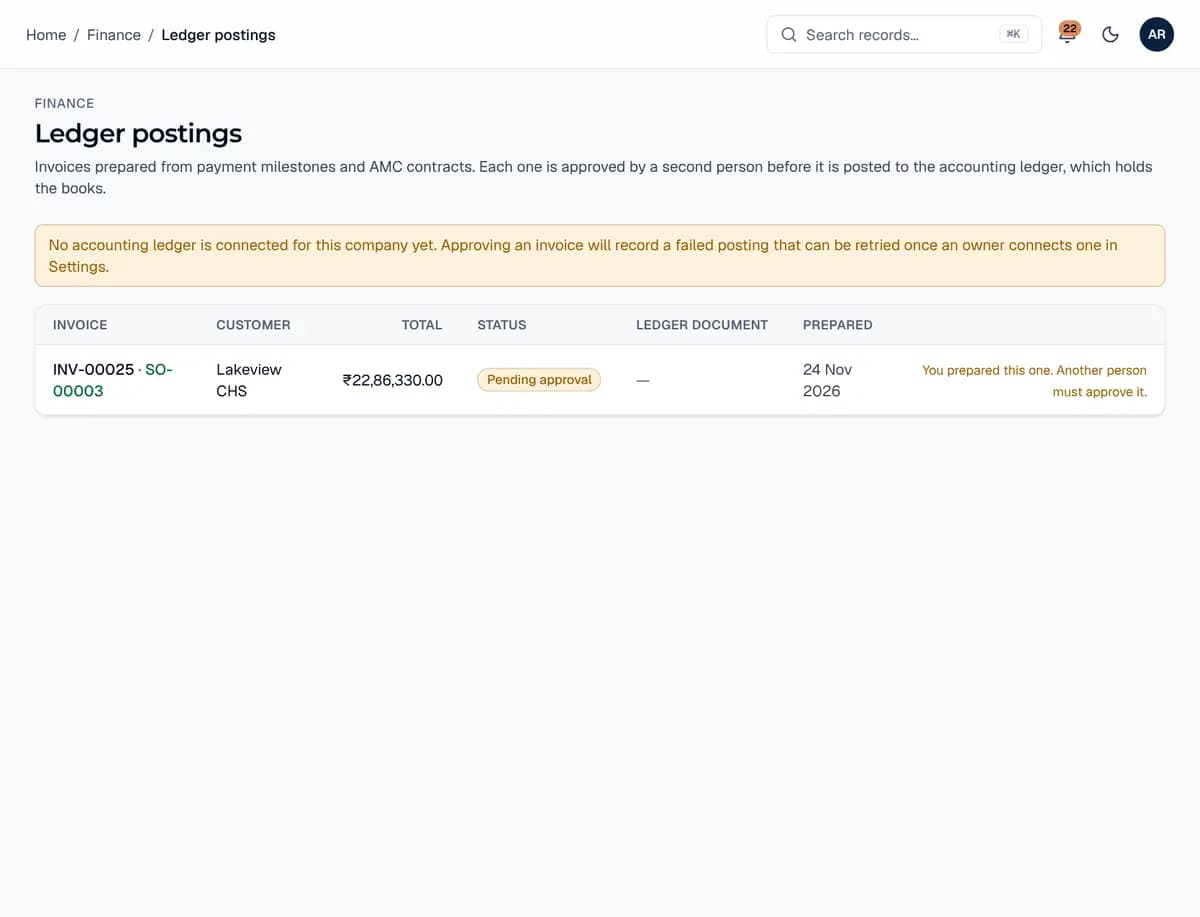
An invoice is raised from a payment milestone and waits for a different person to approve it before posting.
Why it matters
Your ERPNext books stay the books, and nothing is posted twice.
- Needs your own ERPNext site connected in Settings
- Postings are read back and reconciled
Stage 16 · Manage
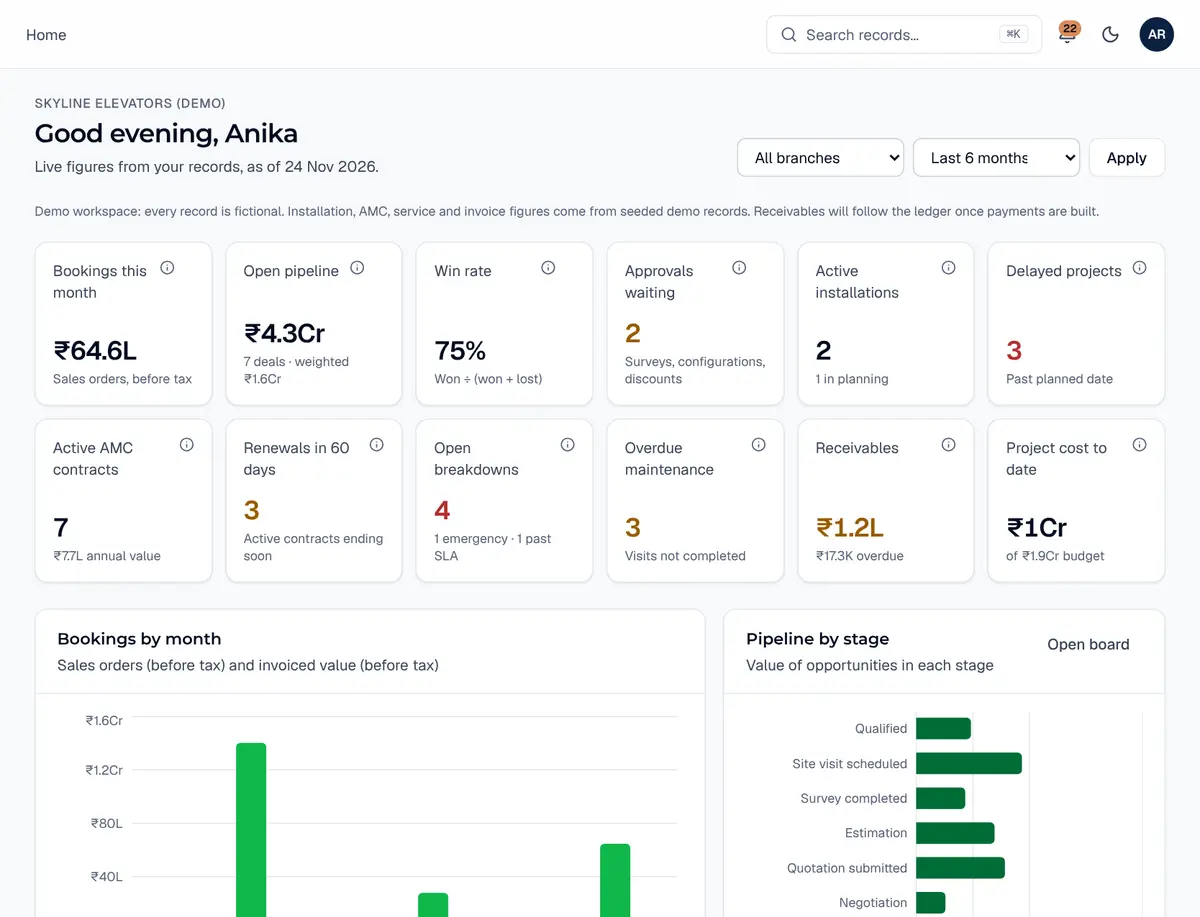
Review operational performance
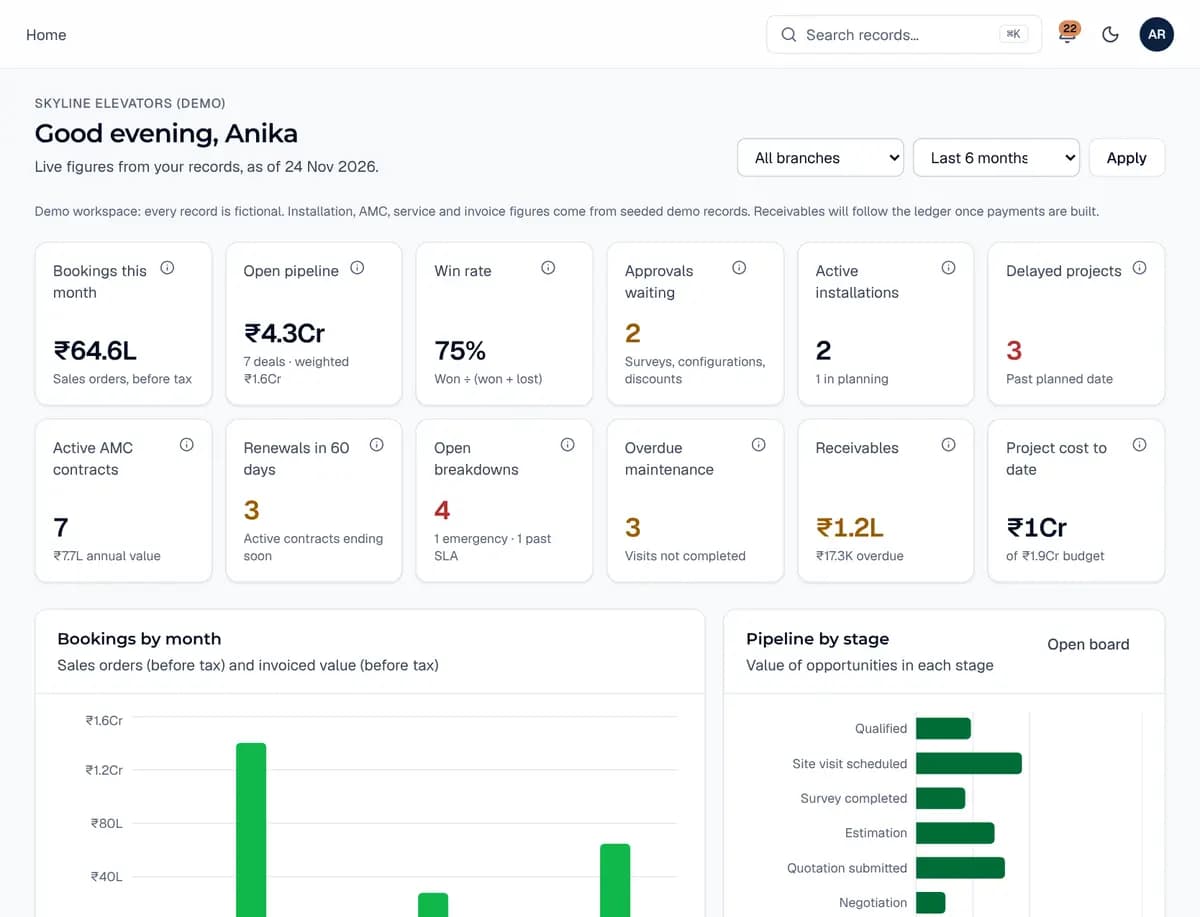
Bookings, pipeline, approvals waiting, delayed projects, renewals due, breakdowns and receivables.
Why it matters
The figures come from the same records the teams work in.
- Each figure explains how it is calculated
- Financial figures are hidden from roles that may not see them
See it with your own lifts and prices.
A demo walks through your sales, quotation, installation and service work, using the way your company actually operates.