
Know which parts you have, where they are, and which lift they fit
A breakdown fixed on the first visit usually depends on the right part being in the van. OopsWeSold keeps stock for each store and each technician's van, records every part issued to a lift, and refuses a safety-critical part for a lift that engineering has not approved it for.
Maintenance and AMC · Product tour
Inventory and spare parts, step by step in the real app
Screenshots from the working product, using a fictional demo company. Select any screen to open it full size.
- Step 1
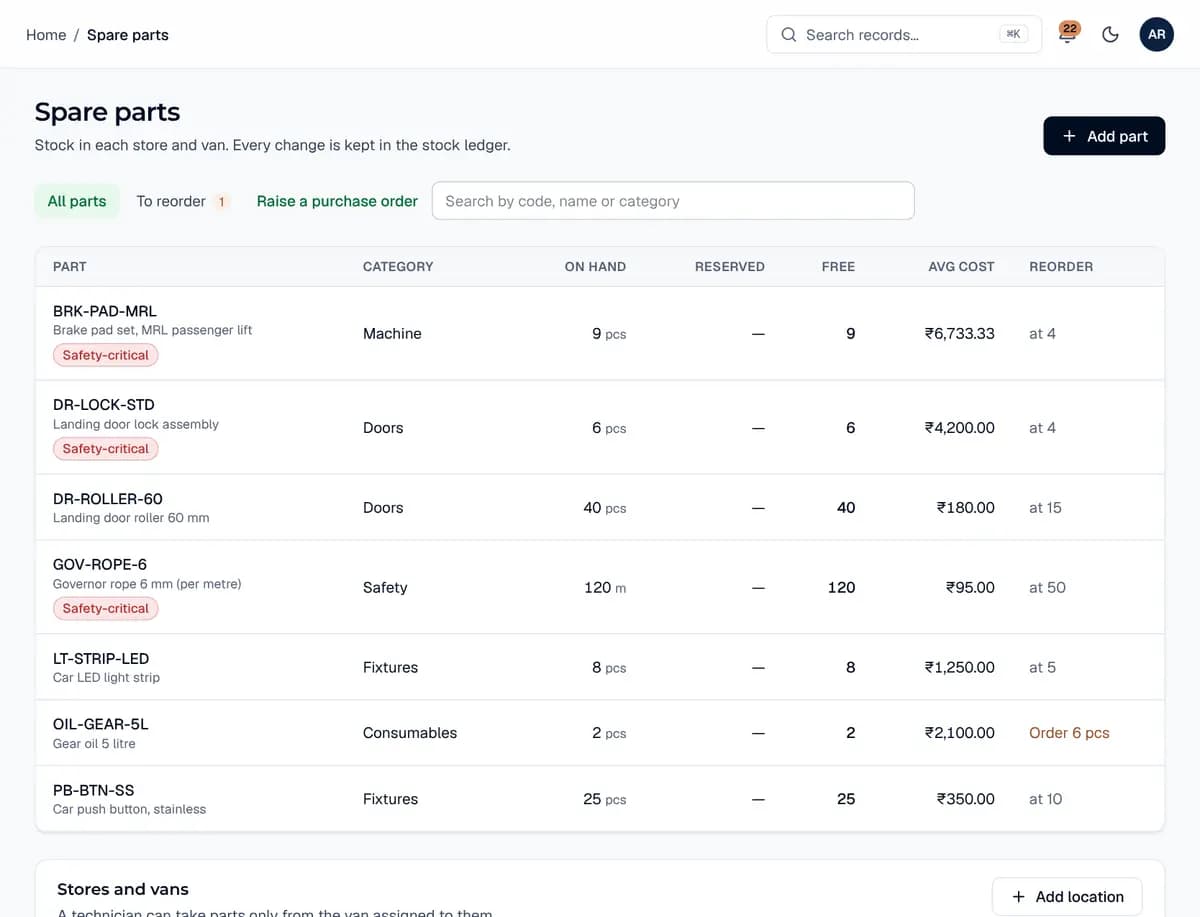
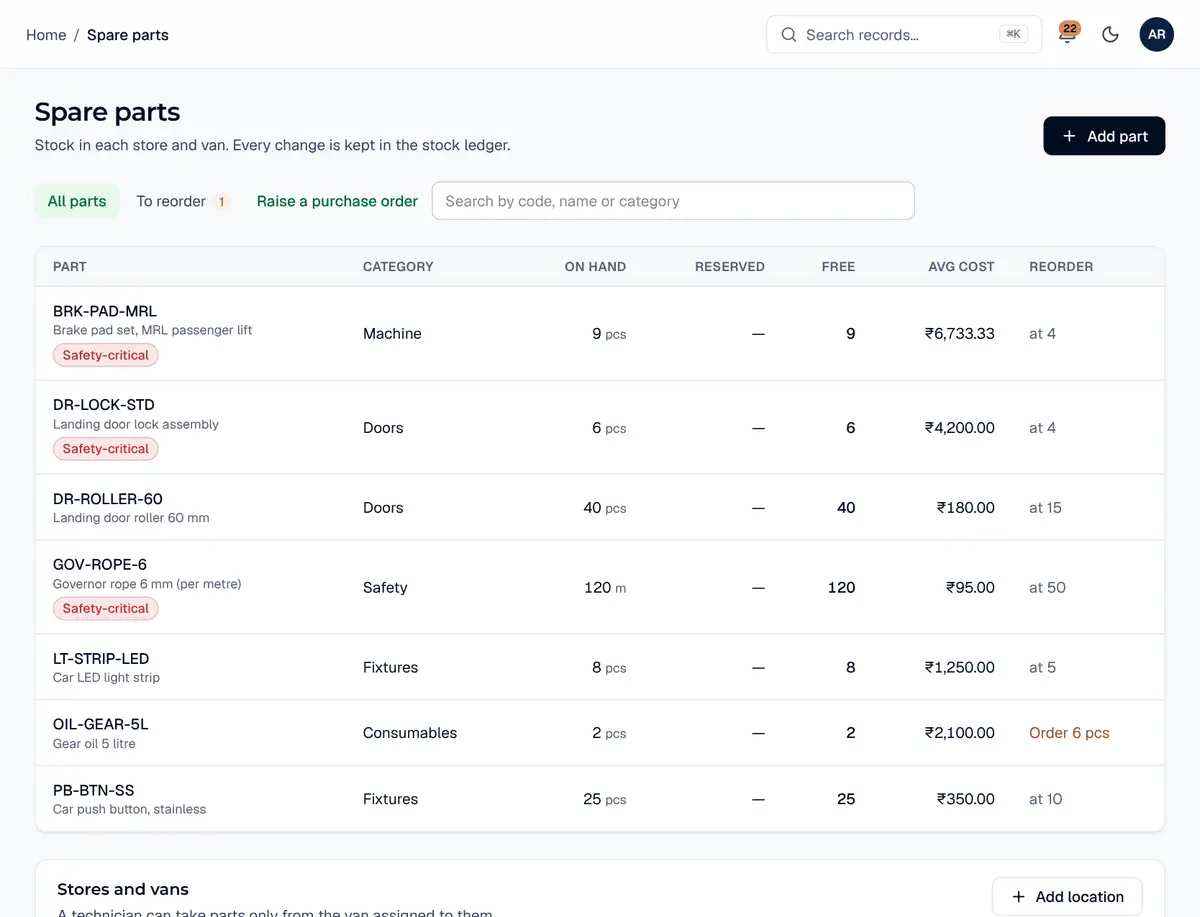
Stock by part and place
On hand, reserved, free, average cost and reorder point for each part, across stores and vans.
- Step 2
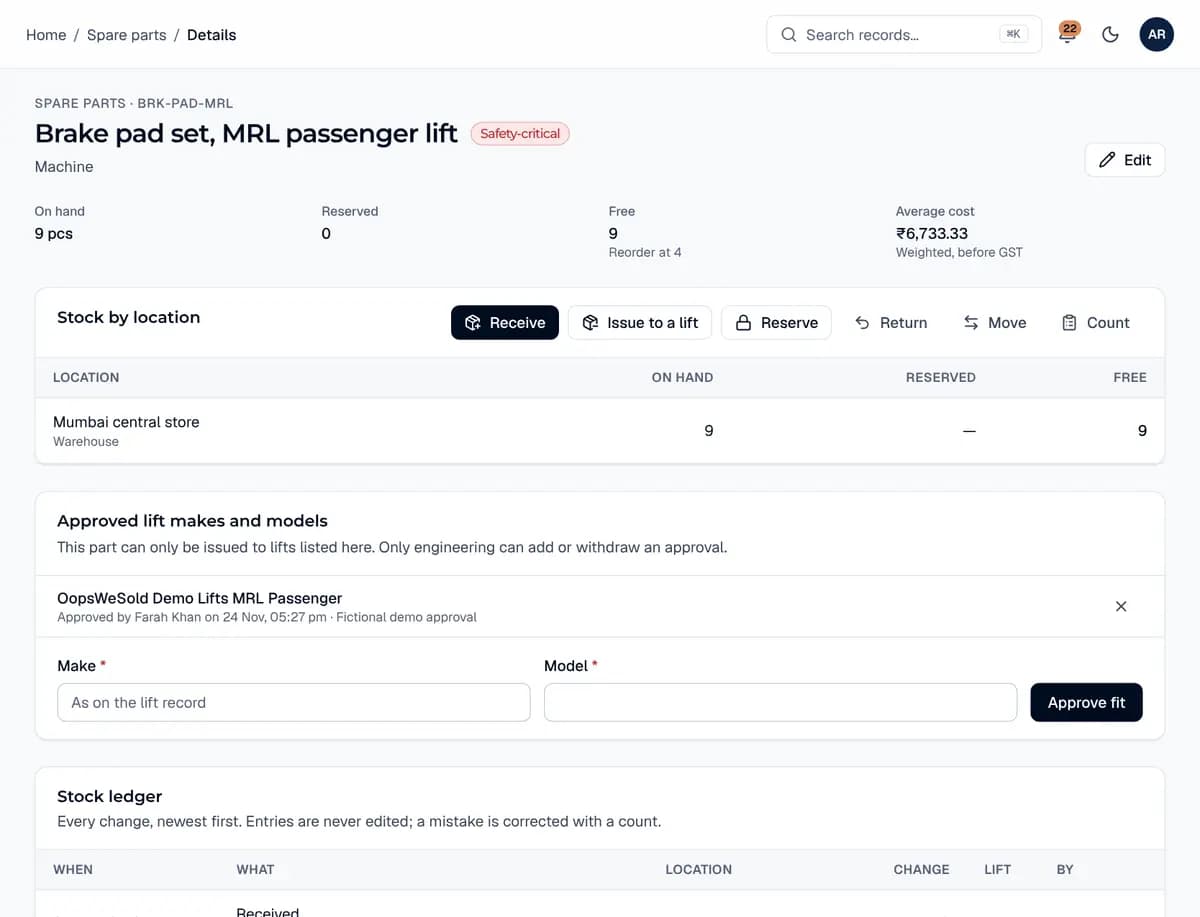
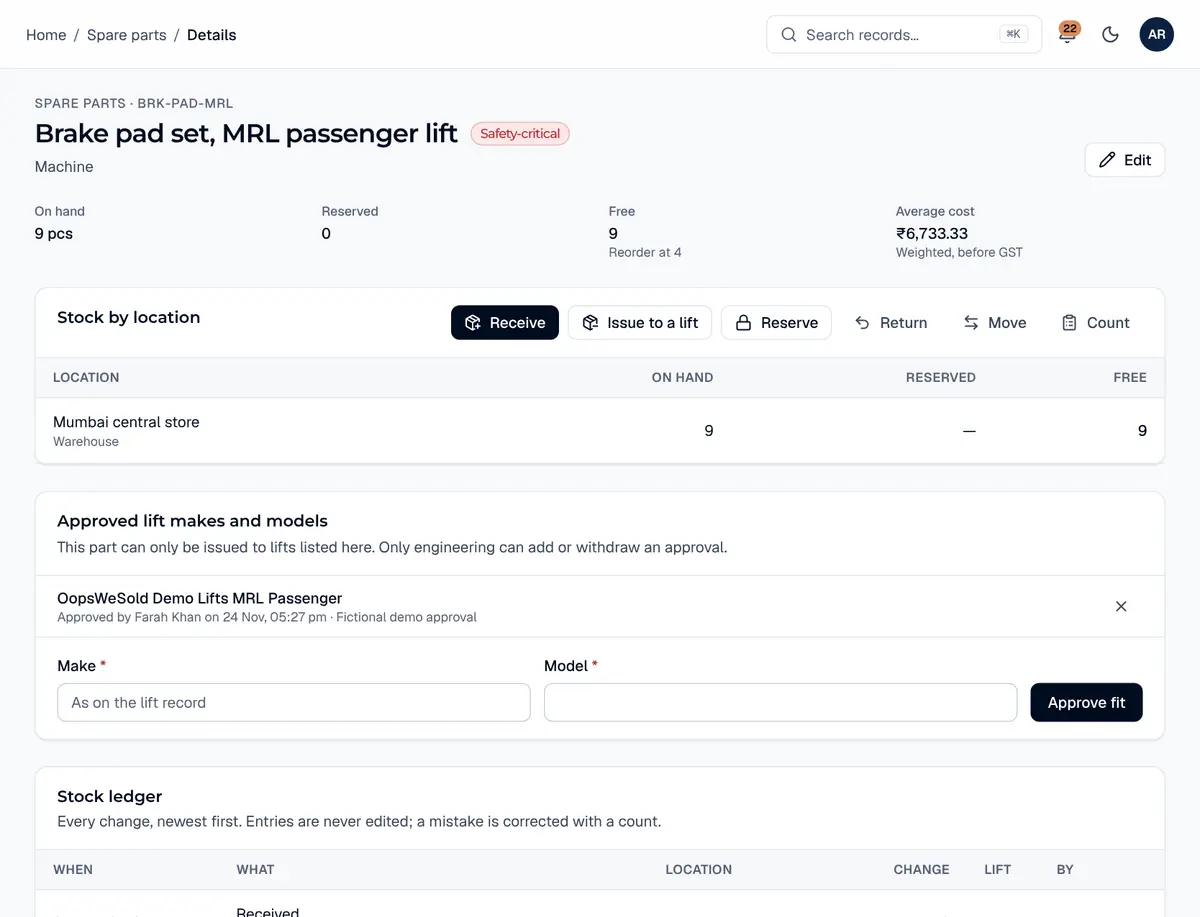
Approved for the right lifts
Safety-critical parts list the lift makes and models they are approved for, and cannot be issued elsewhere.
- Step 3
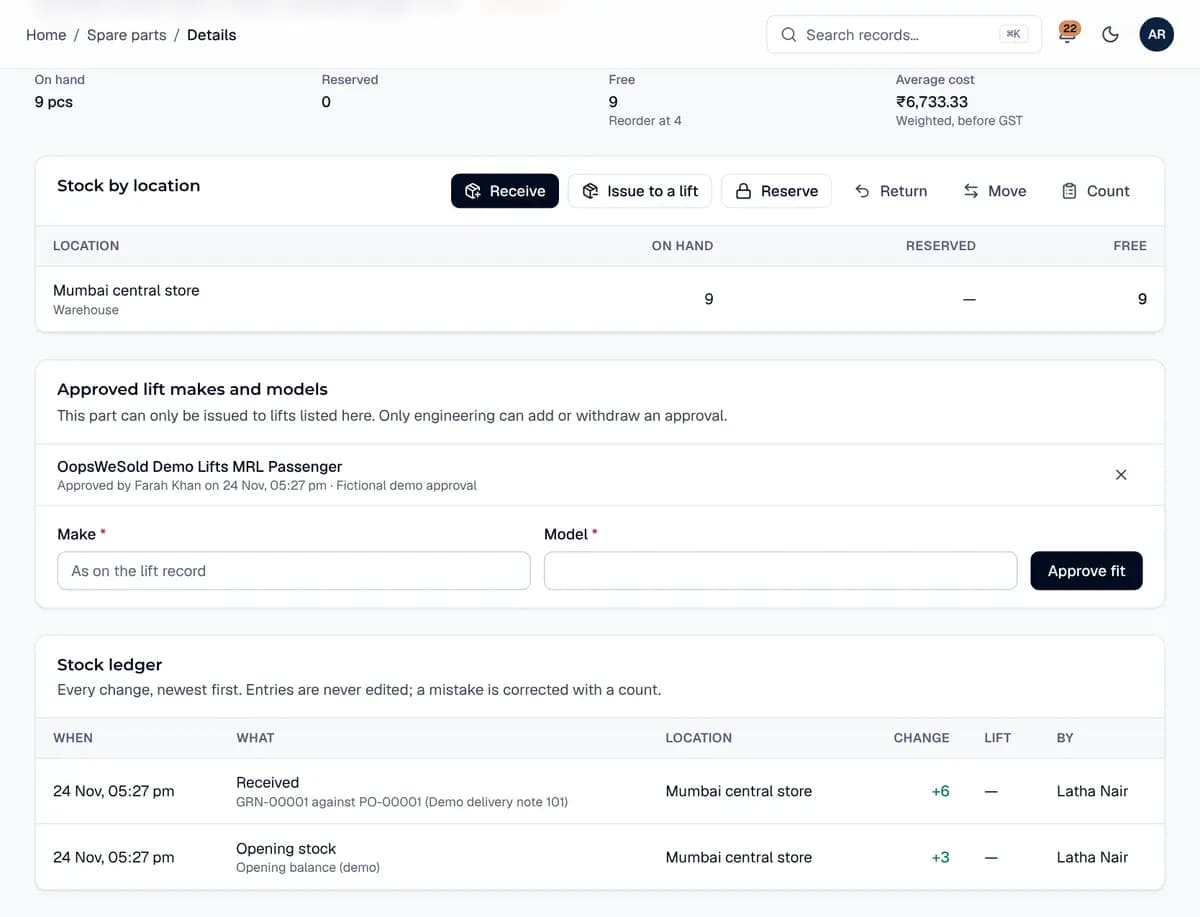
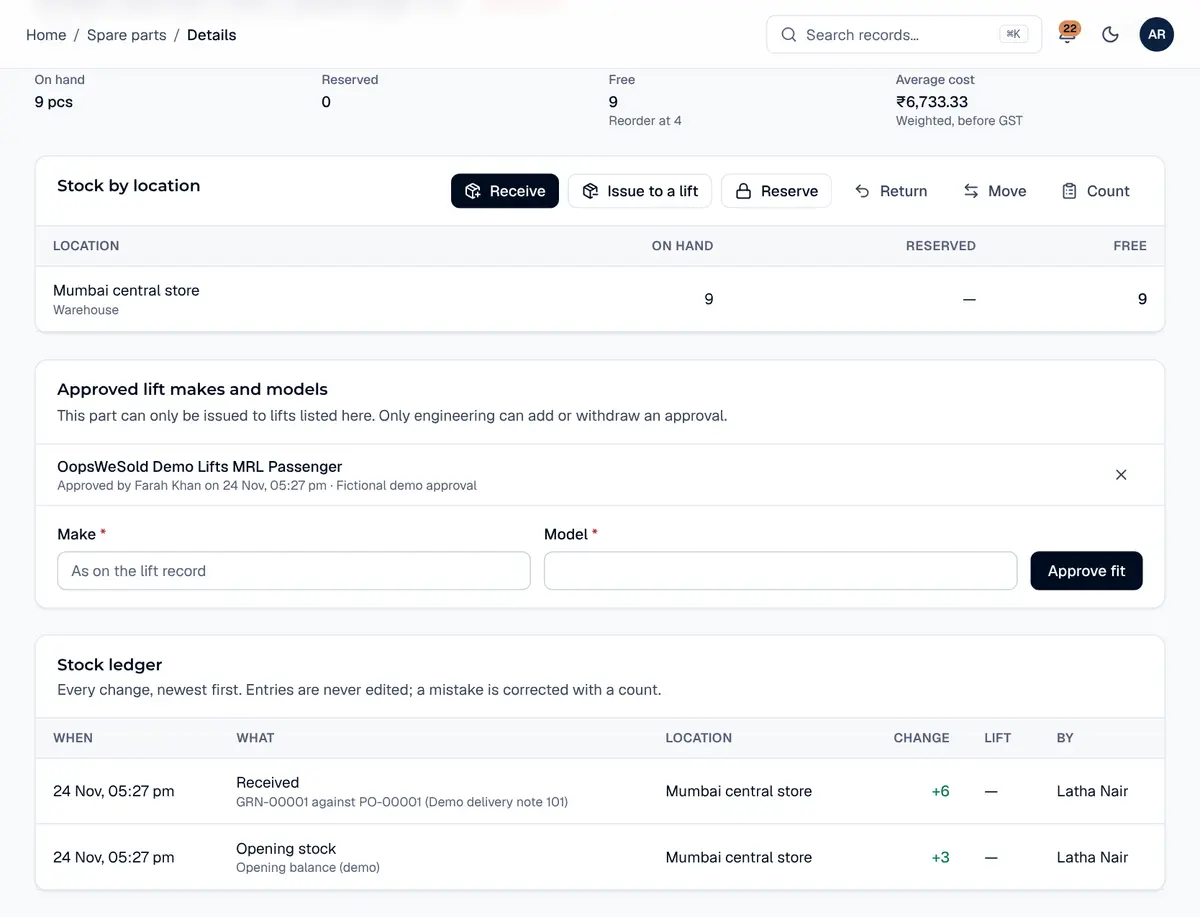
A stock ledger that is never edited
Receipts, moves, counts, reservations and issues, each a line with who and when.
- Step 4
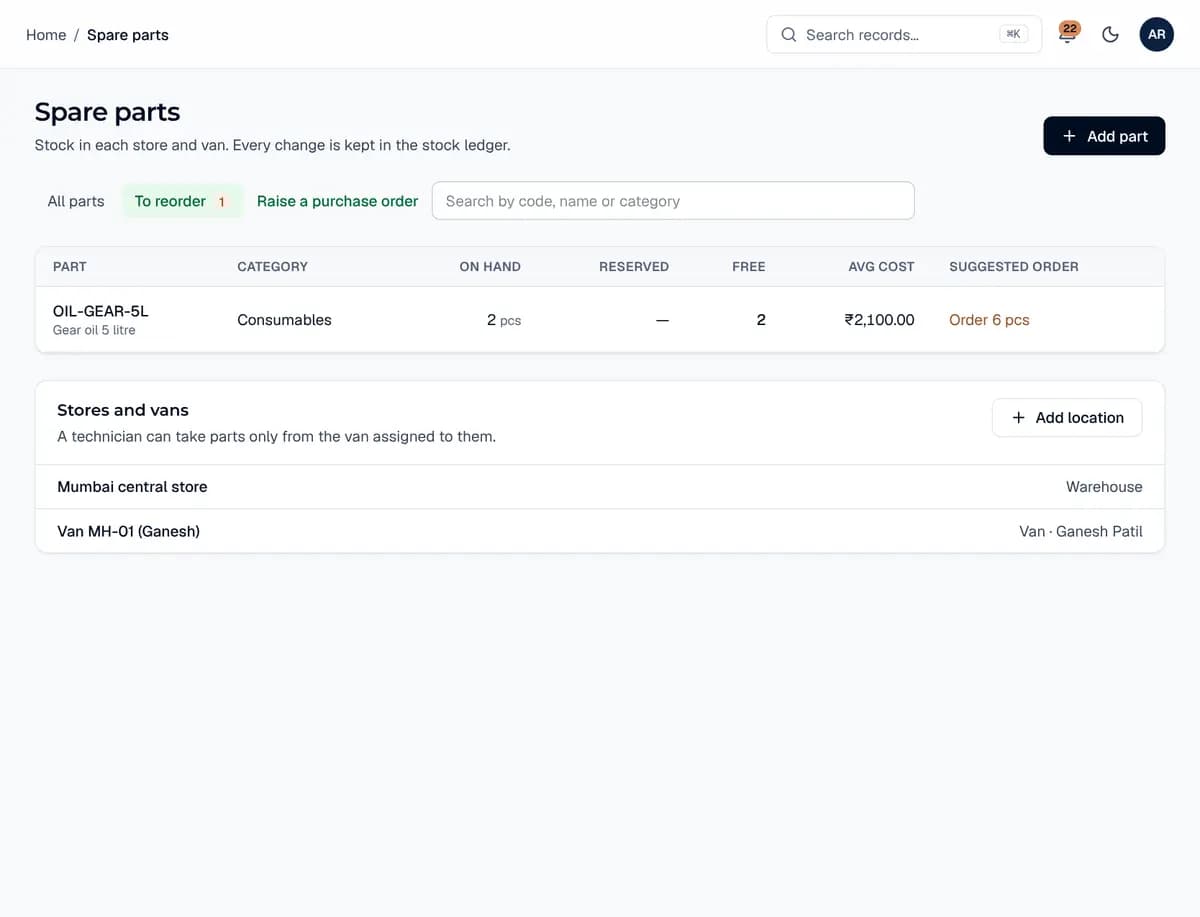
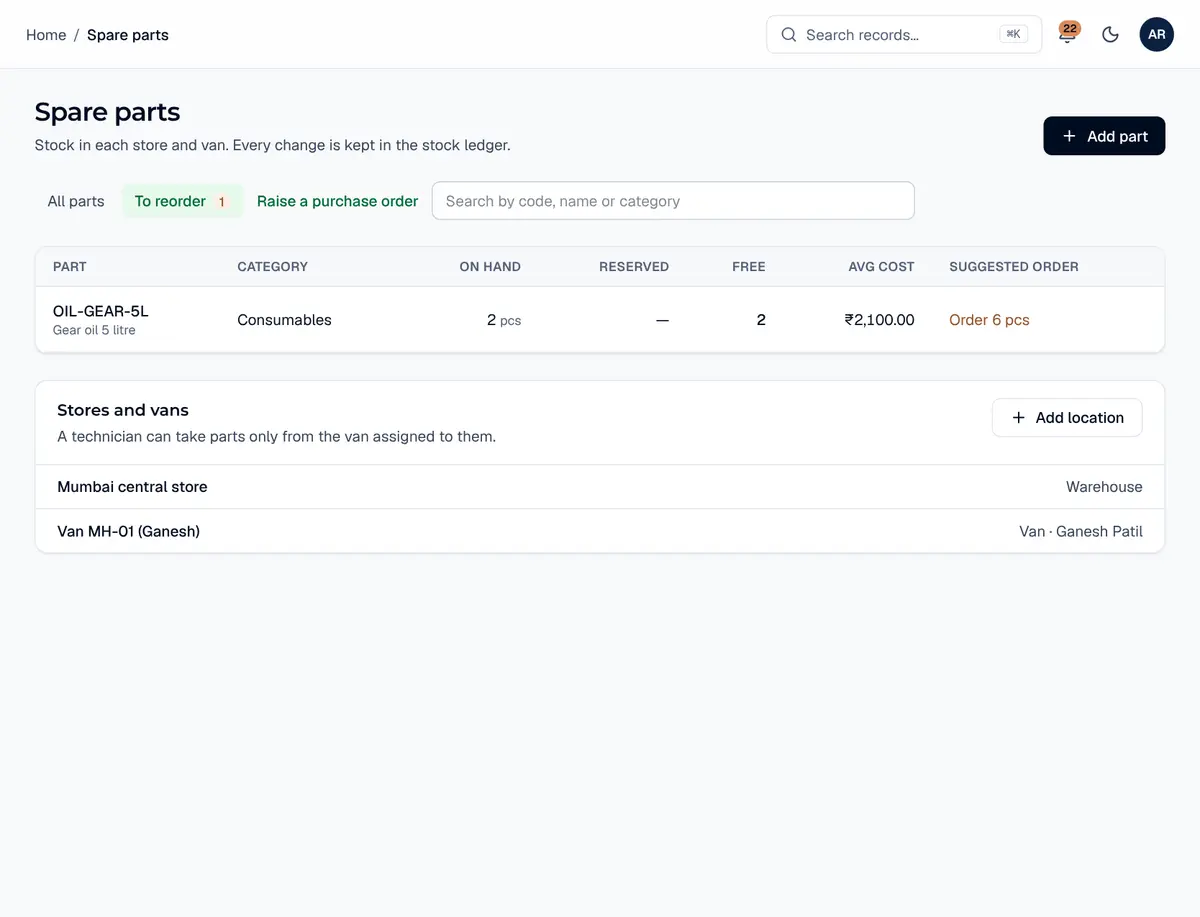
What to reorder
Parts at or below their reorder point, ready to fill a purchase order.
How it helps
Know what is in the vans
Technician vans are stock locations like any store.
Parts traced to lifts
Issuing a part to a lift lists it on that lift's page.
Wrong parts blocked
A safety-critical part cannot be issued to a lift it is not approved for.
Compared with how it is usually done
Spreadsheets, Tally and general ERPs are good tools for what they were built for. This is where each one fits for this part of a lift business.
| Task | Excel, paper and WhatsApp | Tally or a general ERP | OopsWeSold |
|---|---|---|---|
| Track stock levels | Monthly count in a sheet | Strong: godowns, stock items and valuation | Stores and vans with a stock ledger and average cost |
| Link a part to a lift | Written on the service card | Needs cost centres or custom fields set up by you | Issued to the lift and shown on its page |
| Stop a wrong safety part | Experience | Not available | Engineering-approved fit enforced on issue |
Other elevator software
- Spare parts inventory: claimed by 4 of the 7 elevator software websites we read, partly by 1 more.
Checked on 24 November 2026, from each vendor's own website. See the full comparison.
Who it is for
- Service managers and storekeepers
- Technicians who carry stock
- Engineering teams who approve parts
The problem
Nobody knows exactly what is in each van. Parts are bought twice, technicians make a second trip, and nobody can say which parts went into which lift.
How it works
- 1
Stock by location
Receive stock into stores and vans, move it between them and record physical counts. Every change is a line in the stock ledger, which is never edited.
- 2
Reserve and issue
Hold parts back for a planned visit or breakdown, then issue them to the lift. The lift's page lists every part fitted.
- 3
Fit the right part
Engineering records which lift makes and models a part is approved for. A safety-critical part cannot be issued to any other lift.
What you can do today
- Stores and technician vans
- Receive, move, count, reserve, issue and return
- Weighted average cost per part
- Reorder points with a to-reorder list
- Parts fitted shown on each lift
- Engineering-approved fit for safety-critical parts
Controls and records
- Stock can never go below zero, even when two people issue the last part at once
- A technician can take parts only from their own van
- A retried request is recorded only once
- Every movement is audited
Not available yet
So there are no surprises:
- Barcode or QR scanning
- Parts billed to the customer on breakdown invoices
- Stock posted to the accounting ledger
Connected to
Questions
Can a technician use it from the site?
Yes, through the web app on a phone. They see their own van and can issue a part to the lift they are working on. A dedicated mobile app is planned.
How do you decide that a part fits a lift?
We do not guess. An engineer records each approved make and model. For parts marked safety-critical, that record is required before the part can be issued.